 -by
-by Choosing the best baby monitor in 2026 is not simply about buying the camera with the highest resolution or the longest feature list. A useful monitor should match your home, your baby’s age, your comfort with connected technology, and the way you actually plan to check on your child.
Some parents want a simple camera and dedicated screen that works without Wi-Fi. Others want a smart baby monitor that sends notifications to a phone, records video, tracks room conditions, or provides sleep-related insights. Families with twins or multiple children may care more about multi-camera support, while frequent travelers may prioritize portability and easy setup.
This guide explains the major types of baby monitors, compares several notable 2026 options, and shows what to look for before buying. It also covers an important distinction that is sometimes overlooked: a consumer baby monitor is designed to help caregivers observe a child, not to replace safe-sleep practices or medical monitoring.
The recommendations below are based on currently available manufacturer information and feature sets rather than claimed personal testing. Because prices, subscriptions, availability, firmware, and specifications can change, check the manufacturer’s current product page before purchasing.
Best Baby Monitors 2026 at a Glance
There is no single best baby monitor for every family. The right choice depends on whether you value simplicity, privacy, smart features, screen size, battery life, or remote access.
| Baby monitor | Best for | Connection | Standout features | Main consideration |
| Nanit Pro | Smart monitoring | Wi-Fi/app | 1080p video, sleep insights, temperature/humidity, breathing-motion accessories | More dependent on app/cloud features |
| eufy SpaceView Pro | No Wi-Fi monitoring | Dedicated monitor | 720p, 5-inch display, pan/tilt/zoom, long monitor battery | No remote smartphone access |
| LeapFrog LF920HD | Large-screen viewing | Dedicated monitor | 7-inch 720p display, 360° pan/tilt, color night vision, 8x zoom | Larger parent unit |
| VTech VM819 | Budget-friendly simplicity | Dedicated monitor | Night vision, temperature sensor, two-way audio, long claimed battery life | Smaller 2.8-inch screen |
| Owlet Cam 2 | Connected ecosystem | Wi-Fi/app | Camera-based monitoring and integration with Owlet’s ecosystem | Smart features require more setup and account management |
These are not ranked solely by specifications. A family that wants privacy and does not need remote access may reasonably prefer a simpler non-Wi-Fi model over a more sophisticated connected camera.
What Is a Baby Monitor?
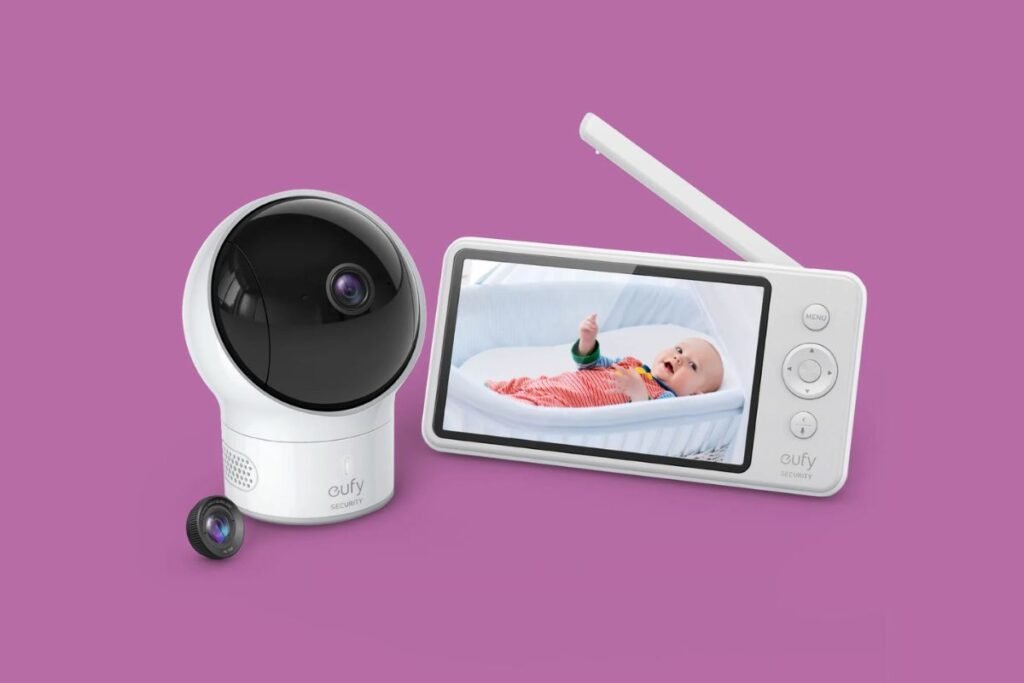
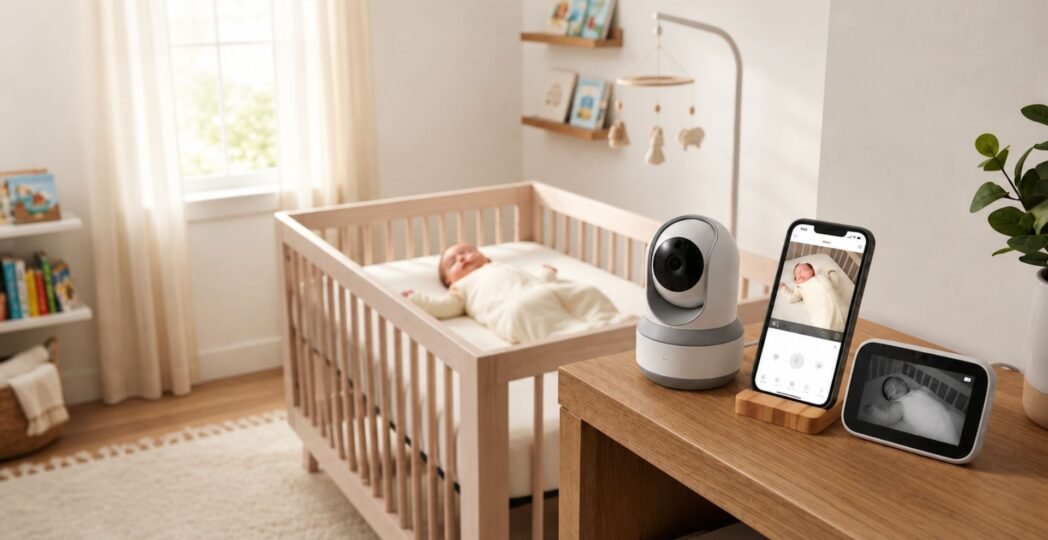
A baby monitor lets a caregiver hear, see, or otherwise observe a baby from another location. Traditional models use a dedicated parent unit, while modern smart models can transmit video and alerts to a smartphone through Wi-Fi. The simplest monitors provide audio. Video models add a camera and display. Smart models may add features such as motion and sound notifications, room-temperature readings, sleep tracking, recording, remote viewing, or integrations with other baby-care products.
The important distinction is between observation and medical monitoring. A consumer monitor can help you know whether your baby is awake, moving, crying, or sleeping. It should not be treated as a medical device unless it is specifically designed, authorized, and prescribed for that purpose. The American Academy of Pediatrics states that consumer home cardiorespiratory monitors should not be used as a strategy for preventing sleep-related infant death.
How Does a Baby Monitor Work?
Most modern systems have three basic components:
- Camera or baby unit – Positioned in or near the baby’s room.
- Parent unit or smartphone app – Displays video and/or audio.
- Wireless connection – Transfers information between the camera and viewing device.
The connection method makes a major difference.
Dedicated non-Wi-Fi monitors
These use a camera that communicates directly with a supplied parent screen.
Advantages include:
- No home Wi-Fi configuration
- No smartphone required
- Convenient bedside viewing
- Less dependence on internet service
- Often simpler for grandparents and caregivers
For example, the eufy SpaceView Pro uses a dedicated 5-inch 720p monitor and does not use Wi-Fi for its video connection. eufy’s published specifications also list pan/tilt/zoom, night vision, temperature monitoring, two-way audio, and support for additional cameras.
Wi-Fi baby monitors
A Wi-Fi model connects to your home network and normally uses an app.
This can provide:
- Remote viewing
- Smartphone notifications
- Video history
- Multiple caregivers
- Cloud features
- Smart detection
- Integration with other devices
The trade-off is greater dependence on your network, account, application, firmware, and the manufacturer’s service.
Hybrid systems
Some families use both approaches. A dedicated monitor can provide quick local viewing while a smartphone app offers remote access when a parent is away.
Best Baby Monitors 2026: Our Top Picks
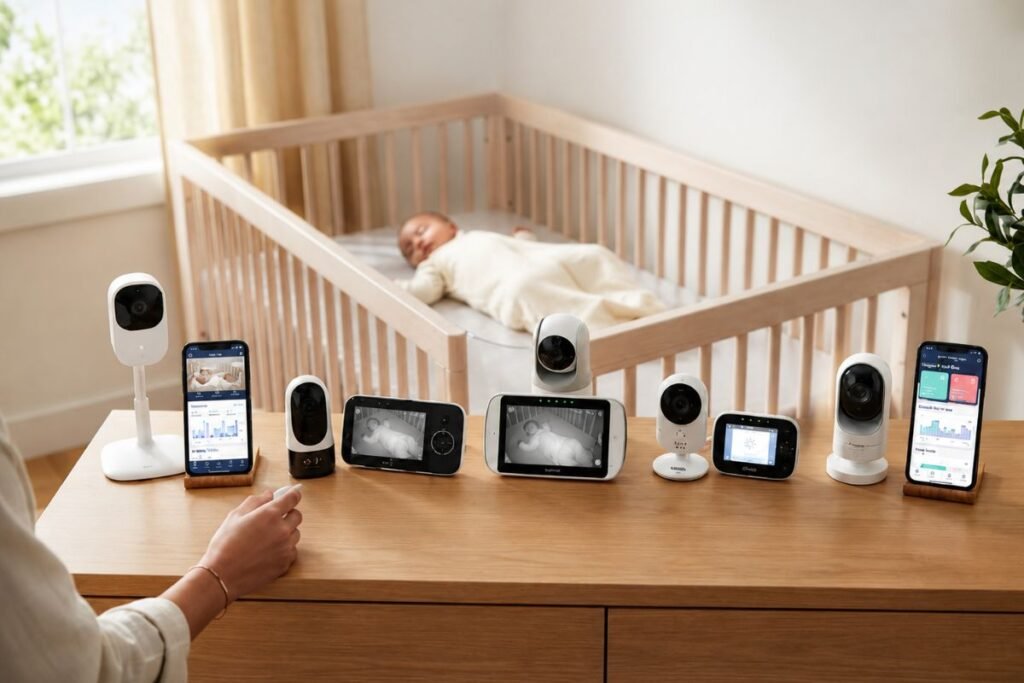
01. Nanit Pro — Best Smart Baby Monitor for Connected Families
The Nanit Pro is aimed at parents who want more than a conventional video feed. Nanit’s current documentation describes a 1080p camera, infrared illumination, temperature and humidity monitoring, app-based viewing, and optional sleep-related features. The company also offers breathing-motion monitoring through compatible accessories.
Why consider it?
The biggest advantage is the ecosystem. Instead of simply watching a live video feed, parents can use the app to organize information about sleep and the nursery environment.
Current Nanit documentation also lists features such as:
- 1080p HD video
- Temperature and humidity monitoring
- Two-way communication
- Movement and sound notifications
- Sleep-related insights
- Breathing-motion monitoring with compatible products
- Multi-child viewing
- Optional recording and historical data features
Some features are tied to Nanit’s Insights subscription, so buyers should check the current plan structure rather than assuming every advertised software feature is included indefinitely.
Best for
Choose Nanit Pro if you want:
- A smart nursery ecosystem
- Smartphone access
- Detailed sleep-related information
- A high-resolution camera
- Remote monitoring
Potential drawbacks
A smart monitor introduces more complexity than a basic camera. You may need to manage an account, Wi-Fi connection, app permissions, software updates, and subscription features. For parents who simply want to look at a baby from the next room, that may be unnecessary.
02. eufy SpaceView Pro — Best No-Wi-Fi Baby Monitor
The eufy SpaceView Pro is a strong choice for families who prefer a dedicated parent screen rather than smartphone-based monitoring. According to eufy’s published specifications, the system uses a 5-inch 720p display, a 720p camera, 330° pan, 110° tilt, 1.5x and 2x zoom, night vision, temperature monitoring, two-way audio, and sound alerts. eufy lists up to 12 hours of display-on battery life and up to 30 hours in its default sleep mode for the parent monitor.
Why it stands out
The lack of Wi-Fi is a meaningful feature, not a missing feature. If your priority is local monitoring without adding another internet-connected camera to your home, this type of system can be appealing.
It is also useful for:
- Bedrooms with unreliable Wi-Fi
- Grandparents or caregivers who prefer physical controls
- Parents who don’t want phone notifications
- Families who want a dedicated bedside screen
Limitations
You cannot use the system like a cloud-connected camera for remote viewing from anywhere. There is also no built-in video storage according to eufy’s published specifications.
03. LeapFrog LF920HD — Best Large-Screen Baby Monitor
The LeapFrog LF920HD is particularly interesting for parents who prefer a large dedicated screen. Its 7-inch parent display provides 720p video. The manufacturer lists 360-degree horizontal pan, 80-degree vertical tilt, 8x zoom, color night vision, temperature and humidity monitoring, motion and sound alerts, a dimmable adaptive night light, and two-way communication.
The published battery specification is up to 15 hours of video streaming and 22 hours in audio-only mode. LeapFrog also describes the connection as a secure, encrypted 2.4 GHz channel that does not require Wi-Fi.
Best use case
This is a good fit if you:
- Prefer a large display
- Want to inspect the room without using a phone
- Need pan and tilt
- Want substantial zoom capability
- Prefer a non-Wi-Fi system
The large screen can be particularly convenient when several adults take turns checking the monitor.
Potential drawback
A 7-inch parent unit is less compact than a small monitor. If portability matters more than viewing size, a smaller system may make more sense.
04. VTech VM819 — Best Budget Baby Monitor
The VTech VM819 focuses on core monitoring rather than an elaborate smart ecosystem. VTech lists a 2.8-inch color LCD, automatic infrared night vision, temperature monitoring, two-way talk, sound activation, digital zoom, lullabies, and secure digital video and audio transmission. The manufacturer also lists up to 19 hours of video streaming or up to 29 hours of audio-only streaming.
Why beginners may like it
There is less to configure than with a typical app-based smart monitor. The parent unit provides a straightforward way to see and hear the baby.
The system can be a sensible choice if you don’t need:
- Cloud video storage
- Remote smartphone access
- Advanced sleep analytics
- A large HD display
- An extensive smart-home ecosystem
VTech also sells multi-camera versions such as the VM819-2.
Main limitation
The small 2.8-inch screen is perfectly functional for basic checking, but parents who want detailed viewing may prefer a 5-inch or 7-inch display.
05. Owlet Cam 2 — Best for Families Already Using the Owlet Ecosystem
Owlet’s camera products are designed around a connected ecosystem rather than simply providing a standalone parent-screen camera. That makes them more relevant to families already interested in connected nursery technology. Owlet’s current documentation also describes camera-related sleep-quality indicators such as noise, room temperature, and humidity.
What to consider
A connected ecosystem can be convenient because information from multiple products can appear in one environment.
However, buyers should distinguish between:
- Video monitoring
- Wellness information
- Sleep insights
- Medical monitoring
Those are not interchangeable. If you’re considering any product that reports heart rate, oxygen saturation, breathing, or similar physiological information, read the manufacturer’s current intended-use information carefully and discuss medical concerns with your child’s healthcare professional.
Baby Monitor Types: Which One Is Right for You?
Instead of starting with a brand, start with your household.
Audio baby monitors
An audio monitor is the simplest option.
It makes sense when:
- You only need to hear crying
- The baby’s room is close by
- You want minimal technology
- Video is unnecessary
Audio models are also often easier to carry and operate.
Video baby monitors
Video models are now the most common choice for parents who want visual confirmation.
Look for:
- Night vision
- Clear image quality
- Adjustable viewing angle
- Sound activation
- Two-way audio
- Temperature information
Wi-Fi smart monitors
These are best for parents who want access from a smartphone.
They are useful when:
- You work in another room
- A caregiver needs access
- You travel frequently
- Both parents want notifications
- You want recordings or sleep information
The downside is complexity and privacy management.
Non-Wi-Fi monitors
These are ideal for families who want a simple local connection. They can be especially attractive when internet reliability or privacy is a major concern.
What Features Matter Most in a Baby Monitor?
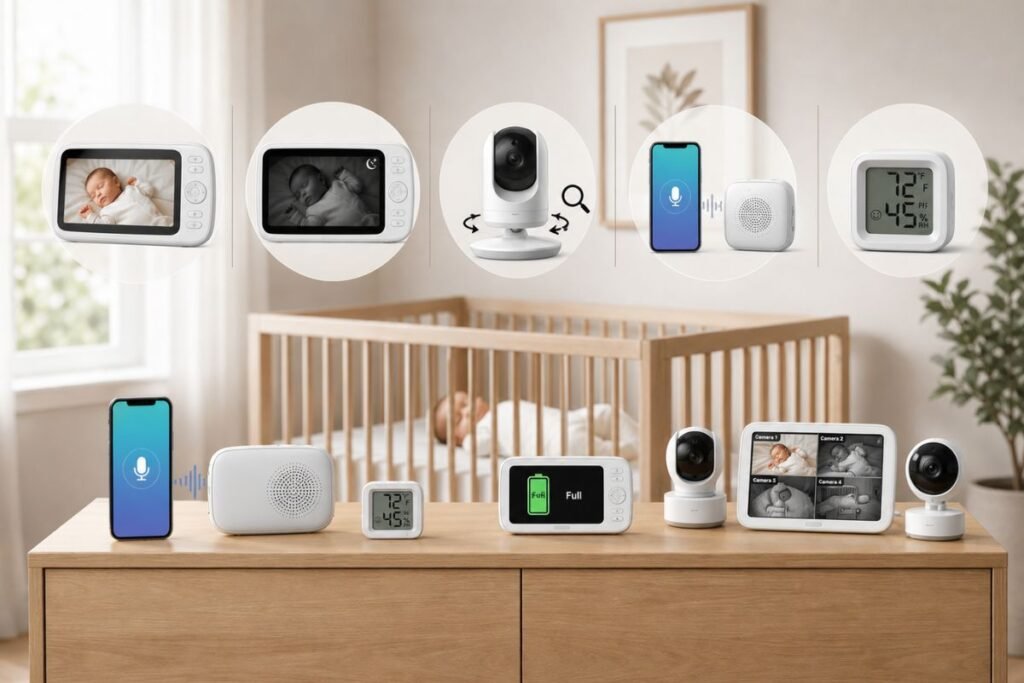
A long specification sheet does not necessarily mean a better product. Focus on the features that solve a real problem.
01. Video quality
For most parents, 720p is enough for basic observation. Higher resolution can make details easier to see, especially when the camera is positioned farther away. However, resolution isn’t everything. Lens quality, lighting, night vision, viewing angle, compression, and screen quality also affect what you actually see.
02. Night vision
This is one of the most important features because babies spend significant time in low-light environments.
Check whether the monitor provides:
- Infrared black-and-white night vision
- Color night vision
- Automatic switching
- A visible or distracting infrared light
Color night vision can provide more visual information, but traditional infrared night vision can still be perfectly practical.
03. Pan, tilt, and zoom
These features become more useful as babies become mobile. A fixed camera may be enough for a newborn who stays in one sleeping position. A moving camera becomes more useful once the child can crawl, stand, or move around a larger room.
04. Two-way audio
Two-way talk allows you to speak through the monitor.
It can be useful for:
- Reassuring a child
- Talking to a caregiver
- Communicating without entering immediately
Do not assume that talking through the monitor will always calm a baby. Some children may become more upset when they hear a parent without seeing them.
05. Temperature and humidity
Room sensors can provide useful environmental information, but they should be treated as reference measurements rather than medical-grade instruments. Use them to notice unusual changes and then verify conditions independently when necessary.
06. Battery life
Battery claims can vary based on screen brightness, audio mode, signal conditions, and usage.
Look for separate estimates for:
- Screen-on use
- Audio-only use
- Standby or sleep mode
A monitor that lasts all night in your actual usage pattern is more valuable than one with a high theoretical standby number.
07. Multi-camera support
This matters for:
- Twins
- Multiple children
- Nursery plus playroom
- Separate sleeping areas
Check whether the monitor supports simultaneous viewing, sequential viewing, or manual switching.
Wi-Fi vs. Non-Wi-Fi Baby Monitors
This is one of the most important buying decisions.
| Feature | Wi-Fi monitor | Non-Wi-Fi monitor |
| Smartphone access | Usually yes | Usually no |
| Remote access | Usually yes | No |
| Internet required | Usually | No |
| Dedicated parent screen | Sometimes | Usually |
| Setup complexity | Higher | Lower |
| Cloud features | Often | Usually absent |
| Privacy considerations | More | Fewer internet-related concerns |
| Best for | Connected families | Simple local monitoring |
Neither category is automatically safer or better. A Wi-Fi monitor gives you flexibility, but it also becomes part of your connected-home environment. A non-Wi-Fi system limits remote access but can be simpler.
Baby Monitor Privacy and Security
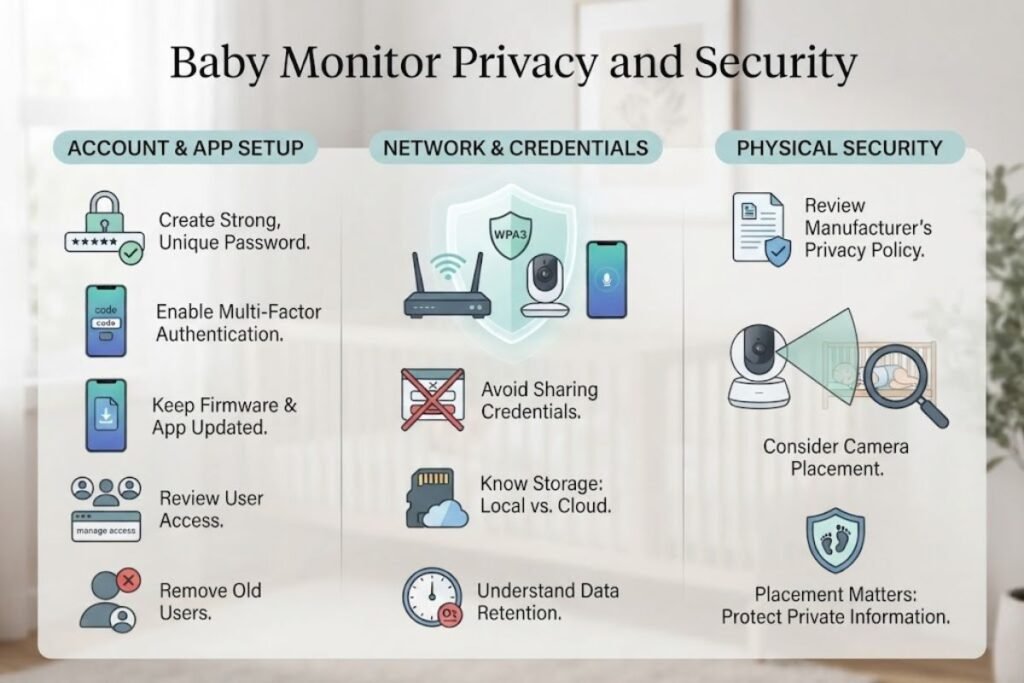
A smart baby monitor is effectively a camera connected to your home network. Treat it accordingly.
Before using a Wi-Fi baby monitor:
- Create a strong, unique account password.
- Enable multi-factor authentication if the manufacturer supports it.
- Keep the monitor’s firmware and app updated.
- Review which family members have access.
- Remove old users when they no longer need access.
- Secure your home Wi-Fi network.
- Avoid sharing login credentials.
- Check whether recordings are stored locally or in the cloud.
- Understand how long recordings are retained.
- Review the manufacturer’s current privacy policy.
Also consider where the camera points. A camera in a nursery captures highly private information about your family, so placement matters. For more practical technology-security advice, a related guide on smart home security and connected devices can fit naturally here if your Techh AtoZ content library covers that topic.
Where Should You Put a Baby Monitor?
Placement affects both usefulness and safety. A camera should provide a clear view of the sleeping area without creating a cord hazard.
Safer setup principles
- Keep monitor cords completely out of the baby’s reach.
- Do not place cords along the crib rail where a child could pull them.
- Secure excess cable away from the sleep area.
- Use the manufacturer’s recommended mounting hardware.
- Check that the camera cannot fall into the crib.
- Keep the camera outside the baby’s reach as the child becomes mobile.
The U.S. Consumer Product Safety Commission specifically warns that baby-monitor cords can create a strangulation hazard and advises keeping cords and monitor parts away from babies and young children. A good camera angle is useful, but safety should always come before getting the perfect shot.
Baby Monitor and Safe Sleep: What Parents Need to Know
This is one of the most important sections of the entire buying guide. A baby monitor should not be considered a safety device that prevents SIDS or other sleep-related deaths. The American Academy of Pediatrics recommends a safe sleep environment that includes placing infants on their backs, using a firm, non-inclined sleep surface, room-sharing without bed-sharing, and keeping soft bedding and other hazards out of the sleep area.
The AAP also states that home cardiorespiratory monitors should not be used as a strategy to reduce SIDS risk. There is not sufficient evidence that consumer heart-rate or pulse-oximetry products prevent sleep-related deaths.
That means a parent should not think:
“The monitor will alert me, so the baby is safe.”
Instead, think:
“The monitor helps me observe the baby while I continue following established safe-sleep practices.”
This distinction is essential when evaluating products that advertise breathing, heart-rate, oxygen, or sleep-related features.
How to Set Up a Baby Monitor Correctly
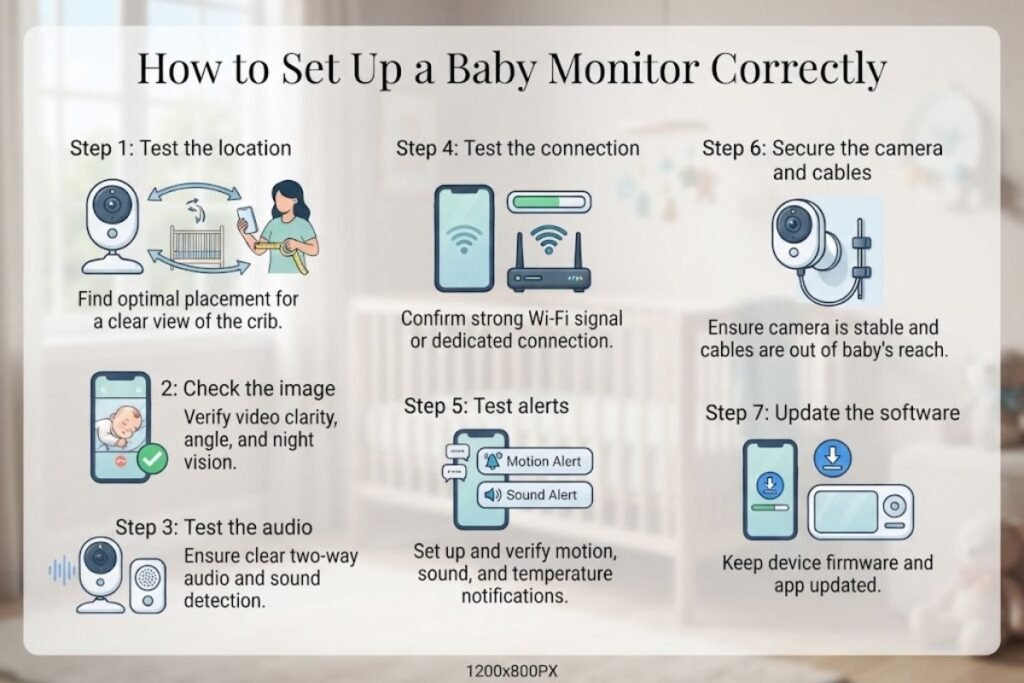
Once you’ve selected a monitor, use a deliberate setup process.
Step 01: Test the location
Place the camera where you can see the intended sleeping area without putting the device or its cord within reach.
Step 02: Check the image
Test the camera during both daylight and darkness.
Make sure:
- The baby’s face and body are visible.
- Night vision isn’t blocked.
- The camera isn’t pointed directly at a bright light.
- The lens isn’t obstructed.
Step 03: Test the audio
Walk into another room and check whether crying or other sounds trigger the monitor as expected.
Step 04: Test the connection
For Wi-Fi models, walk around the home with the parent phone and check where the connection becomes unreliable. For dedicated systems, test the monitor from the rooms where you’ll actually use it.
Step 05: Test alerts
If the system offers sound, movement, temperature, or other notifications, test them before relying on them.
Step 06: Secure the camera and cables
This step is easy to overlook. Confirm that mounting hardware is stable and cords are safely routed.
Step 07: Update the software
For connected monitors, install available firmware and application updates before normal use.
Common Baby Monitor Mistakes to Avoid
Buying based only on resolution
A 2K or 4K camera is not automatically better for a nursery. A monitor with excellent night vision, reliable connection, and useful alerts may be more practical than a higher-resolution model.
Ignoring the parent unit
Parents sometimes focus entirely on the camera.
But the display is what you use repeatedly. Consider:
- Screen size
- Brightness
- Controls
- Battery life
- Speaker quality
- Ease of carrying
Assuming the advertised range is guaranteed
Wireless range depends on walls, floors, interference, construction materials, and the layout of your home. Treat a manufacturer’s range figure as a specification, not a guarantee for every house.
Leaving cords accessible
This is a genuine safety issue. Cords should never become accessible to the child. CPSC specifically warns about strangulation hazards from monitor cords.
Turning on every notification
More alerts are not necessarily better. If a monitor sends frequent notifications for harmless movement or background sounds, parents may eventually ignore alerts that actually matter. Start with essential alerts and adjust them after observing how the system behaves in your home.
Paying for features you will never use
Advanced sleep analytics, recording, AI detection, and ecosystem integrations can be useful. They can also add cost and complexity. Before buying, identify the three features you will actually use every day.
Which Baby Monitor Should You Buy?
Your answer becomes easier if you start with your priorities.
Choose a smart Wi-Fi monitor if:
- You want smartphone access.
- You need remote monitoring.
- You want notifications.
- You are interested in sleep-related insights.
- You are comfortable managing connected devices.
The Nanit Pro is a strong example of this category because it combines a 1080p camera with an app-centered ecosystem and optional monitoring features.
Choose a non-Wi-Fi monitor if:
- You want simplicity.
- You don’t need remote viewing.
- You prefer a dedicated parent screen.
- You want to reduce dependence on home internet.
The eufy SpaceView Pro fits this approach with its dedicated 5-inch display and direct wireless design.
Choose a large-screen monitor if:
- Your eyesight makes a larger display easier.
- Multiple adults will use it.
- You want detailed viewing without a smartphone.
The LeapFrog LF920HD provides a 7-inch 720p parent display with extensive pan, tilt, and zoom controls.
Choose a budget model if:
- You only need essential monitoring.
- You don’t need cloud storage.
- You don’t need advanced analytics.
- You prefer straightforward controls.
The VTech VM819 provides core video-monitoring functions, including night vision, temperature monitoring, two-way communication, and a dedicated parent unit.
Baby Monitor Buying Checklist
Before placing an order, ask yourself these questions:
- Do I want Wi-Fi or a direct connection?
- Do I need smartphone access?
- Do I want a dedicated parent screen?
- Is night vision important?
- Do I need pan, tilt, or zoom?
- How large should the parent display be?
- Will I need more than one camera?
- How long does the parent unit need to run on battery?
- Does the product require a subscription?
- Where will video recordings be stored?
- What privacy controls are available?
- Can I update the device firmware?
- Can the camera be mounted safely?
- Can every cord remain inaccessible to the child?
- Does the monitor’s marketing make medical or SIDS-prevention claims that I should investigate carefully?
That final question deserves particular attention. A product can have impressive health-related features without being a substitute for professional medical monitoring. The AAP specifically cautions families not to treat consumer monitoring technology as a strategy for preventing sleep-related infant deaths.
Baby Monitor vs. Security Camera: Which Is Better?
A standard indoor security camera can sometimes provide video, motion detection, smartphone notifications, and two-way audio. So why buy a dedicated baby monitor?
A dedicated product may offer:
- A purpose-built parent display
- Baby-specific sound alerts
- Night vision designed for nursery use
- Temperature information
- Lullabies or soothing sounds
- Multi-camera parent-unit controls
- Simpler operation for caregivers
A security camera may be attractive if you already have a trusted smart-home camera system. However, privacy, data storage, account security, and child-safe physical installation deserve extra attention when using a general-purpose camera in a nursery.
Helpful Resources and Further Reading
For safe-sleep decisions, the American Academy of Pediatrics safe-sleep recommendations are more important than any individual monitor’s marketing claims.
For physical product safety, especially monitor cords, the U.S. Consumer Product Safety Commission baby-monitor safety guidance is a useful reference.
For current specifications, always verify the manufacturer’s product documentation before purchase.
Useful official sources include:
For readers interested in broader technology and smart-device topics, relevant articles on Techh AtoZ’s technology guides can also provide useful context where applicable. For more technology and buying advice, explore Tech All World for practical guides on devices, security, and emerging technology. You can also visit Techh AtoZ for helpful articles covering gadgets, software, smart devices, and technology tips. These resources can help you make informed decisions when choosing and using a baby monitor.
Conclusion
The best baby monitor in 2026 is the one that solves your family’s actual monitoring needs without adding unnecessary complexity. A connected model such as Nanit Pro can make sense for parents who value smartphone access, sleep information, and a broader smart nursery ecosystem. A non-Wi-Fi option such as eufy SpaceView Pro or LeapFrog LF920HD may be preferable if you want a dedicated screen and straightforward local monitoring.
For basic needs and a lower feature load, the VTech VM819 is worth considering. Most importantly, don’t judge a monitor only by resolution, AI features, or health-related marketing. Look at connection reliability, night vision, battery life, display quality, privacy, mounting options, and long-term usability.
And remember the central role of the device: a baby monitor helps caregivers observe a child. It does not replace safe sleep practices or professional medical care. A well-chosen monitor should make everyday parenting easier—not create a false sense of security.
Frequently Asked Questions About Baby Monitors
Q01. What is the best baby monitor in 2026?
Ans: There is no universal winner. Nanit Pro is a strong choice for connected smart monitoring, while eufy SpaceView Pro and LeapFrog LF920HD are better suited to families that prefer dedicated non-Wi-Fi screens. VTech VM819 is a simpler budget-oriented option.
Q02. Is a Wi-Fi baby monitor safe to use?
Ans: A Wi-Fi monitor can be used safely when properly secured, but internet-connected devices introduce privacy and cybersecurity considerations. Use a unique password, enable multi-factor authentication when available, update firmware, and review account access.
Q03. Are baby monitors necessary?
Ans: No. A baby monitor is a convenience tool rather than a requirement for safe infant sleep. Some families find one extremely useful, while others can hear their baby easily without one.
Q04. Should I buy a Wi-Fi or non-Wi-Fi baby monitor?
Ans: Choose Wi-Fi if remote smartphone access and smart features matter. Choose non-Wi-Fi if you prefer simplicity, a dedicated screen, and less dependence on internet connectivity.
Q05. Does a baby monitor prevent SIDS?
Ans: No. Consumer baby monitors should not be considered a strategy for preventing SIDS. The AAP states that home cardiorespiratory monitors and consumer monitoring devices have not been shown to reduce the risk of sleep-related infant death.
Q06. Where should I place a baby monitor?
Ans: Place the camera where it gives a clear view while keeping the camera, mounting hardware, and especially cords safely away from the baby’s reach. CPSC warns that baby-monitor cords can pose a strangulation hazard.
Q07. Is 1080p necessary for a baby monitor?
Ans: Not necessarily. 1080p can provide a sharper image, but a well-designed 720p monitor may be more than adequate. Night vision, lens quality, screen size, and connection reliability can matter more in everyday use.
Q08. Do baby monitors work without Wi-Fi?
Ans: Yes. Many dedicated video monitors use a direct wireless connection between the camera and parent unit. Models such as eufy SpaceView Pro and LeapFrog LF920HD are examples of systems that do not require Wi-Fi for normal monitoring.
Q09. Do I need a baby monitor with breathing or heart-rate tracking?
Ans: Not necessarily. These features may appeal to parents seeking additional information, but they should not be confused with medical monitoring or assumed to prevent sleep-related death. If your child has a medical condition requiring physiological monitoring, follow your healthcare professional’s advice rather than relying on a consumer product.
Q10. How long can I use a baby monitor?
Ans: There is no universal expiration date. Many families continue using video monitors after infancy as children become toddlers. The useful life depends on the child’s room arrangement, mobility, family needs, battery condition, software support, and whether the device remains physically safe.