 -by
-by Choosing the right Ecommerce Platform can make starting an online store much easier—or create unnecessary technical and financial headaches. Beginners often compare Shopify, WooCommerce, Wix, BigCommerce, and Squarespace without knowing which differences actually matter for their business. The best platform is not necessarily the cheapest one or the one with the longest feature list.
It is the platform that matches your products, technical skills, budget, payment options, marketing plans, and expected growth. This guide explains what an Ecommerce Platform does, how the major options compare in 2026, what each platform is best suited for, the costs beginners often overlook, and how to choose without overbuilding your store. It also covers international selling, payment processing, customization, Search Engine Optimization (SEO), scalability, security, and common mistakes.
In a nutshell: Shopify is the simplest place to start for many novices looking for an all-in-one solution. If you already use WordPress and want the most control, WooCommerce is particularly appealing. Wix is a great option for companies that offer things in addition to content.
BigCommerce makes greater sense when expansion and advanced commerce capabilities are crucial. When content and visual design are top concerns, Squarespace appeals. Before subscribing, always confirm the total cost because prices and payment options can differ depending on the country, billing cycle, and supplier.
What Is an Ecommerce Platform?
An Ecommerce Platform is software that helps a business create, manage, and operate an online store. It typically provides tools for product listings, shopping carts, checkout, payments, orders, inventory, customer accounts, shipping, promotions, and sales reporting. For example, instead of building a shopping cart and payment system from scratch, a platform can provide those functions through one administration area.
A typical Ecommerce platform can help you:
- Create product pages
- Organize categories and collections
- Accept online payments
- Manage inventory
- Process orders
- Calculate or configure shipping
- Apply discounts and promotions
- Connect sales channels
- Track store performance
- Manage customer information
- Improve the website’s SEO
- Add third-party applications or extensions
The key point is that different platforms function differently. Some are hosted systems, in which a large portion of the technical infrastructure is managed by the supplier. Others, like WooCommerce, provide you with a lot more control but demand that you handle hosting and other elements.
What Should Beginners Look for in an Ecommerce Platform?
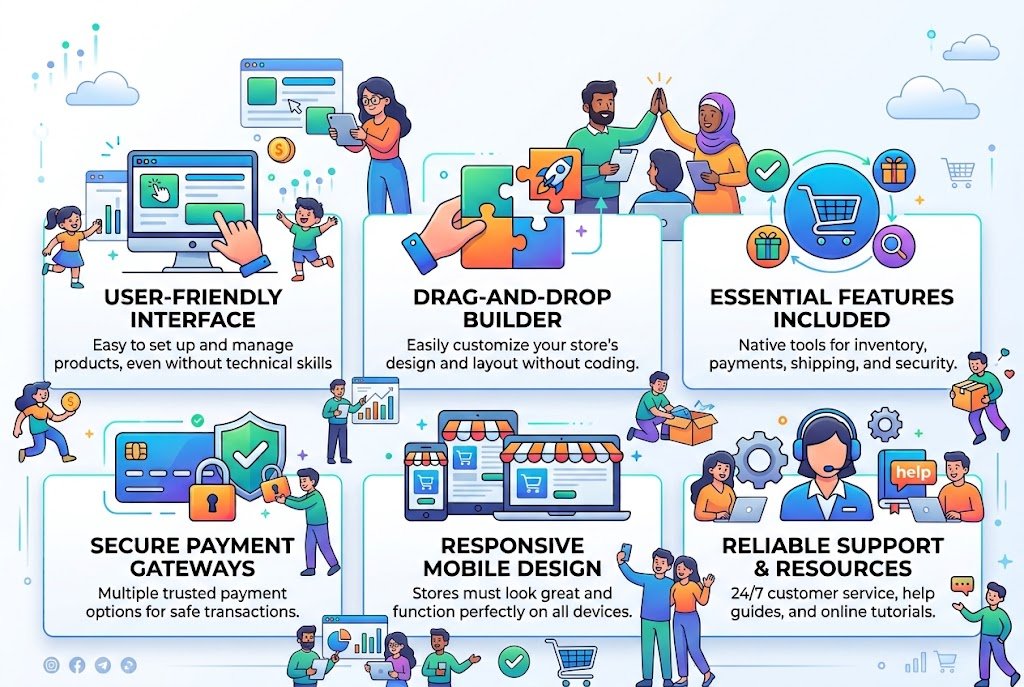
Beginners sometimes choose a platform based only on monthly price. That can be misleading because the cheapest subscription does not necessarily produce the lowest total cost. Before choosing, evaluate these factors.
1. Ease of use
Consider how comfortable you are using technology. A hosted platform can be more appropriate if you want to create a store without writing any code. WooCommerce might offer you greater flexibility if you are familiar with WordPress, plugins, hosting, and website settings.
2. Total cost
Consider more than the subscription.
Your real cost can include:
- Platform subscription
- Web hosting
- Domain registration
- Payment processing
- Transaction fees
- Premium themes
- Apps or plugins
- Shipping tools
- Email marketing
- Developer or designer fees
- Tax and accounting tools
A platform with a lower advertised price can become more expensive once you add essential features.
3. Payment support
For foreign sellers in particular, payment availability is crucial. Verify if your target market’s payment providers are supported by the platform. While a particular payment provider is not available in your nation, a platform might offer a payment gateway worldwide. This can be a deciding issue for companies outside of major payment areas.
4. Design flexibility
Your store should reflect your brand rather than look like a generic template.
Look at:
- Theme quality
- Mobile responsiveness
- Product-page customization
- Checkout customization
- Typography
- Navigation
- Page-builder functionality
5. SEO capabilities
A good store needs more than attractive product pages.
Check whether you can control:
- Page titles
- Meta descriptions
- URLs
- Canonical information
- Image alt text
- Structured data
- Redirects
- Internal linking
- XML sitemaps
- Blog content
SEO features vary considerably between platforms.
6. Scalability
A platform should not only work for your first ten orders. Think about what happens if your business grows.
Ask:
- Can it support more products?
- Can multiple employees use it?
- Can I sell internationally?
- Can I add another storefront?
- Can I connect an ERP or CRM?
- Can I automate repetitive tasks?
- Can I migrate away later?
Best Ecommerce Platforms for Beginners in 2026

There is no universal winner. The best option depends on your priorities.
| Platform | Best For | Ease of Use | Customization | Scalability | Technical Skill |
| Shopify | Most beginners | Excellent | High | Excellent | Low |
| WooCommerce | WordPress users and maximum control | Moderate | Excellent | Excellent | Moderate |
| Wix | Small businesses and content-led stores | Excellent | High | Good | Low |
| BigCommerce | Growing and complex stores | Good | High | Excellent | Moderate |
| Squarespace | Design-focused brands | Excellent | Good | Moderate | Low |
This table is a practical comparison rather than a ranking based on one universal scoring system.
Shopify: Best Overall Ecommerce Platform for Beginners
When someone wants to build a specialized online business without worrying about hosting or installing WordPress, Shopify is frequently the simplest place to start. Shopify bills itself as a full-featured online and offline marketplace. Online stores, an infinite number of products, a variety of sales channels, and in-person sales are among its current offerings.
Why beginners choose Shopify
The biggest advantage is simplicity.
You can generally handle the major components of a store from one administration system:
- Choose a theme.
- Add products.
- Configure payments.
- Set shipping rules.
- Create essential pages.
- Connect a domain.
- Test checkout.
- Launch.
You do not normally need to separately purchase hosting and configure a WordPress installation. Shopify also supports selling through multiple channels and offers an extensive ecosystem of themes and apps.
Shopify pricing in 2026
According to Shopify’s current US pricing website, Basic costs $29 per month when billed annually, whereas monthly payment is displayed at $39 per month. Grow costs $79 per month, Advanced costs $299 per month, and Plus costs $2,300 per month for longer-term agreements. Plans and setups have different prices for processing payments and other fees. It is not appropriate to presume that these US prices will be the same in other countries.
Shopify pros
- Beginner-friendly interface
- Hosted infrastructure
- Strong ecommerce features
- Large app ecosystem
- Multiple selling channels
- Good scalability
- Strong support ecosystem
- Suitable for physical and digital products
Shopify cons
- Subscription cost
- Many useful extensions are paid
- Advanced customization can require technical knowledge
- Payment costs depend on your setup
- Some businesses may prefer the control offered by open-source software
Who should choose Shopify?
Choose Shopify if you want to start selling quickly and avoid technical maintenance.
It is particularly suitable for:
- First-time store owners
- Dropshipping businesses
- Small product brands
- Growing direct-to-consumer businesses
- Retailers that also sell in person
- Entrepreneurs who prefer convenience over infrastructure control
WooCommerce: Best for WordPress Users and Maximum Control
Built for WordPress, WooCommerce is an open-source e-commerce platform. WooCommerce distinguishes between hosting and commerce software, in contrast to an all-in-one hosted platform. You can select hosting, extensions, payment providers, themes, and other elements, but the basic software is free. According to WooCommerce, its basic platform does not have a monthly membership or income share, but hosting and extensions come with extra expenses. According to its current pricing guide, hosting for the majority of stores is estimated to cost between $25 and $350 per month; expansions are often paid individually.
Why WooCommerce is different
WooCommerce gives you substantial control over your website.
You can modify:
- Store design
- Checkout
- Product structure
- Content
- URLs
- Database
- Integrations
- Plugins
- Custom code
It also supports physical products, digital products, subscriptions, memberships, bookings, bundles, and many other business models through its core functionality and extensions.
WooCommerce payment flexibility
WooCommerce supports numerous payment options, including WooPayments, Stripe, PayPal, Square, Amazon Pay, bank transfers, and region-specific gateways. Availability varies by country and provider. This flexibility can be particularly valuable for international businesses.
WooCommerce pros
- Free core software
- Open-source
- Extensive customization
- Strong WordPress integration
- Large extension ecosystem
- Flexible hosting
- Broad payment options
- Strong content and SEO possibilities
WooCommerce cons
- More setup responsibility
- Hosting must be selected and maintained
- Plugin compatibility requires attention
- Security and updates require more involvement
- Costs can become complicated as extensions accumulate
Who should choose WooCommerce?
WooCommerce is ideal if you:
- Already have a WordPress website
- Want maximum ownership and control
- Need unusual customization
- Have access to technical support
- Want to combine blogging and ecommerce
- Prefer choosing your own hosting and services
If you are completely new to websites and do not want to manage technical details, Shopify may provide a smoother beginning.
Wix: Best for Simple Stores and Website-First Businesses
Wix integrates e-commerce tools with website development. When the website is just as significant as the store, it can be an excellent fit. A photographer, consultant, creator, restaurant, local company, or personal brand, for instance, would desire pages, blog content, services, and goods all under one system. According to Wix, its e-commerce packages come with customer assistance, business management tools, hosting, and a drag-and-drop editor. Although prices can vary depending on location and time, its US pricing information lists e-commerce subscriptions starting at about $29 per month when billed annually.
Wix strengths
Wix is particularly appealing for beginners who care about visual design.
You can build:
- Homepage
- Product pages
- Blog
- Service pages
- Landing pages
- Portfolio pages
- Online store
without needing to assemble as many separate components.
Wix pros
- Easy visual editor
- Beginner-friendly
- Strong website-building capabilities
- Good for content and ecommerce together
- Hosting included
- Useful marketing tools
Wix cons
- Advanced ecommerce requirements may favor specialist platforms
- Migration can require planning
- Larger or more complex catalogs may be better served by dedicated commerce platforms
Who should choose Wix?
Choose Wix when you are building a website that sells products, rather than a large ecommerce operation that happens to have a website.
Best for Growing and Complex Stores

Rather than focusing on general website development, BigCommerce is built around e-commerce. Businesses with more sophisticated catalogs, several sales channels, B2B needs, or aspirational expansion goals may find it especially appealing. According to BigCommerce’s current 2026 price structure, Core costs $39 per month or $29 per month when billed annually, Growth costs $105 per month or $79 annually, and Scale costs $399 per month or $299 annually. The company changed plans and payment-provider costs in June 2026, and its price is partially dependent on trailing sales/GMV requirements.
Why BigCommerce deserves consideration
It provides sophisticated ecommerce capabilities without requiring you to build the entire commerce infrastructure yourself. The platform supports online storefronts, sales channels, point-of-sale integrations, multi-storefront capabilities, and other features that become increasingly important as a company grows.
BigCommerce pros
- Strong ecommerce functionality
- Good scalability
- Advanced catalog capabilities
- Multi-storefront options
- Suitable for larger operations
- Strong B2B potential
- Multiple sales channels
BigCommerce cons
- More complicated than beginner-focused website builders
- Pricing can become more significant as sales grow
- Some features may be unnecessary for a very small store
- Its current payment-provider fee structure needs careful review
Who should choose BigCommerce?
Consider BigCommerce if you expect your business to become operationally complex.
It can be especially useful for:
- Larger catalogs
- B2B ecommerce
- Multiple brands
- International selling
- Growing retailers
- Businesses with advanced operational requirements
For someone selling five handmade products from a side business, however, its advanced capabilities may be more than necessary.
Best for Design-Focused Ecommerce
Squarespace is known primarily for polished website design and content presentation, but it also provides ecommerce functionality. It is a sensible option for creators, artists, photographers, designers, consultants, and boutique brands that want an attractive website with a relatively straightforward store.
Squarespace strengths
Its major appeal is the combination of:
- Visual design
- Content publishing
- Product pages
- Blogging
- Brand presentation
- Ecommerce
Beginners should, however, carefully consider transaction costs and payment options. According to Squarespace’s current help literature, the plan determines the commerce transaction costs. For instance, Squarespace transaction fees for tangible goods are listed as 0% in its current Commerce plans, but transaction fees may be included in other plans. Processing of payments is done separately.
Squarespace pros
- Strong visual design
- Easy content management
- Good for small catalogs
- Useful blogging capabilities
- Suitable for creative businesses
Squarespace cons
- Less commerce-focused than Shopify or BigCommerce
- Advanced ecommerce operations may require another platform
- Fees depend on the specific plan and product type
Who should choose Squarespace?
Choose Squarespace when brand presentation and content are major priorities, and your store does not require highly complex ecommerce operations.
Shopify vs WooCommerce vs Wix vs BigCommerce vs Squarespace
The easiest way to narrow your choice is to start with your business rather than the software.
| Your Priority | Best Starting Point |
| Easiest dedicated online store | Shopify |
| Maximum ownership and customization | WooCommerce |
| Website + small online store | Wix |
| Complex or rapidly growing ecommerce | BigCommerce |
| Beautiful content-led store | Squarespace |
| Existing WordPress website | WooCommerce |
| Beginner with minimal technical experience | Shopify or Wix |
| Advanced business requirements | BigCommerce or WooCommerce |
These recommendations are directional. Your payment requirements, country, catalog size, budget, and technical resources can change the answer.
Hosted vs Open-Source Ecommerce Platforms
One of the most important decisions beginners overlook is whether they want a hosted or self-managed/open-source solution.
Hosted platforms
Shopify, Wix, BigCommerce, and Squarespace are examples of hosted platforms. The provider generally handles much of the infrastructure.
Advantages
- Faster setup
- Less server management
- Easier maintenance
- Centralized support
- Fewer technical responsibilities
Disadvantages
- Recurring subscription
- Platform-specific limitations
- Potential app costs
- Less infrastructure control
Open-source platforms
WooCommerce is the major beginner-accessible example. You have greater control over the software and hosting environment.
Advantages
- Greater customization
- More control over data and infrastructure
- Flexible hosting
- Extensive plugin ecosystem
- Potentially lower software costs
Disadvantages
- More responsibility
- Hosting management
- Security maintenance
- Plugin compatibility
- Greater technical complexity
The right question is not “Which model is better?”
Ask instead:
“How much technical responsibility do I want to own?”
How Much Does an Ecommerce Platform Really Cost?
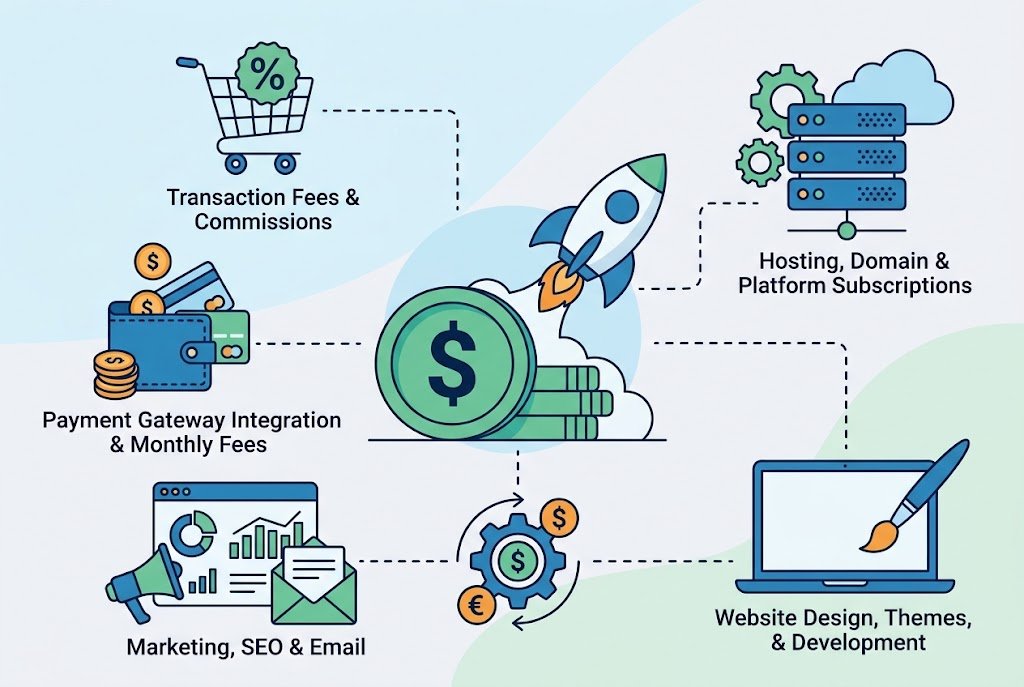
A beginner’s budget should include the entire store ecosystem. For example, imagine a small online clothing business.
Your expenses might include:
- Platform subscription
- Domain
- Payment processing
- Premium theme
- Email marketing
- Product photography
- Packaging
- Shipping
- Advertising
- Accounting
- Apps or plugins
The platform is only one part of the business.
A useful cost formula
Think about your approximate monthly technology cost as:
Platform + apps/plugins + hosting + payment costs + other software
The platform software for WooCommerce may be free; however, there are costs associated with hosting and extensions. WooCommerce clearly distinguishes between hosting and add-ons and the pricing of its core software. Although the subscription may initially seem more costly for hosted platforms, it may contain infrastructure that you would otherwise need to buy individually.
Don’t Choose a Platform Based Only on the Monthly Price
Assume that Platform B costs $39 and Platform A costs $29 per month. Platform A appears to be less expensive at first glance. However, the contrast shifts if Platform B has those features and Platform A demands $50 in monthly applications. Take transaction expenses into account as well. When sales rise, even a slight variation in payment or platform transaction fees can become significant.
Before subscribing, calculate:
- Monthly subscription
- Annual subscription discount
- Payment processing
- Third-party transaction fees
- Essential applications
- Premium theme costs
- Shipping software
- Email marketing
- International payment costs
- Taxes or regional charges
Always use the provider’s current pricing page for your country before making a financial decision.
How to Choose the Best Ecommerce Platform: Step-by-Step

Step 1: Define what you are selling
Start with the product.
Are you selling:
- Physical products?
- Digital downloads?
- Subscriptions?
- Services?
- Memberships?
- Custom products?
- Wholesale goods?
- Print-on-demand products?
Different business models require different capabilities.
Step 2: Estimate your catalog size
Selling ten products is very different from managing 10,000 products with multiple variations.
Think about:
- SKUs
- Product variants
- Categories
- Inventory locations
- Bundles
- Backorders
- Wholesale pricing
Step 3: Identify your target countries
If you plan to sell internationally, research:
- Payment methods
- Supported currencies
- Taxes
- Shipping
- Duties
- Languages
- Regional storefronts
- Consumer-protection requirements
Do not assume that a platform’s global availability means every payment method works in every country.
Step 4: Decide how much technical work you want
If you want to avoid technical maintenance, consider a hosted platform. If you want deep control and are comfortable managing WordPress and hosting, WooCommerce becomes more attractive.
Step 5: Calculate your real budget
Don’t simply ask, “How much is the platform?”
Ask:
“How much will my complete store stack cost every month?”
Step 6: Test the editing experience
Before committing, create a trial store if available.
Try to:
- Add a product
- Change the homepage
- Create a discount
- Configure shipping
- Preview mobile pages
- Process a test order
- Find analytics
- Edit SEO settings
This often reveals more than reading feature lists.
Step 7: Think about year three, not just day one
A platform that is perfect for your first month may become inconvenient later.
Consider where you expect to be after:
- 6 months
- 1 year
- 3 years
Your future needs should influence today’s decision—but do not pay for enterprise complexity you will never use.
Best Platform for Different Types of Beginners

For a first-time entrepreneur
Shopify is usually the simplest choice if your primary objective is launching a dedicated store with minimal technical work.
For a WordPress blogger
WooCommerce is a natural fit because commerce can be integrated with the existing WordPress content ecosystem.
For a photographer or creator
Because visual presentation and content can be crucial to the business, Wix or Squarespace might be more alluring.
For a rapidly growing retailer
Depending on operational needs, Shopify or BigCommerce merits careful study.
For a highly customized business
WooCommerce may be preferable because its open-source structure allows extensive modification.
For B2B ecommerce
Look closely at BigCommerce, WooCommerce, and higher-tier Shopify options, but evaluate specific B2B requirements rather than choosing based on platform reputation alone.
What Beginners Should Know
Your platform can help with SEO, but it cannot replace a good SEO strategy.
Search visibility depends on many factors, including:
- Useful content
- Search intent
- Product relevance
- Site architecture
- Internal links
- Page performance
- Mobile usability
- Product information
- Structured data
- Quality backlinks
- Technical accessibility
Build a logical site structure
For example:
Home → Category → Subcategory → Product
This makes the store easier for shoppers and search engines to understand.
Write useful product descriptions
Avoid copying manufacturer descriptions word-for-word.
Explain:
- What the product does
- Who it is for
- Important specifications
- Materials
- Dimensions
- Compatibility
- Care instructions
- Shipping information
- Common questions
Don’t create hundreds of thin pages
Having additional URLs does not make a store better. Each significant page must to have a distinct function. When it actually benefits the reader, pertinent information on Techhatoz can also complement an internal content strategy for more general technical advice.
What Beginners Must Understand
Security is not something to think about after the store launches.
At minimum, use:
- Strong passwords
- Multi-factor authentication where available
- Updated software
- Reliable payment processors
- Secure hosting
- Regular backups where applicable
- Limited administrator access
- Trusted plugins and applications
While self-managed alternatives necessitate greater attention from the store owner or technical staff, hosted systems typically decrease some infrastructure-management obligations. This does not imply that one paradigm is inherently “secure” and another is “insecure.” Configuration, software updates, hosting, integrations, access control, and operational procedures all affect security.
Common Ecommerce Platform Mistakes Beginners Make
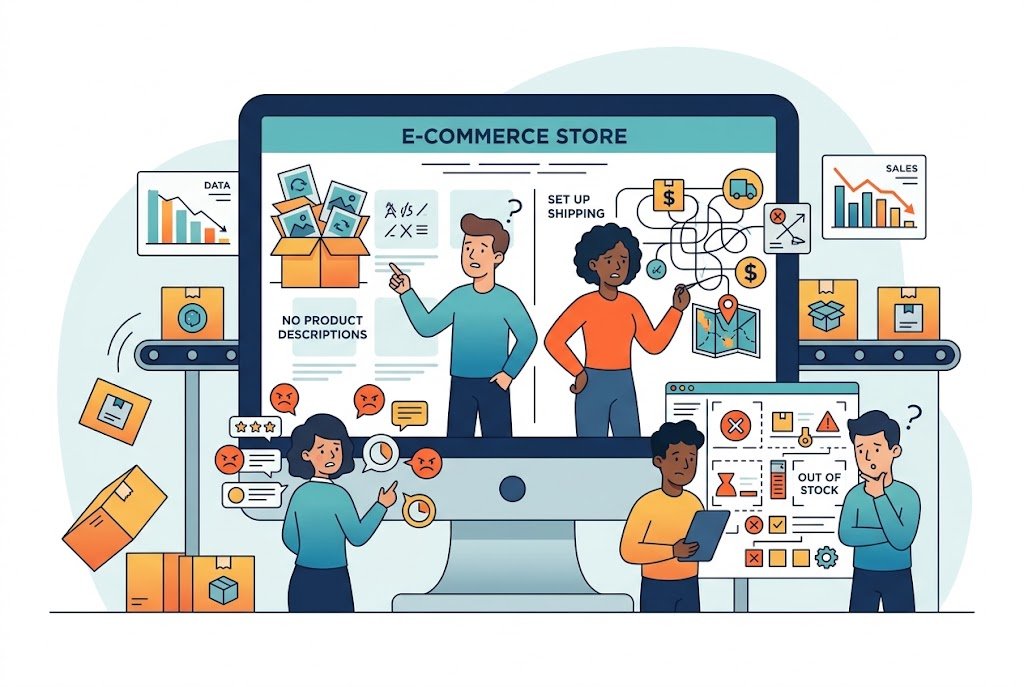
Choosing based only on price
A low subscription does not necessarily mean a low total cost.
Installing too many apps
Every additional application introduces another dependency. Install an app because it solves a real problem—not because its feature list looks impressive.
Ignoring payment availability
Always confirm payment support in your target country before designing your entire business around a platform.
Choosing an oversized platform
A beginner selling 20 products probably does not need enterprise-level functionality.
Ignoring mobile shopping
Many customers will interact with your store from smartphones. Test every important page on mobile.
Over-customizing too early
Your first objective should be a reliable shopping experience. Fancy animations and complicated custom features should come later.
Forgetting migration
Before committing, find out if you can export orders, customers, products, content, and other crucial information in the event that you decide to switch platforms.
What Should You Set Up Before Launch?
Use this practical checklist.
Store basics
- Business name
- Domain
- Logo and brand assets
- Homepage
- Product categories
- Product pages
- About page
- Contact page
Ecommerce
- Payment gateway
- Shipping method
- Tax settings
- Inventory
- Order notifications
- Return policy
- Refund process
Trust
- Privacy policy
- Terms and conditions
- Shipping policy
- Return/refund policy
- Customer support contact
SEO
- Search-friendly titles
- Meta descriptions
- Clean URLs
- Product image alt text
- Internal links
- Sitemap
- Search console setup
- Analytics
Testing
Place a test order before announcing your store.
Check:
- Product selection
- Cart
- Checkout
- Payment
- Confirmation email
- Inventory update
- Order dashboard
- Mobile experience
- Shipping calculation
- Refund workflow
A store that looks good but fails at checkout is not ready to launch.
Frequently Asked Questions
Q: What is the best Ecommerce Platform for beginners?
Ans: Because it integrates hosting, store management, payments, product management, and selling tools into a single ecosystem, Shopify is a great place for many novices to start. For WordPress users who prefer more control, WooCommerce might be preferable.
Q: Is Shopify better than WooCommerce?
Ans: Neither is universally better. Shopify generally offers a simpler setup and less infrastructure management. WooCommerce offers more control and customization but requires greater responsibility for hosting, plugins, updates, and security.
Q: Is WooCommerce really free?
Ans: There is no monthly platform subscription fee or revenue sharing associated with the core WooCommerce software. However, hosting, payment processing, premium themes, plugins, development, and other services can still be expensive for a legitimate WooCommerce site.
Q: Which Ecommerce Platform is cheapest?
Ans: There is no single cheapest option for every business. WooCommerce has free core software, while hosted platforms bundle infrastructure into subscription plans. Your actual cost depends on hosting, payment processing, apps, extensions, transaction fees, and other requirements.
Q: Can I change Ecommerce Platforms later?
Ans: Yes, however, it can be difficult to migrate. Different migration procedures may be needed for products, URLs, customer data, orders, content, subscriptions, and integrations. Know what data you can export before selecting a platform.
Q: Which platform is best for international ecommerce?
Ans: Shopify, WooCommerce, and BigCommerce can all support international selling, but the best choice depends on your target countries, payment providers, currencies, taxes, shipping requirements, languages, and catalog structure. WooCommerce specifically supports multilingual, multi-currency, local payment, and international tax-related capabilities through its ecosystem.
Q: Is Wix good for an online store?
Ans: Yes. For small and medium-sized enterprises looking for a website builder and e-commerce features in one setting, Wix may be a decent option. It is especially appealing to companies that value visual design and content.
Q: Is BigCommerce suitable for beginners?
Ans: It can be, especially for entrepreneurs who expect a more sophisticated ecommerce operation. However, a very small first-time store may not need its broader functionality. Evaluate the platform against your current requirements rather than paying for capabilities you do not need.
Q: Do I need coding knowledge to start an online store?
Ans: No, hosted platforms like Wix and Shopify are made to allow novices to create stores without knowing how to program. Although sophisticated customization and troubleshooting may eventually require technical knowledge, WooCommerce can also be used without coding.
Q: Should I choose a platform before choosing a payment gateway?
Ans: Ideally, investigate both together. Payment availability can vary by country and business type. A platform that looks perfect may become impractical if your preferred payment provider is unsupported or expensive in your market.
Q: How long does it take to build an ecommerce store?
Ans: It is possible to quickly build a basic store, but the time it takes to launch depends on the products, content, payment setup, shipping regulations, design, policies, integrations, and testing needed. Opening a store that functions properly is more crucial than opening as soon as feasible.
Final Verdict
The best Ecommerce Platform is the one that solves your current business problem without creating unnecessary complexity. For most beginners who want a straightforward, dedicated online store, Shopify is the strongest all-around starting point. Its hosted approach reduces technical responsibilities and lets entrepreneurs concentrate on products, customers, marketing, and operations.
Choose WooCommerce if you value ownership, WordPress integration, and deep customization. Its open-source model gives you considerable control, but that control comes with additional technical responsibility. When you want a website-first experience with integrated e-commerce, go with Wix. When content and visual display are essential to your brand, go with Squarespace. When you anticipate significant development, and your store requires more advanced e-commerce capabilities, think about BigCommerce.
Prior to purchasing any platform, test the real workflow, confirm that your market accepts payments, figure out the whole cost, and consider how the platform will benefit your company in a year. Seldom is the platform with the most features the best option. It is the one that provides you with the appropriate functionality at the appropriate degree of complexity for the actual business you are creating.