 -by
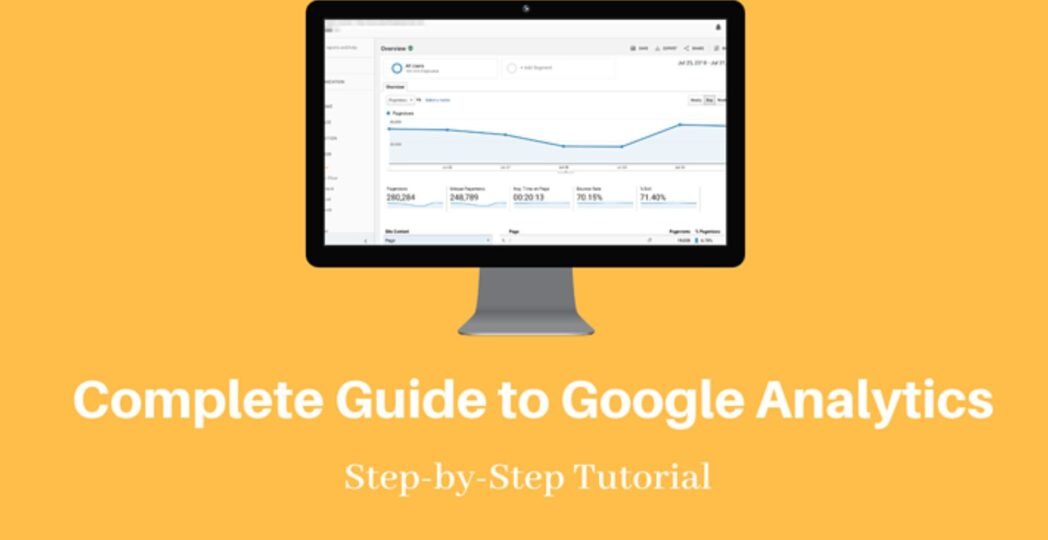
-by If you own a website, blog, or online store, understanding your visitors is essential. Google Analytics is one of the most powerful free tools that helps you measure website traffic, user behavior, conversions, and marketing performance.
Whether you’re a beginner or starting your first website, this guide explains everything you need to know about Google Analytics in 2026. You’ll learn how it works, why it matters, how to set it up, and how to use reports to improve your website.
What Is Google Analytics?
Google Analytics is a free web analytics platform developed by Google that tracks and reports website and app performance. The latest version of Google Analytics uses event-based tracking to provide more accurate insights into user interactions across multiple devices.
Instead of only counting page views, Google Analytics measures events such as:
- Page views
- Clicks
- Scroll depth
- Video engagement
- Downloads
- Purchases
- Form submissions
These insights help website owners make better decisions based on real visitor data.
Why Google Analytics Is Important
Google Analytics helps you understand how people find and use your website.
Its biggest benefits include:
- Measure website traffic accurately
- Identify top-performing pages
- Discover traffic sources
- Improve SEO performance
- Track conversions and sales
- Understand audience demographics
- Optimize user experience
- Measure marketing campaign success
Without analytics, improving a website becomes mostly guesswork.
Key Features of Google Analytics
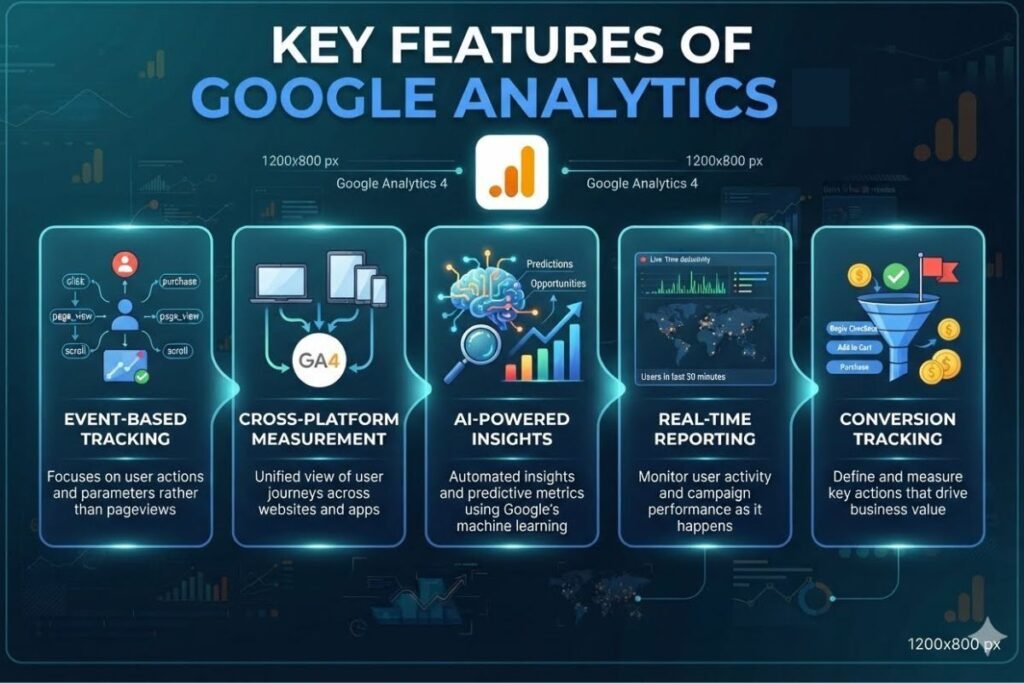
Google Analytics includes many advanced features designed for modern websites.
Event-Based Tracking
Every user interaction is tracked as an event instead of relying only on page views.
Examples include:
- Button clicks
- Video plays
- File downloads
- Purchases
- Form submissions
Cross-Platform Measurement
Google Analytics unifies data from websites and mobile apps within a single property.
AI-Powered Insights
Google Analytics automatically detects trends and provides predictive insights that help identify future opportunities.
Real-Time Reporting
Monitor visitors currently browsing your website and see where they came from.
Conversion Tracking
Track valuable actions such as:
- Purchases
- Newsletter signups
- Contact form submissions
- Account registrations
How Google Analytics Works
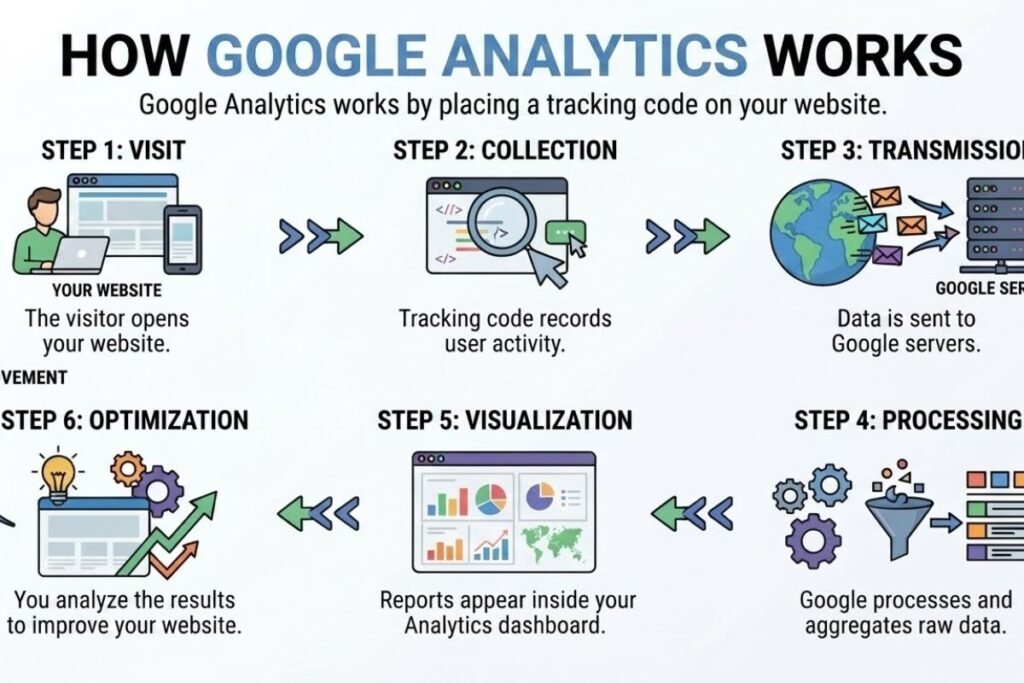
Google Analytics operates by installing a tracking code on your website.
The process looks like this:
- The visitor opens your website.
- The tracking code records user activity.
- Data is sent to Google servers.
- Reports appear inside your Analytics dashboard.
- You analyze the results to improve your website.
This process happens automatically once Google Analytics is installed correctly.
How to Set Up Google Analytics
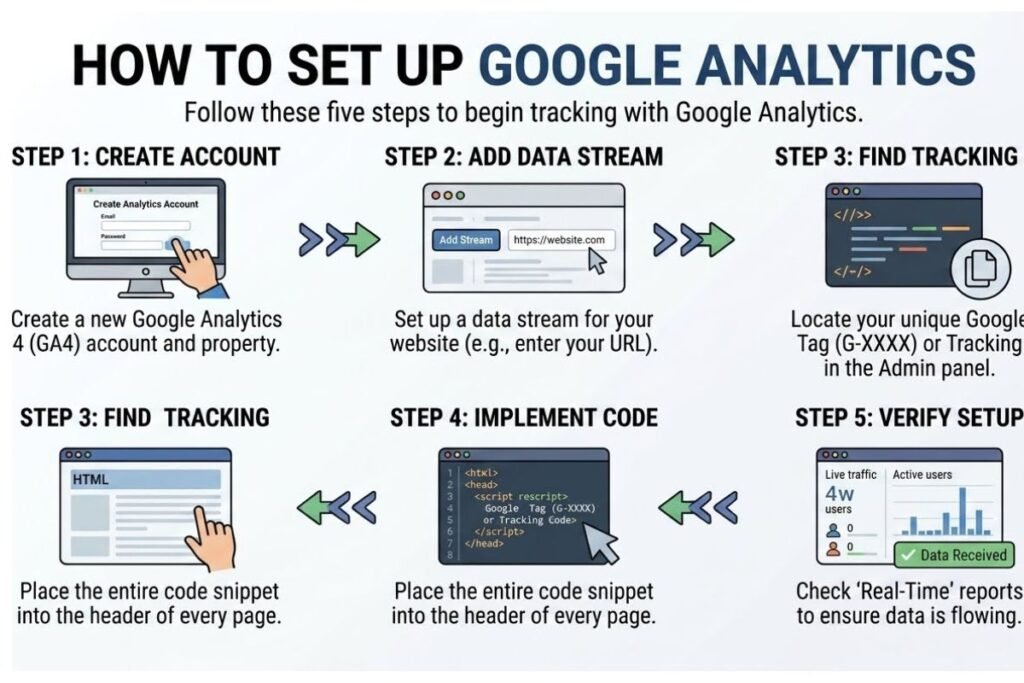
Setting up Google Analytics is simple.
Step 1: Create Account
Sign in using your Google account and create a new Google Analytics property.
Step 2: Add Your Website
Enter your:
- Website name
- URL
- Industry
- Time zone
Step 3: Install the Tracking Code
Install the Google Tag or use:
- WordPress plugins
- Google Tag Manager
- Website builder integrations
Step 4: Verify Installation
Visit your website and check the Real-Time report to confirm that data is being collected.
Understanding Google Analytics Reports
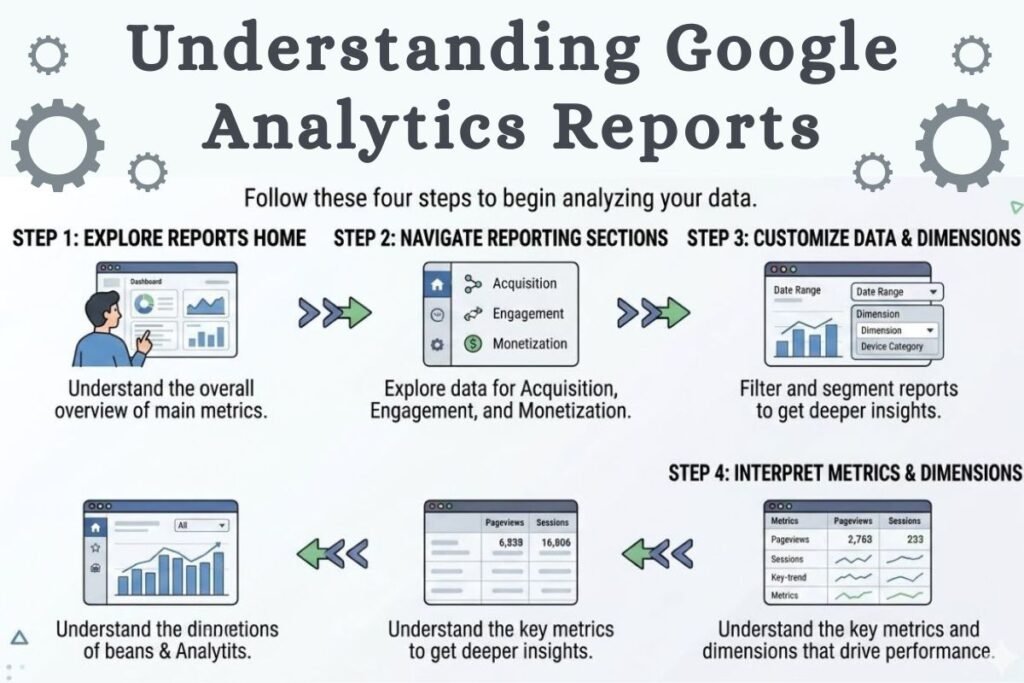
The dashboard contains several important reports.
Real-Time Report
Shows visitors currently active on your website.
Acquisition Report
Displays where traffic comes from, including:
- Organic Search
- Direct
- Social Media
- Referral Websites
- Paid Ads
- Email Campaigns
Engagement Report
Measures how visitors interact with your content.
Important metrics include:
- Engaged sessions
- Average engagement time
- Events
- Views
Demographics Report
Shows information about visitors such as:
- Country
- City
- Language
- Device type
- Age groups (where available)
Monetization Report
Useful for eCommerce websites because it tracks:
- Revenue
- Purchases
- Average order value
- Products sold
Important Metrics Every Beginner Should Track
Focus on these essential metrics:
- Users
- New Users
- Sessions
- Page Views
- Average Engagement Time
- Events
- Conversion Rate
- Revenue
- Bounce-related engagement metrics
- Traffic Sources
Monitoring these regularly helps you understand what is working and where improvements are needed.
Google Analytics Best Practices
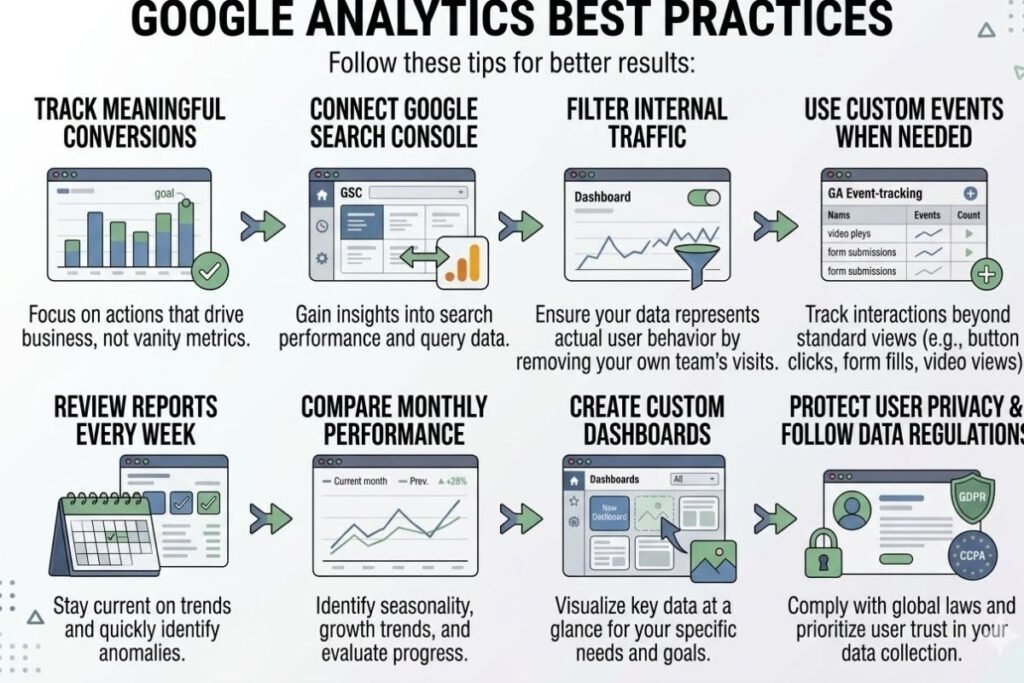
Follow these tips for better results:
- Track meaningful conversions.
- Connect Google Analytics with Google Search Console.
- Filter internal traffic.
- Use custom events when needed.
- Review reports every week.
- Compare monthly performance.
- Create custom dashboards.
- Protect user privacy and follow data regulations.
Google Analytics for SEO
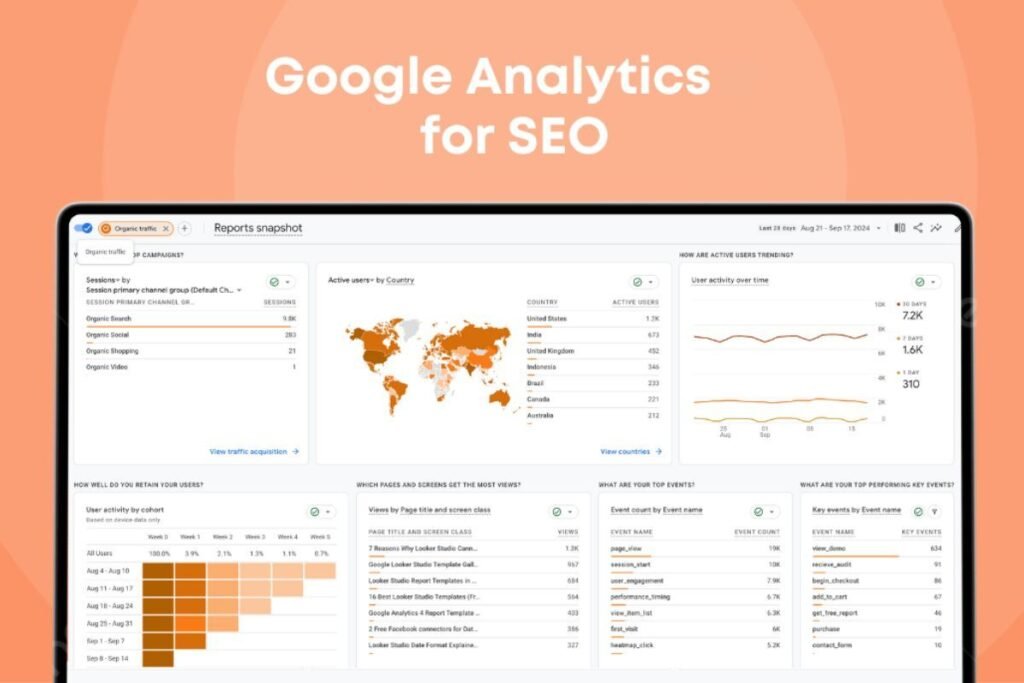
Google Analytics plays a major role in improving SEO.
It helps you:
- Identify high-performing pages.
- Find pages with low engagement.
- Analyze organic search traffic.
- Discover top landing pages.
- Improve content strategy.
- Measure user engagement.
- Increase conversions from organic visitors.
For additional SEO and digital marketing resources, explore techallworld.com and techhatoz.com, where you can find practical technology and optimization guides.
Common Google Analytics Mistakes
Beginners often make these mistakes:
- Installing multiple tracking codes
- Ignoring conversion tracking
- Looking only at page views
- Not excluding internal traffic
- Forgetting to link Search Console
- Rarely reviewing reports
- Making decisions without enough data
Avoiding these errors improves reporting accuracy.
FAQs – Google Analytics
Q. Is Google Analytics free?
Ans: Yes. Google Analytics provides a powerful free version that meets the needs of most websites and businesses.
Q. What is Google Analytics?
Ans: Google Analytics is the latest version of Google Analytics that uses event-based tracking and supports both websites and mobile apps.
Q. Can beginners use Google Analytics?
Ans: Absolutely. The interface is beginner-friendly, and you can start tracking visitors within minutes.
Q. Does Google Analytics help SEO?
Ans: Yes. It provides valuable insights into organic traffic, user engagement, and conversions that support better SEO decisions.
Q. How often should I check Google Analytics?
Ans: Checking reports weekly is ideal, while monthly reviews help identify long-term trends and growth opportunities.
Conclusion
Google Analytics remains one of the most valuable tools for website owners in 2026. It provides detailed insights into visitor behavior, traffic sources, engagement, and conversions, helping you make informed decisions instead of relying on guesswork. By learning the basics of Google Analytics, tracking meaningful metrics, and reviewing reports regularly, you can improve your website’s performance, enhance user experience, and achieve better SEO results. Whether you run a personal blog, business website, or online store, mastering Google Analytics is a smart investment for long-term digital success.




5 Comments