 -by
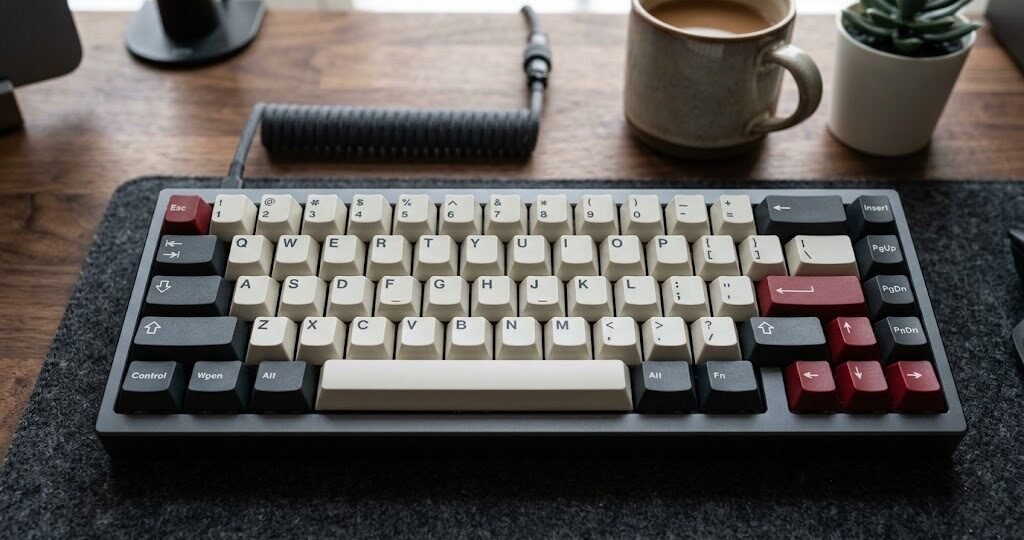
-by If you spend several hours a day writing documents, coding, studying, answering emails, or creating content, the keyboard can have a surprisingly large effect on your everyday experience. A good mechanical keyboard can provide clearer key feedback, a more deliberate typing feel, and more customization than a typical membrane or laptop keyboard.
But choosing among mechanical keyboards is not simply a matter of picking the most expensive model. Switch type, key layout, keycap shape, mounting system, noise level, connectivity, and desk space all influence whether a keyboard actually suits you.
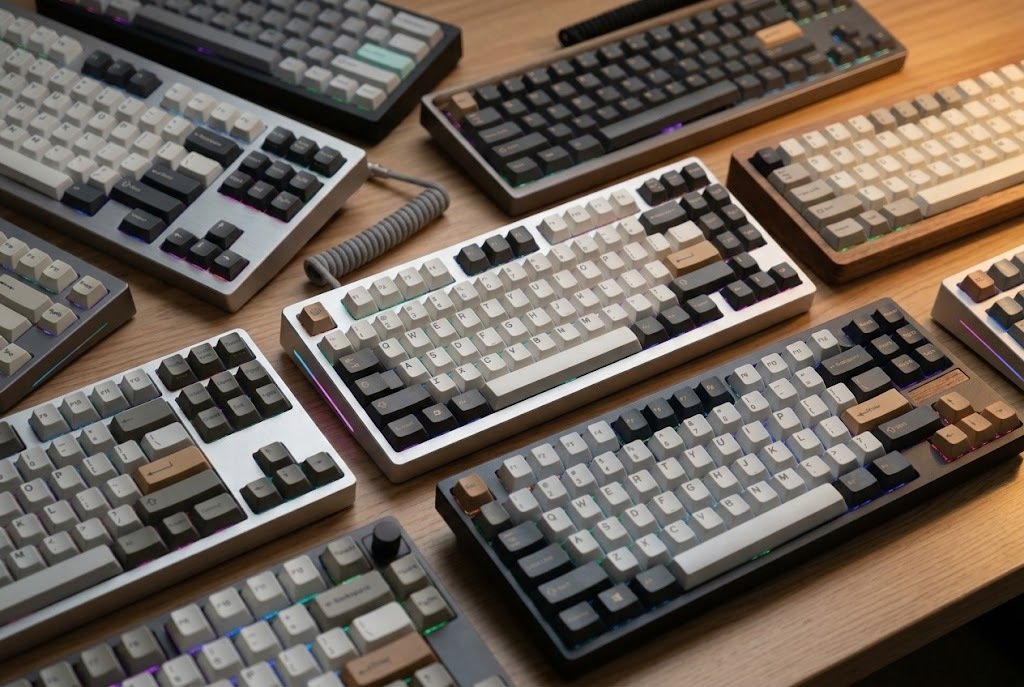
This guide compares 10 strong options for 2026, ranging from affordable customizable boards to premium aluminum models and specialized low-profile or gaming-oriented designs. The goal is not to declare one keyboard perfect for everyone. Instead, each pick is matched to a specific type of typist so you can identify the features that matter most for your own workflow.
Quick Comparison: 10 Best Mechanical Keyboards for Typing in 2026
| Keyboard | Layout | Best For | Main Strength | Customization |
| Keychron V1 Max | 75% | Best overall value | Excellent balance of feel, features, and price | High |
| Keychron Q1 Max | 75% | Premium typing | Aluminum build and refined typing experience | Very high |
| Logitech MX Mechanical | Full-size | Office professionals | Low-profile design and multi-device support | Moderate |
| NuPhy Air75 V2 | 75% low-profile | Portable typing | Slim design with mechanical switches | High |
| Akko 5075B Plus | 75% | Budget enthusiasts | Gasket mount and tri-mode connectivity | High |
| Keychron K10 Max | Full-size | Writers and number-heavy work | Traditional layout with wireless connectivity | High |
| Keychron Q6 Max | Full-size | Premium full-size users | Heavy aluminum construction | Very high |
| Wooting 80HE | TKL | Typing plus gaming | Advanced Hall-effect technology | Very high |
| Royal Kludge RK84 | 75% | Budget buyers | Compact layout and flexible connectivity | High |
| Keychron Q15 Max | Alice-style | Ergonomic enthusiasts | Split-style layout with premium construction | Very high |
Prices and availability can vary by country, retailer, configuration, switches, and sales.
What Is a Mechanical Keyboard?
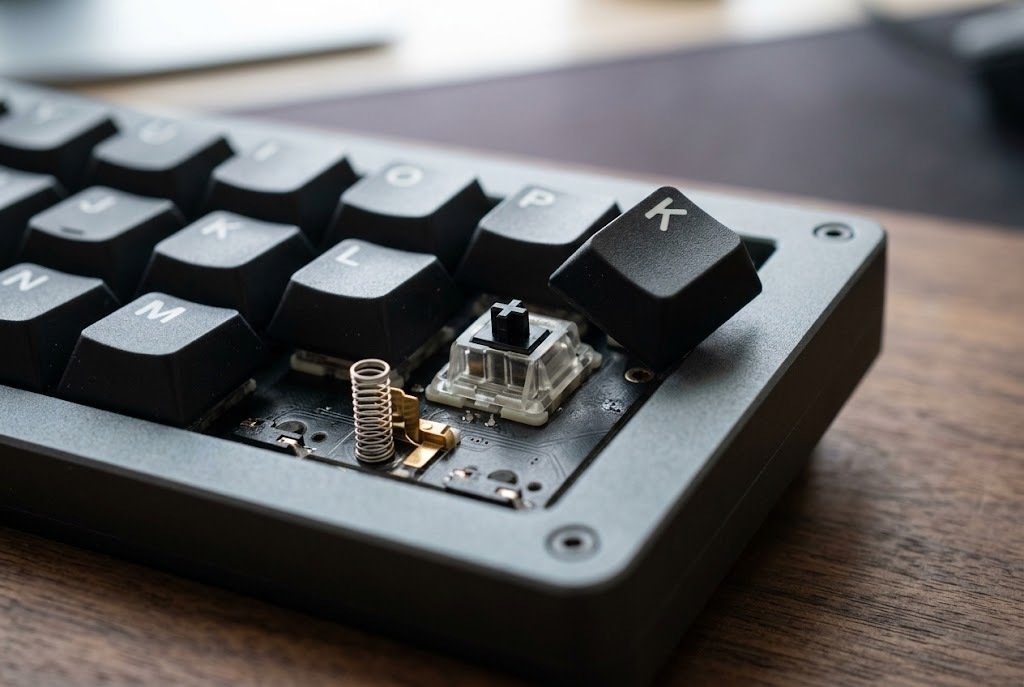
A mechanical keyboard uses an individual mechanical switch beneath each key. When you press a key, its switch mechanism moves and registers the input. Different switches can produce different combinations of resistance, tactile feedback, travel, and sound. Compared with common membrane keyboards, mechanical keyboards generally offer more switch choices, easier customization, and a more defined keypress.
Some models also support hot-swapping, allowing compatible switches to be changed without soldering. The important point is that “mechanical” describes the switch technology, not a single typing experience. Two mechanical keyboards can feel completely different.
Why Mechanical Keyboards Are Popular for Typing
The main attraction is control over the typing experience.
A typist may prefer:
- A noticeable tactile bump before the key registers
- A smooth linear keypress
- A quiet switch for an office
- A low-profile design similar to a laptop
- A softer gasket-mounted feel
- A traditional full-size layout
- A compact 75% layout
- A programmable keyboard for custom shortcuts
Mechanical keyboards also make it easier to personalize the keyboard after purchase. On a hot-swappable board, for example, you can change compatible switches without replacing the entire keyboard.
However, mechanical does not automatically mean better for every person. A badly chosen switch, overly tall keycap profile, excessive keyboard angle, or noisy clicky switch can make a keyboard less comfortable for your particular environment.
Top 10 Best Mechanical Keyboards for Typing in 2026
01. Keychron V1 Max — Best Overall Value
The Keychron V1 Max is one of the easiest mechanical keyboards to recommend when you want a balance between price, customization, wireless connectivity, and typing-focused features. It uses a compact 75% layout. That means you retain the function row and arrow keys while removing the dedicated number pad. For many writers, programmers, students, and general office users, this provides a useful middle ground between a full-size keyboard and a much smaller 60% model.
The V1 Max also uses a gasket-mounted design and PC plate, which can provide a softer typing character than a rigid traditional construction. Its hot-swappable PCB lets users replace compatible mechanical switches without soldering. Wireless connectivity includes 2.4 GHz and Bluetooth, while wired USB-C operation is also available. Keychron lists support for Windows, macOS, and Linux.
Why it stands out:
- 75% compact layout
- Gasket-mounted construction
- Hot-swappable switches
- PBT keycaps
- QMK/Launcher customization
- 2.4 GHz, Bluetooth, and wired connectivity
- Mac and Windows compatibility
- Multiple switch choices
Best for: Writers, programmers, students, and first-time mechanical keyboard buyers who want room to customize later.
Potential drawback: The 75% layout removes the dedicated number pad, so heavy spreadsheet or accounting users may prefer a full-size keyboard.
02. Keychron Q1 Max — Best Premium 75% Mechanical Keyboard
The Keychron Q1 Max moves into the premium enthusiast category while maintaining a practical 75% layout. Its aluminum construction gives the keyboard a substantially heavier and more rigid feel than plastic budget boards. It also combines a gasket-style construction, PBT keycaps, hot-swappable switches, and programmable QMK/VIA support.
The Q1 Max supports 2.4 GHz wireless, Bluetooth 5.1, and USB-C wired connectivity. Keychron lists a 4,000 mAh battery and compatibility with Windows, macOS, and Linux. For typing, the biggest advantage is not a single specification. It is the combination of layout, construction, switch choice, stabilizers, keycaps, and customization.
Why it stands out:
- Premium aluminum construction
- 75% layout
- Gasket-mounted design
- Hot-swappable switches
- PBT keycaps
- QMK/VIA customization
- 2.4 GHz wireless
- Bluetooth
- Wired USB-C operation
Best for: Enthusiasts, professional writers, developers, and anyone who wants a keyboard they can customize extensively.
Potential drawback: It is considerably heavier and more expensive than basic mechanical keyboards.
03. Logitech MX Mechanical — Best for Office Professionals
The Logitech MX Mechanical takes a different approach from enthusiast keyboards. Instead of emphasizing deep customization, it focuses on a familiar professional workflow. Its low-profile mechanical switches are available in tactile quiet, clicky, and linear configurations. The full-size version includes a number pad, making it practical for spreadsheets, finance work, data entry, and office applications.
Logitech’s Easy-Switch functionality allows the keyboard to connect to up to three devices, which is useful if you move between a desktop, laptop, and another compatible device. Its low-profile design can also feel more familiar to people moving from a laptop keyboard.
Why it stands out:
- Low-profile mechanical switches
- Full-size layout
- Tactile, quiet, clicky, and linear choices
- Multi-device connectivity
- Smart backlighting
- Professional design
Best for: Office workers, writers, accountants, students, and users who want mechanical switches without moving deeply into the enthusiast keyboard hobby.
Potential drawback: It provides less customization than many enthusiast-focused mechanical keyboards.
04. NuPhy Air75 V2 — Best Low-Profile Mechanical Keyboard
The NuPhy Air75 V2 is aimed at people who want mechanical switches without the tall profile of many conventional mechanical keyboards. Its 75% layout provides function keys and arrow keys while keeping the footprint relatively compact. The board uses low-profile mechanical switches and supports hot-swapping.
Connectivity includes 2.4 GHz wireless, Bluetooth 5.1, and USB-C wired operation. NuPhy lists a 4,000 mAh battery and compatibility with Windows, macOS, Linux, Android, and iOS. This makes the Air75 V2 particularly interesting for people who regularly move between devices.
Why it stands out:
- Slim low-profile design
- 75% layout
- Hot-swappable switches
- PBT keycaps
- 2.4 GHz wireless
- Bluetooth
- USB-C wired connection
- Multi-platform support
Best for: Laptop users, travelers, compact desk setups, and anyone who prefers a lower key profile.
Potential drawback: Low-profile switches have a different feel from conventional MX-style mechanical switches, so traditional mechanical keyboard users may need an adjustment period.
05. Akko 5075B Plus — Best Budget Customizable Option
The Akko 5075B Plus is worth considering if customization matters but your budget is more limited. The 75% layout keeps the important navigation and function keys while saving desk space. Akko uses a gasket-mounted structure, and the board supports hot-swappable switches.
The 5075B Plus also supports three connection methods: 2.4 GHz, Bluetooth, and USB-C wired operation. Depending on the configuration, it can be purchased with different switch options, including tactile and linear choices. That flexibility is useful because switch preference is highly personal.
Why it stands out:
- 75% layout
- Gasket mount
- Hot-swappable switches
- PBT keycaps
- Tri-mode connectivity
- RGB lighting
- Programmable controls
- Multiple switch options
Best for: Beginners entering the enthusiast keyboard world and budget-conscious users who want customization.
Potential drawback: Software and customization features may require more learning than a simple plug-and-play office keyboard.
06. Keychron K10 Max — Best Full-Size Wireless Mechanical Keyboard
Not everyone wants a compact keyboard. If you frequently use a number pad, a full-size layout can be much more convenient. The Keychron K10 Max preserves the conventional full-size arrangement while adding modern wireless connectivity. It supports 2.4 GHz, Bluetooth, and USB-C wired connections.
The keyboard uses PBT keycaps and offers Mac, Windows, and Linux compatibility. Keychron also lists a 4,000 mAh battery and multiple backlight options. For writers who occasionally work with spreadsheets, professionals who enter numbers frequently, or users who simply prefer the traditional arrangement, the K10 Max is a practical choice.
Why it stands out:
- Full-size layout
- Dedicated number pad
- 2.4 GHz wireless
- Bluetooth
- USB-C wired mode
- PBT keycaps
- Mac/Windows/Linux compatibility
- Multiple switch configurations
Best for: Office professionals, accountants, students, writers who use spreadsheets, and desktop users who dislike compact layouts.
Potential drawback: The larger footprint takes more desk space and leaves less room for mouse movement.
07. Keychron Q6 Max — Best Premium Full-Size Keyboard
The Q6 Max is for users who want the full-size layout without giving up premium construction and enthusiast-level customization. Its full CNC-machined aluminum body makes it substantially heavier than typical plastic keyboards. The board supports hot-swappable 3-pin and 5-pin switches, south-facing RGB lighting, and screw-in stabilizers.
For typing, the dedicated number pad is the main reason to choose this model over a 75% or TKL keyboard. If your work involves Excel, accounting software, numerical data, or frequent use of navigation keys, removing the number pad just to save desk space may not make sense.
Why it stands out:
- Full-size layout
- CNC-machined aluminum body
- Hot-swappable switches
- PBT keycaps
- Screw-in stabilizers
- QMK customization
- RGB backlighting
- Premium construction
Best for: Professionals who need a number pad and want a premium customizable keyboard.
Potential drawback: It is large and heavy. It is better suited to a permanent desk than frequent travel.
08. Wooting 80HE — Best for Typing Plus Gaming
The Wooting 80HE is primarily interesting because it uses Hall-effect technology rather than conventional mechanical switch sensing. Its Lekker switches use magnetic sensing, enabling features such as adjustable actuation and advanced input customization. That makes it particularly attractive to users who combine serious typing with competitive gaming.
The 80HE uses an 80%/TKL-style layout and is available with different case configurations. It also uses PBT or ABS keycap options depending on configuration. For pure office typing, many of its gaming-oriented features are unnecessary. But if your keyboard has to perform both work and competitive gaming duties, its technology gives it a distinct advantage.
Why it stands out:
- Hall-effect switches
- Adjustable actuation
- Advanced input customization
- TKL-style layout
- PBT keycap options
- Premium construction options
- Strong gaming capabilities
Best for: Users who write, code, and play competitive games on the same keyboard.
Potential drawback: You pay for features that provide little benefit if typing is your only priority.
09. Royal Kludge RK84 — Best Budget Compact Mechanical Keyboard
Royal Kludge has become popular among budget-conscious mechanical keyboard buyers because its keyboards often combine compact layouts with features usually associated with more expensive boards. The RK84 uses an 84-key compact layout and is designed around a balance between desk space and functionality.
It is a sensible alternative to a 60% keyboard if you do not want to sacrifice the function row and arrow keys. Depending on the exact configuration and market, specifications can vary, so buyers should verify the switch, connectivity, keycap, and battery configuration before ordering.
Why it stands out:
- Compact 84-key design
- Hot-swappable configurations
- Wireless options
- RGB lighting
- Function and arrow keys
- Budget-friendly positioning
Best for: Students, beginners, compact workstations, and buyers who want to enter mechanical keyboards without spending heavily.
Potential drawback: Quality and configuration can vary between different RK models and regional versions, so check the exact product listing carefully.
10. Keychron Q15 Max — Best Alice-Style Mechanical Keyboard
The Keychron Q15 Max is different from conventional rectangular keyboard layouts. It uses an Alice-style arrangement that separates the left and right sides of the keyboard at an angle. The goal is to create a more ergonomic hand position than a traditional straight keyboard.
The Q15 Max combines this layout with premium construction, hot-swappable switches, PBT keycaps, QMK/VIA-style customization, and wireless connectivity. An Alice-style keyboard is not automatically more comfortable for everyone. The layout changes where keys are located, so new users need time to adapt.
Why it stands out:
- Alice-style ergonomic layout
- Premium aluminum construction
- Hot-swappable switches
- PBT keycaps
- 2.4 GHz wireless
- Bluetooth
- USB-C wired operation
- Programmable controls
Best for: Experienced typists who want to experiment with an ergonomic layout and users who spend long periods typing.
Potential drawback: The unusual layout has a learning curve, and some traditional key positions are different from a conventional keyboard.
Mechanical Keyboard Switches Explained
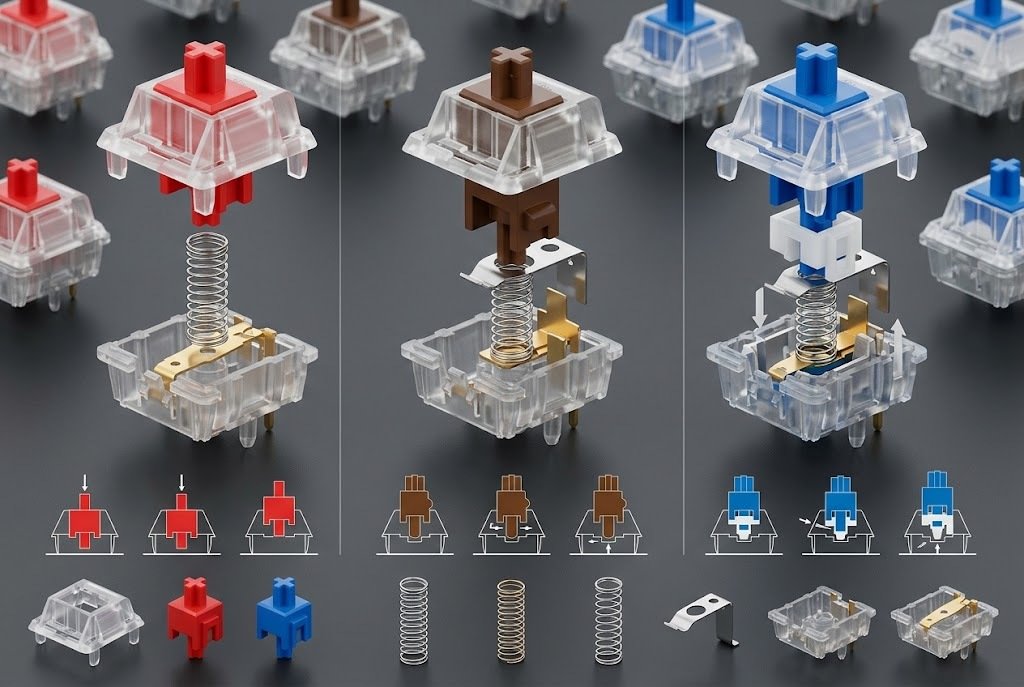
Switch choice can matter more than the keyboard brand. The three traditional categories are tactile, linear, and clicky.
Tactile Switches
Tactile switches provide a noticeable bump during the keypress. They are popular with typists because the feedback makes each keystroke feel deliberate.
Good for:
- Writing
- Coding
- General productivity
- Users who like feedback
Possible downside: Some tactile switches can feel too pronounced for users who prefer very smooth movement.
Linear Switches
Linear switches move smoothly from top to bottom without a deliberate tactile bump. They are often chosen by gamers, but they can also work extremely well for typing if you prefer smooth key travel.
Good for:
- Smooth typing
- Gaming
- Fast repeated inputs
- Users who dislike tactile bumps
Possible downside: Beginners may initially find it easier to make accidental presses if they are accustomed to stronger tactile feedback.
Clicky Switches
Clicky switches intentionally produce a distinct click along with tactile feedback. They can be enjoyable to type on, but the noise is a major consideration.
Good for:
- Private offices
- Home offices
- Users who enjoy audible feedback
- Typists who like classic mechanical keyboard sounds
Possible downside: They can disturb coworkers, family members, roommates, or people on video calls.
Which Switch Is Best for Typing?
There is no universally best switch.
A practical starting point is:
| Typing Preference | Switch Type to Consider |
| Noticeable feedback | Tactile |
| Smooth keypress | Linear |
| Audible click | Clicky |
| Shared office | Silent tactile or silent linear |
| Laptop-like feel | Low-profile mechanical |
| Heavy typing | Medium-weight tactile or smooth linear |
| Gaming + typing | Linear or adjustable Hall-effect |
If you are buying your first mechanical keyboard, tactile switches are often an easy starting point because they provide clear feedback without requiring the loud click associated with many clicky switches.
Keyboard Size: Which Layout Should You Choose?
Layout affects productivity more than many buyers expect.
Full-Size — 100%
A full-size keyboard normally includes:
- Main typing keys
- Function row
- Navigation cluster
- Arrow keys
- Number pad
Choose it if you regularly enter numbers or prefer having every key immediately available.
Tenkeyless — TKL
A TKL keyboard removes the number pad while retaining the function row and navigation cluster. It is useful when you want more mouse space without moving to a very compact layout.
75%
A 75% keyboard keeps most of the important keys while arranging them more tightly. For many writers and programmers, this is an excellent compromise.
65%
A 65% keyboard generally keeps the arrow keys but removes the function row. It is compact while still retaining important navigation controls.
60%
A 60% keyboard removes the dedicated function row, arrow keys, and navigation cluster. It saves substantial desk space but requires using function-layer shortcuts for some commands.
What Makes a Mechanical Keyboard Comfortable for Long Typing?
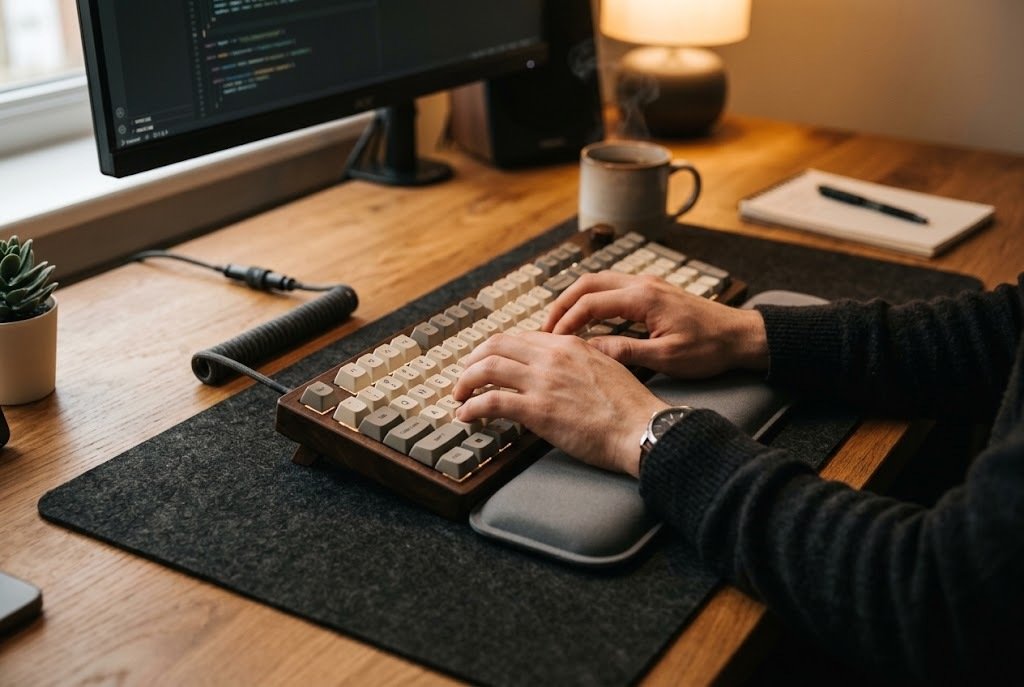
Comfort is more complicated than switch type.
Consider these factors together:
1. Keycap Profile
Keycaps come in different shapes and heights. OEM, Cherry, SA, XDA, and other profiles can change finger position and the overall feel. A taller profile may feel more sculpted, while lower profiles can provide a flatter, more laptop-like experience.
2. Keyboard Angle
A steep typing angle is not automatically better. If your keyboard is too elevated, your wrists may remain more extended than necessary. Experiment with the feet and desk position rather than assuming the highest angle is the most comfortable.
3. Switch Force
A very heavy switch can become tiring for some typists, while an extremely light switch can cause accidental presses. There is no universally correct actuation force.
4. Stabilizers
Large keys such as Space, Enter, Shift, and Backspace use stabilizers. Poorly tuned stabilizers can create rattling, wobbling, or inconsistent key feel.
5. Mounting System
Gasket-mounted keyboards use flexible material between components to create a somewhat softer typing character. A traditional rigid mount can feel firmer and more direct. Neither is automatically superior. It depends on the sensation you prefer.
Mechanical vs Membrane vs Low-Profile Keyboards
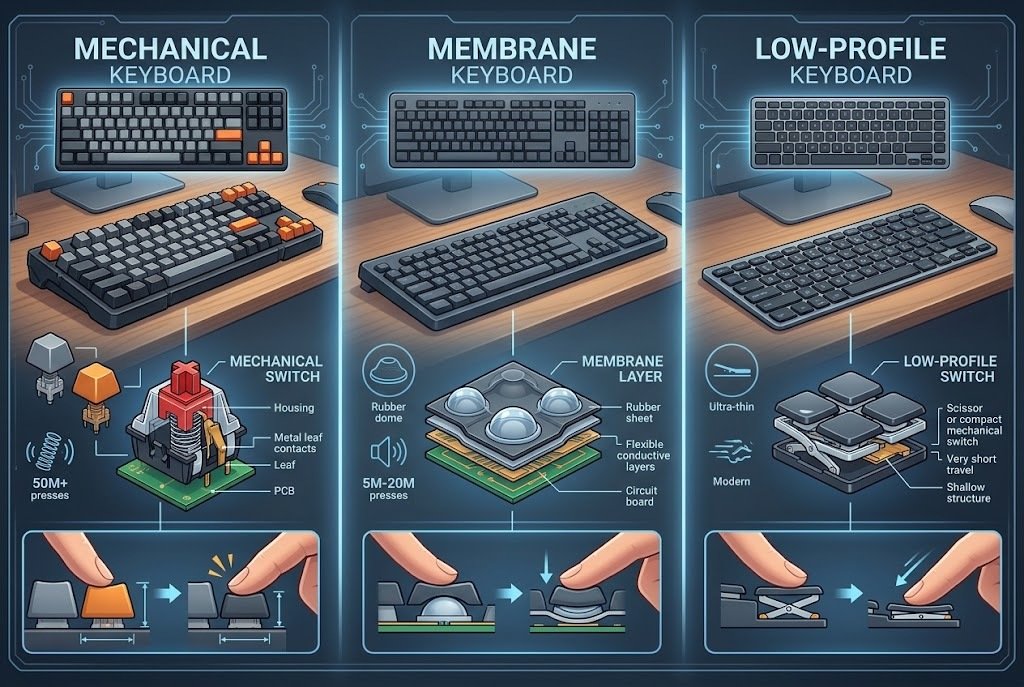
| Feature | Mechanical | Membrane | Low-Profile Mechanical |
| Switch variety | Excellent | Limited | Moderate to excellent |
| Customization | Often high | Low | Moderate/high |
| Typing feedback | Strongly customizable | Usually softer | Laptop-like to mechanical |
| Noise options | Very broad | Usually moderate | Often moderate |
| Hot-swapping | Common on enthusiast models | Rare | Available on some models |
| Gaming suitability | Excellent | Good | Excellent |
| Office suitability | Excellent with quiet switches | Excellent | Excellent |
| Price range | Very broad | Very broad | Moderate to premium |
A mechanical keyboard is worth considering if you care about typing feel, customization, durability, or switch choice. A membrane keyboard can still be the better practical choice if you want simplicity and low cost.
How to Choose the Best Mechanical Keyboard for Your Budget
Instead of starting with the brand, start with your actual requirements.
Budget Range
If you are buying your first mechanical keyboard, you do not need to start with a premium aluminum model. A budget board with good switches and hot-swappable sockets can teach you what you like.
Mid-Range
This is where many buyers get the strongest combination of features.
Look for:
- Hot-swappable switches
- PBT keycaps
- Gasket or similarly refined construction
- Good stabilizers
- Wireless connectivity if needed
- Reliable firmware
- Mac/Windows support
Premium
Premium keyboards make more sense when you already understand your preferences.
You may value:
- Aluminum construction
- Better acoustics
- More sophisticated mounting
- Premium stabilizers
- High-quality keycaps
- Extensive programmability
- Ergonomic layouts
Spending more money cannot compensate for choosing the wrong switch or layout.
Wired vs Wireless Mechanical Keyboards
Wired
A wired keyboard is simple. You connect the USB cable and start typing. There is no battery to recharge, and the keyboard remains connected as long as the cable is attached. Wired is particularly sensible for a permanent desktop.
2.4 GHz Wireless
2.4 GHz wireless is designed for low-latency communication through a dedicated receiver. It is useful when you want a cable-free desk without relying solely on Bluetooth.
Bluetooth
Bluetooth is particularly useful for laptops, tablets, phones, and multi-device setups. The trade-off is that Bluetooth implementations can have different performance characteristics from wired or 2.4 GHz modes. For ordinary writing and office work, modern wireless keyboards can be extremely convenient.
Hot-Swappable vs Soldered Switches
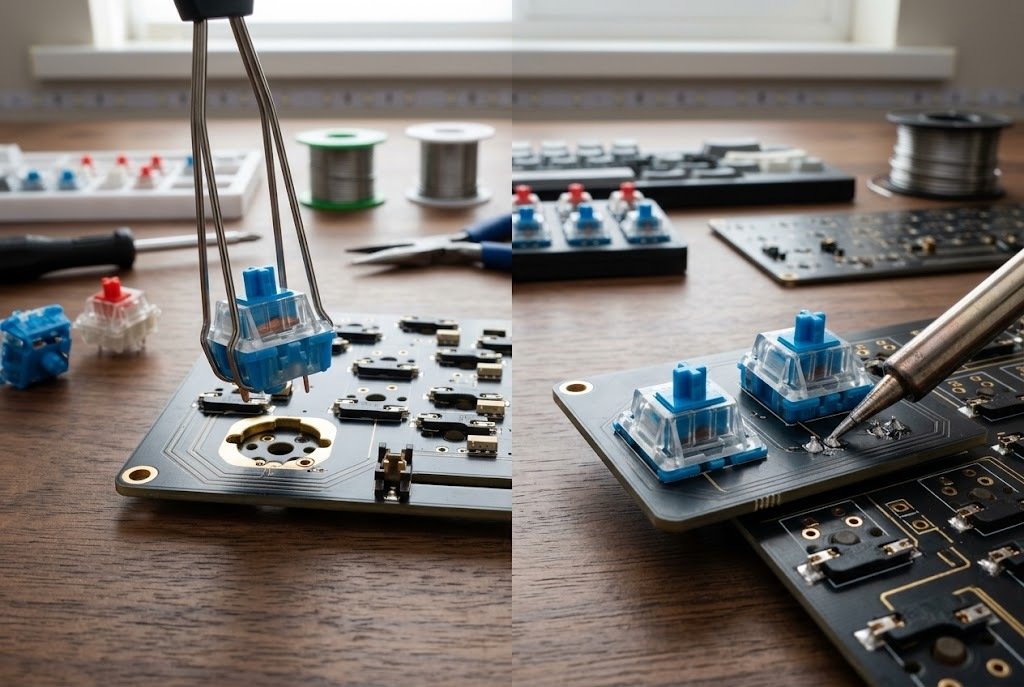
A hot-swappable keyboard lets you remove compatible switches and install replacements without soldering. This is especially useful for beginners. For example, you might start with tactile switches and later discover that silent linear switches suit your office better. On a compatible hot-swap board, you can change the switches rather than buying an entirely new keyboard.
Before purchasing replacement switches, check:
- Number of pins
- MX compatibility
- Switch orientation requirements
- Plate compatibility
- PCB compatibility
Hot-swappable does not mean every switch will automatically work.
Common Mechanical Keyboard Buying Mistakes
Choosing a Keyboard Because It Sounds Good Online
Keyboard sound depends on microphones, room acoustics, switches, keycaps, mounting, desk surfaces, and recording equipment. A keyboard that sounds excellent in a video may sound different in your room.
Buying Clicky Switches for a Shared Office
Clicky switches can be fun, but the sound travels. If other people work nearby, choose a quieter switch.
Buying a 60% Keyboard Without Understanding Layers
Compact keyboards save space, but they often move secondary functions behind Fn shortcuts. If you frequently use function keys, arrows, navigation keys, or dedicated shortcuts, a 75% or TKL layout may be easier.
Assuming More Expensive Means More Comfortable
Price often buys better materials and customization. It does not guarantee that the switch force, keycap profile, or layout will suit your hands.
Ignoring Keycap Compatibility
If you plan to replace keycaps, verify the layout and compatibility first. Non-standard bottom rows, unusual modifiers, or specialized layouts can limit your choices.
Focusing Too Much on RGB
RGB lighting is useful for visibility and aesthetics, but it has little direct relationship with typing comfort. For a writing keyboard, switch feel, layout, keycaps, stabilizers, and ergonomics deserve more attention.
How to Set Up a Mechanical Keyboard for Comfortable Typing
After buying a keyboard, spend a few minutes configuring it properly.
Step 1: Position the Keyboard
Place the keyboard so you are not reaching forward unnecessarily. Your shoulders should remain relaxed.
Step 2: Experiment With the Feet
Try the keyboard flat and then with different tilt settings. Choose the position that feels natural rather than automatically using the tallest setting.
Step 3: Test Your Switch Feel
Spend several days with the stock switches before deciding that you need replacements. Your first impression can change after you become accustomed to the keyboard.
Step 4: Adjust Key Repeat Settings
Operating-system keyboard settings allow you to adjust repeat delay and repeat rate. These settings can affect how the keyboard feels during rapid typing.
Step 5: Customize Only What You Need
If the keyboard supports QMK, VIA, or manufacturer software, start with simple changes such as:
- Media controls
- Application shortcuts
- Copy and paste
- Window switching
- Frequently used symbols
Do not create complicated layers unless they genuinely save time.
Are Mechanical Keyboards Better for Fast Typing?
Not automatically. Typing speed depends on familiarity, technique, accuracy, keyboard layout, key travel, switch characteristics, and practice. A mechanical keyboard may make typing feel more controlled or enjoyable, but it does not guarantee a higher WPM score.
The best keyboard for fast typing is usually the one that allows you to press keys confidently and consistently without fighting the layout or switch feel. If you are interested in improving typing performance, combine a suitable keyboard with regular accuracy-focused practice rather than assuming hardware alone will increase your speed.
Which Mechanical Keyboard Is Best for Writers?
Writers generally benefit from prioritizing:
- Comfortable switch feel
- Good stabilizers
- Appropriate key spacing
- Reasonable keyboard angle
- Low or moderate noise
- A layout that does not require excessive shortcut layers
A 75% keyboard such as the Keychron V1 Max can be a strong compromise because it retains the function row while reducing desk width. A full-size keyboard such as the Keychron K10 Max is better if you frequently work with numbers. For a quieter office, a keyboard configured with quiet switches may be more appropriate than a loud clicky model.
Which Mechanical Keyboard Is Best for Programmers?
Programmers often have different requirements from writers.
Useful features include:
- Reliable arrow keys
- Function-row access
- Programmable keys
- Easy access to symbols
- Mac/Linux/Windows compatibility
- Compact layout
- Comfortable switches for long sessions
A 75% keyboard is often a practical choice because it preserves more dedicated keys than a 60% model without taking up the space of a full-size board.
Which Mechanical Keyboard Is Best for Gaming and Typing?
If you need one keyboard for both activities, consider the Wooting 80HE if its Hall-effect features match your gaming needs. For a more conventional mechanical experience, the Keychron V1 Max or Q1 Max can provide a good combination of typing-oriented construction and gaming-friendly connectivity. For ordinary gaming, you do not necessarily need an extremely high polling rate. Typing comfort and layout remain important if the keyboard is also your primary work tool.
Mechanical Keyboard Maintenance Tips
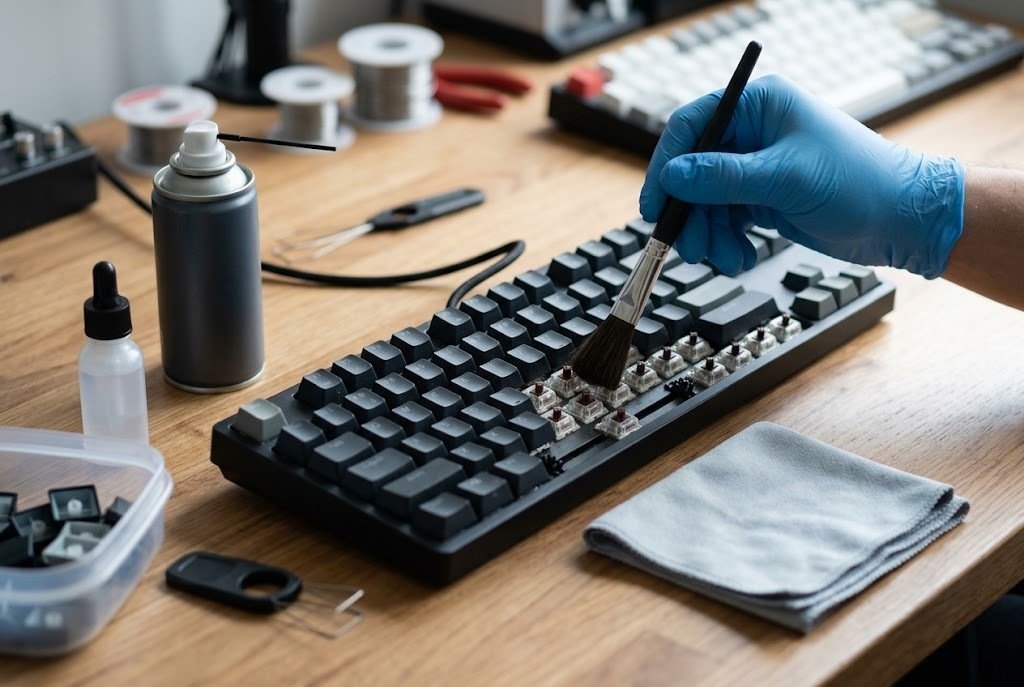
Mechanical keyboards can remain useful for years when maintained properly.
Keep Dust Out
Use compressed air or an appropriate air blower periodically to remove loose dust and debris.
Clean Keycaps Carefully
Remove keycaps when necessary and clean them according to their material. Allow them to dry completely before reinstalling.
Avoid Liquid Near the Keyboard
Even spill-resistant designs have limits. Keep drinks away whenever practical.
Do Not Force Switches
If you have a hot-swappable board, pull switches vertically with an appropriate switch puller. Forcing a switch sideways can damage the socket or switch.
Keep Firmware Updated When Necessary
Firmware updates can improve compatibility or fix bugs, but do not update firmware without checking that the file matches your exact keyboard model and revision.
Frequently Asked Questions
Q. Are mechanical keyboards good for long typing sessions?
Ans: They can be. Mechanical keyboards offer many switch, keycap, layout, and construction choices, allowing users to select a typing feel that suits them. Comfort still depends on desk position, keyboard angle, switch force, and individual preference.
Q. Which mechanical switch is best for typing?
Ans: There is no universal winner. Tactile switches are a popular starting point because they provide noticeable feedback, while linear switches suit users who prefer smooth movement. Quiet switches are better when keyboard noise is a concern.
Q. Are mechanical keyboards noisy?
Ans: Some are, but mechanical keyboards are not inherently loud. Clicky switches are generally more audible, while silent tactile and silent linear switches can significantly reduce noise.
Q. Is a 75% keyboard good for writing?
Ans: Yes. A 75% keyboard usually retains the function row and arrow keys while eliminating the number pad. This makes it a practical choice for writers and programmers who want to save desk space without moving to a 60% layout.
Q. Are hot-swappable mechanical keyboards worth it?
Ans: They are particularly useful if you want to experiment with switches. A hot-swappable PCB allows compatible switches to be changed without soldering, making customization easier for beginners and enthusiasts.
Q. Is a mechanical keyboard better than a laptop keyboard?
Ans: It depends on the user. Mechanical keyboards generally offer more switch and customization options, while laptop keyboards prioritize thinness and portability. Someone who travels constantly may prefer a low-profile keyboard.
Q. Should I choose tactile or linear switches for programming?
Ans: Both can work well. Tactile switches provide a physical bump that some programmers find helpful, while linear switches offer smoother travel. Try both if possible before buying a large set of switches.
Q. Do mechanical keyboards improve typing speed?
Ans: Not by themselves. A mechanical keyboard may improve comfort, consistency, or typing enjoyment, but typing speed primarily depends on technique, familiarity, accuracy, and practice.
Q. Is wireless good enough for a mechanical keyboard?
Ans: Yes. Modern mechanical keyboards can support Bluetooth or 2.4 GHz wireless connections. For ordinary office work and writing, wireless convenience can be more important than the tiny performance differences between connection types.
Q. What keyboard size is best for beginners?
Ans: A 75% or TKL keyboard is often easier to adapt to than a 60% keyboard because more dedicated keys remain available. Full-size is preferable if you need a number pad.
Q. Are expensive mechanical keyboards worth it?
Ans: They can be, especially if you value premium construction, customization, better keycaps, refined stabilizers, or a particular layout. However, a more expensive keyboard is not automatically more comfortable.
Q. Can I use a mechanical keyboard with Mac and Windows?
Ans: Many modern keyboards support both platforms. Always verify the specific model before purchasing, especially if you need Mac-specific keycaps, shortcuts, or software support.
Final Verdict
The best mechanical keyboard is not necessarily the most expensive or the most heavily advertised. It is the keyboard whose layout, switch feel, noise level, size, and features fit the way you actually work. For most people entering the hobby, the Keychron V1 Max provides a strong balance between customization, compact size, wireless connectivity, and typing-focused design.
The Keychron Q1 Max moves toward premium construction, while the Logitech MX Mechanical is a more straightforward choice for professional office environments. The NuPhy Air75 V2 makes sense for users who prefer a low-profile experience, and the Akko 5075B Plus is worth considering when customization matters on a tighter budget.
Full-size users should look at the Keychron K10 Max or Q6 Max, while mixed gaming and typing users have a more specialized option in the Wooting 80HE. If ergonomics and experimentation are your priorities, the Alice-style Keychron Q15 Max offers a very different approach. Before buying, decide on layout first, switch feel second, and extra features third. That simple process can prevent many expensive mistakes.