 -by
-by An operating system (OS) is the foundation of every computer, smartphone, tablet, and smart device. It manages hardware resources, runs software applications, and provides the interface that allows users to interact with their devices. Without an operating system, modern computing would not be possible.
With multiple operating systems available today, choosing the best one can be challenging. Each OS offers unique features, performance levels, security measures, and compatibility options. The best operating system for one user may not be the best choice for another.
In this guide, we compare the most popular operating systems, explore their strengths and weaknesses, and help you determine which operating system best fits your needs.
What Is an Operating System?
An operating system is system software that acts as a bridge between hardware and applications. It manages memory, storage, files, security, and device performance while ensuring that software programs run smoothly.
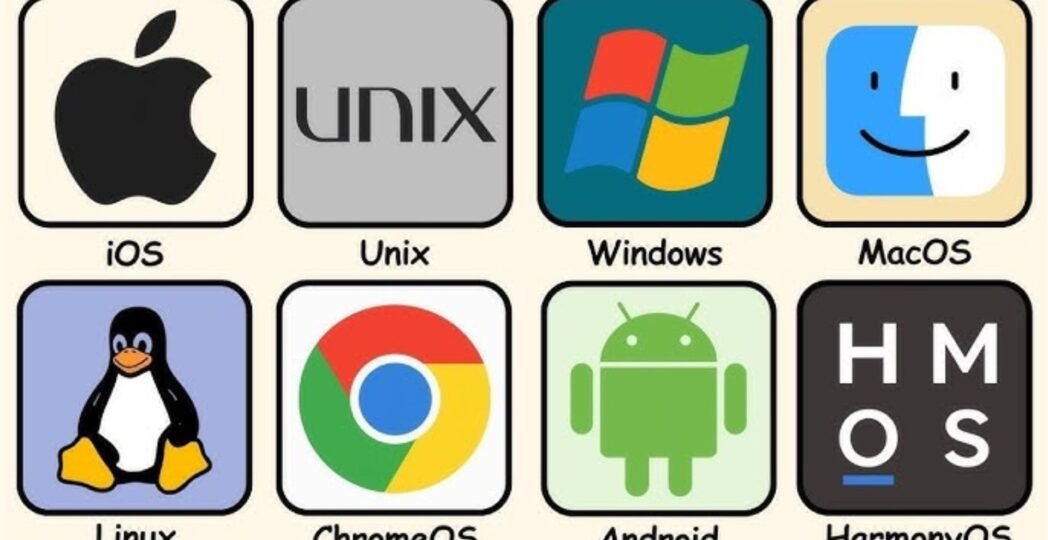
Common examples include:
- Windows
- macOS
- Linux
- Android
- iOS
- ChromeOS
Every device requires an operating system to function efficiently.
Learn more in our Operating System Basics Guide.
Why Choosing the Right Operating System Matters
The OS directly affects:
- Device performance
- Software compatibility
- Security and privacy
- User experience
- Gaming capabilities
- Productivity
- System stability
Selecting the right OS can improve efficiency and provide a better overall computing experience.
01. Microsoft Windows
Microsoft Windows remains the most widely used desktop operating system worldwide. Businesses, students, gamers, and professionals rely on Windows because of its flexibility and software compatibility.
Key Features
- Extensive software support
- Excellent gaming performance
- User-friendly interface
- Broad hardware compatibility
- Regular updates and improvements
Advantages
- Supports thousands of applications
- Compatible with most PC hardware
- Strong gaming ecosystem
- Easy to learn for beginners
Disadvantages
- More vulnerable to malware than some alternatives
- Can consume significant system resources
- Some updates may occasionally cause issues
Best For
- Gamers
- Students
- Businesses
- General users
Explore Microsoft’s official Windows Support Center for detailed information.
02. Apple macOS
macOS powers Apple’s Mac computers and is known for its elegant design, reliability, and seamless integration with other Apple devices.
Key Features
- Optimized hardware and software integration
- Strong security architecture
- Excellent creative software support
- Smooth user experience
Advantages
- Stable and reliable
- Strong privacy protections
- Excellent performance optimization
- High-quality design
Disadvantages
- Limited hardware customization
- Higher device costs
- Smaller gaming library
Best For
- Content creators
- Designers
- Video editors
- Apple ecosystem users
Check Apple’s official macOS User Guide for feature updates and documentation.
03. Linux
Linux is an open-source operating system used by developers, businesses, and technology enthusiasts worldwide.
Popular Linux distributions include:
- Ubuntu
- Fedora
- Debian
- Linux Mint
- Arch Linux
Key Features
- Open-source platform
- Highly customizable
- Strong security
- Efficient resource management
Advantages
- Free to use
- Excellent security
- Lightweight performance
- Highly flexible
Disadvantages
- Learning curve for beginners
- Some software compatibility limitations
- Limited support for certain commercial applications
Best For
- Developers
- Programmers
- IT professionals
- Privacy-focused users
Visit the official Linux Foundation Resources to learn more about Linux distributions.
04. Android
Android is the world’s most popular mobile operating system. Developed by Google, it powers billions of smartphones and tablets globally.
Key Features
- Open ecosystem
- Wide device availability
- Extensive app library
- High customization options
Advantages
- Affordable device options
- Flexible customization
- Large app marketplace
- Supports multiple manufacturers
Disadvantages
- Software update fragmentation
- Security depends on device manufacturer
- Performance varies between devices
Best For
- Smartphone users
- Budget-conscious consumers
- Customization enthusiasts
You can improve your device’s performance with our Android Optimization Guide.
05. iOS
iOS is Apple’s mobile operating system designed for iPhones and certain mobile devices.
Key Features
- Optimized performance
- Strong privacy controls
- Consistent software updates
- High app quality standards
Advantages
- Excellent security
- Smooth user experience
- Long-term software support
- Reliable performance
Disadvantages
- Limited customization
- Higher device prices
- Closed ecosystem
Best For
- iPhone users
- Privacy-conscious individuals
- Users seeking simplicity
Learn more from Apple’s official iPhone User Manual.
06. ChromeOS
ChromeOS is Google’s lightweight operating system primarily used on Chromebooks.
Key Features
- Cloud-based functionality
- Fast boot times
- Simple interface
- Automatic updates
Advantages
- Affordable devices
- Easy maintenance
- Excellent battery life
- Strong security model
Disadvantages
- Limited offline functionality
- Less powerful for advanced workloads
- Software restrictions compared to Windows
Best For
- Students
- Casual users
- Web-based workers
Read Google’s official Chromebook Help Center for additional guidance.
Comparing the Best Operating Systems
| Operating System | Ease of Use | Security | Gaming | Customization | Best For |
|---|---|---|---|---|---|
| Windows | Excellent | Good | Excellent | Moderate | General users and gamers |
| macOS | Excellent | Excellent | Moderate | Limited | Creators and professionals |
| Linux | Moderate | Excellent | Moderate | Excellent | Developers and IT experts |
| Android | Excellent | Good | Good | Excellent | Mobile users |
| iOS | Excellent | Excellent | Good | Limited | iPhone users |
| ChromeOS | Excellent | Very Good | Limited | Limited | Students and web users |
Which Operating System Is Best for Gaming?
For gaming, Windows remains the top choice.
Reasons include:
- Largest game library
- Broad hardware compatibility
- Support for major gaming platforms
- Advanced graphics driver support
Most modern PC games are developed primarily for Windows systems.
Check our Best Gaming PC Setup Guide for more gaming recommendations.
Which Operating System Is Best for Security?
Security-focused users often prefer:
- Linux
- macOS
- iOS
These platforms offer strong security architectures and fewer malware threats compared to traditional desktop environments.
However, users should always follow Cybersecurity Best Practices regardless of the operating system they use.
Which Operating System Is Best for Developers?
Developers often choose Linux due to:
- Powerful command-line tools
- Open-source flexibility
- Server compatibility
- Development-friendly environment
Many cloud servers and enterprise systems also rely on Linux.
Learn more in our Linux for Developers Guide.
Future Trends in Operating Systems
Operating systems continue to evolve with emerging technologies.
Key trends include:
- Artificial intelligence integration
- Cloud-based computing
- Enhanced cybersecurity features
- Improved energy efficiency
- Cross-platform compatibility
- Better privacy controls
As technology advances, operating systems will become smarter, faster, and more secure.
FAQs
Q: What is the best operating system overall?
Ans: There is no single best operating system for everyone. Windows offers broad compatibility, macOS provides a premium experience, Linux delivers flexibility, while Android and iOS dominate mobile devices.
Q: Which operating system is fastest?
Ans: Performance depends on hardware and configuration. Linux distributions are often considered lightweight and efficient, while macOS benefits from Apple’s hardware optimization.
Q: Is Linux better than Windows?
Ans: Linux offers greater customization and security, while Windows provides better software compatibility and gaming support.
Q: Which operating system is best for beginners?
Ans: Windows, macOS, Android, and ChromeOS are all beginner-friendly options with intuitive interfaces.
Conclusion
The best operating system depends on your specific needs, budget, and preferences. Windows remains the leading choice for general users and gamers. macOS excels in design and productivity. Linux offers unmatched flexibility for developers. Android dominates mobile customization, while iOS provides a secure and seamless mobile experience.
Before choosing an operating system, consider factors such as software compatibility, security, performance, ease of use, and long-term support. By selecting the right platform, you can maximize productivity, improve security, and enjoy a better overall computing experience.




11 Comments