
 -by
-by Typing has become an essential skill for students, professionals, freelancers, programmers, writers, and business owners. Whether you’re writing emails, coding software, creating blog posts, or chatting with clients, improving your typing speed can save hours every week while increasing productivity.
The good news is that anyone can improve their typing speed and accuracy with the right practice methods. You don’t need expensive software or professional training. Consistency, correct techniques, and smart practice are enough.
In this comprehensive guide, you’ll learn everything you need to know about increasing typing speed while maintaining excellent accuracy.
What Is Typing Speed?
Typing speed refers to how many words a person can type in one minute (WPM), commonly known as Words Per Minute (WPM).
Most typing tests calculate:
- Words Per Minute (WPM)
- Accuracy Percentage
- Error Rate
- Corrected WPM
The higher your WPM with high accuracy, the more efficient your typing becomes.
Why Typing Speed Matters
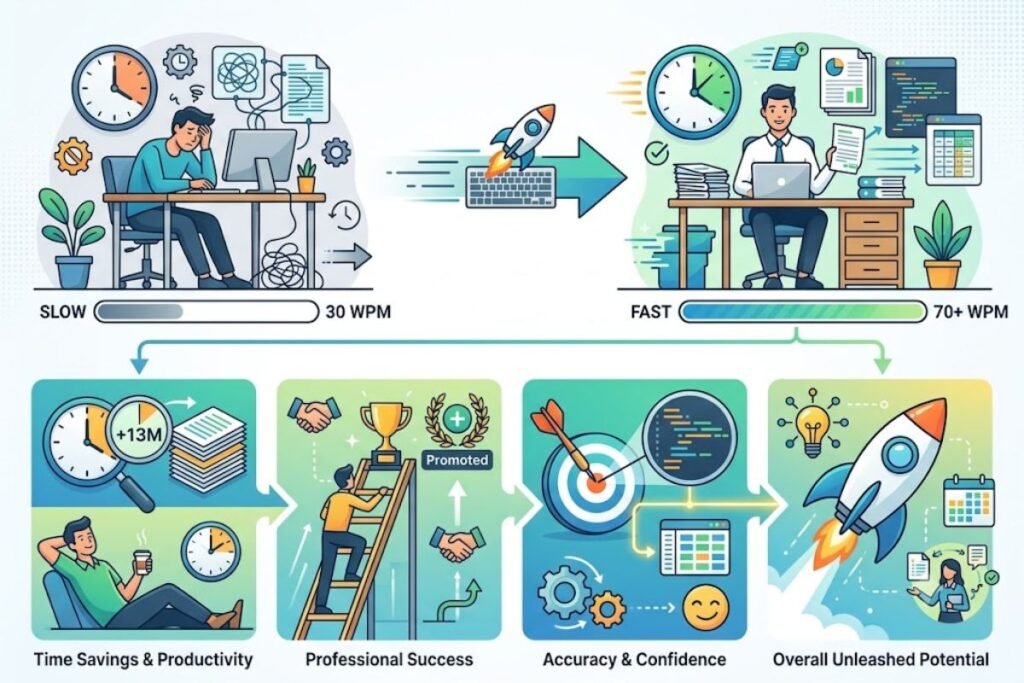
Improving your typing speed offers many benefits.
Saves Time
Typing faster means completing work more quickly.
Boosts Productivity
Professionals spend less time typing and more time thinking and solving problems.
Improves Career Opportunities
Many jobs require fast typing, including:
- Data Entry
- Customer Support
- Content Writing
- Programming
- Virtual Assistance
- Medical Transcription
- Legal Documentation
Reduces Fatigue
Proper typing techniques reduce unnecessary finger movement and muscle strain.
Builds Confidence
Fast, accurate typing allows you to focus on your ideas instead of searching for keys.
What Is a Good Typing Speed?
Average typing speeds vary by experience.
| User Level | WPM |
| Beginner | 20–30 |
| Average User | 35–45 |
| Good Typist | 50–70 |
| Professional | 70–90 |
| Expert | 90–120+ |
Accuracy should ideally remain above 95%.
Why Accuracy Is More Important Than Speed
Many beginners only focus on typing faster.
This is a mistake.
Typing incorrect words wastes time because you must stop and correct errors.
A person typing:
- 55 WPM with 99% accuracy
- Performs better than
- 75 WPM with 85% accuracy
Always build accuracy first. Speed naturally increases afterward.
Learn Proper Touch Typing
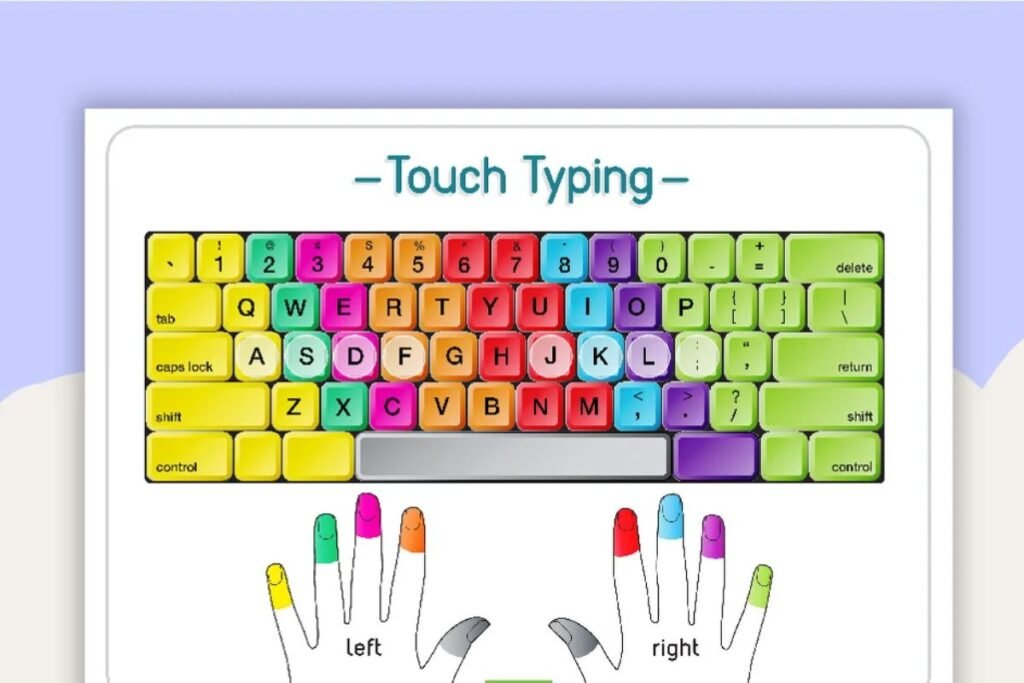
Touch typing is the foundation of fast typing.
Instead of looking at the keyboard, you use muscle memory.
Advantages include:
- Faster typing
- Better accuracy
- Less eye movement
- Improved posture
- Reduced fatigue
Learning touch typing may feel slower at first, but it delivers long-term results.
Master the Home Row Position
The home row is where your fingers naturally rest.
Left hand:
- A
- S
- D
- F
Right hand:
- J
- K
- L
- ;
Your index fingers rest on F and J because these keys have small raised bumps.
Always return your fingers to the home row after pressing any key.
Stop Looking at the Keyboard
One of the biggest obstacles to increasing typing speed is constantly looking at the keyboard.
Train yourself to:
- Look only at the screen.
- Trust your fingers.
- Memorize key locations.
Within a few weeks, your muscle memory will improve dramatically.
Maintain Correct Finger Placement
Each finger should handle specific keys.
Avoid typing every key with one or two fingers.
Using all ten fingers increases:
- Speed
- Comfort
- Accuracy
Practice Every Day
Consistency beats intensity.
Practice:
- 15–30 minutes daily
Instead of:
- 3 hours once a week
Daily repetition strengthens muscle memory.
Start Slowly
Many people try typing too fast immediately.
Instead:
- Type slowly.
- Maintain high accuracy.
- Increase speed gradually.
This approach produces lasting improvements.
Use Online Typing Practice Websites
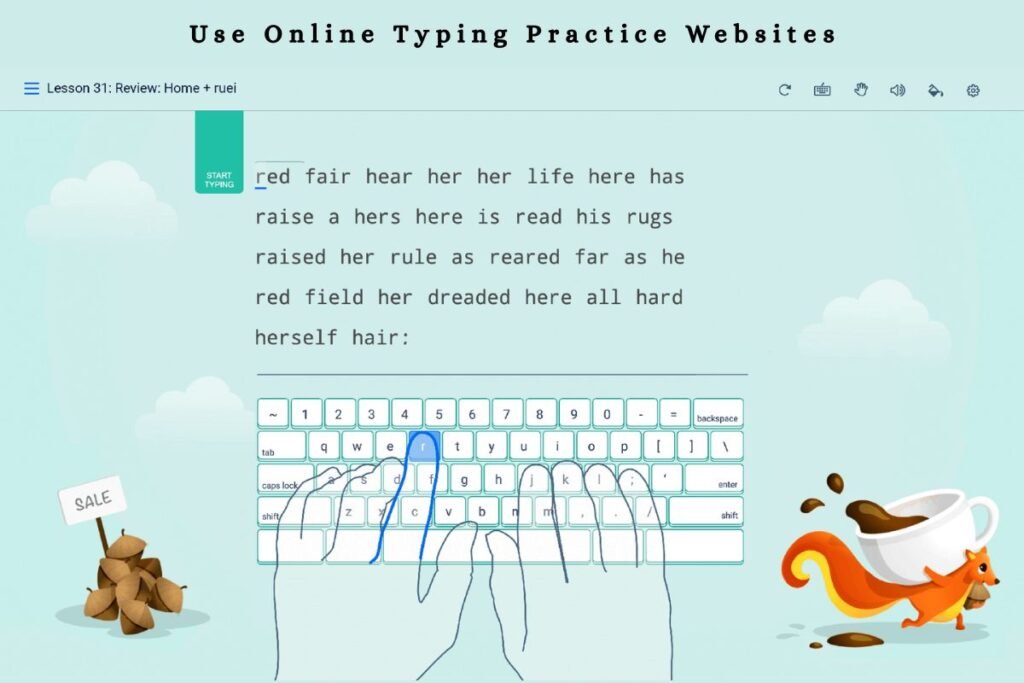
Several free websites provide typing lessons, games, and tests.
Popular options include:
These platforms track your progress and help identify weak areas.
Improve Finger Strength
Your fingers become faster through repetition.
Good exercises include:
- Typing paragraphs
- Copying articles
- Writing journal entries
- Playing typing games
Focus on Common Words
English uses many repeated words such as:
- the
- and
- you
- with
- because
- people
- important
Typing these common words repeatedly builds speed quickly.
Practice Full Sentences
Instead of typing random letters, practice:
- Articles
- Stories
- Emails
- Books
Real-world content develops natural typing rhythm.
Reduce Backspace Usage
Every correction slows you down.
Rather than typing faster:
- Slow down slightly.
- Type correctly.
- Avoid frequent mistakes.
Less backspacing equals higher overall speed.
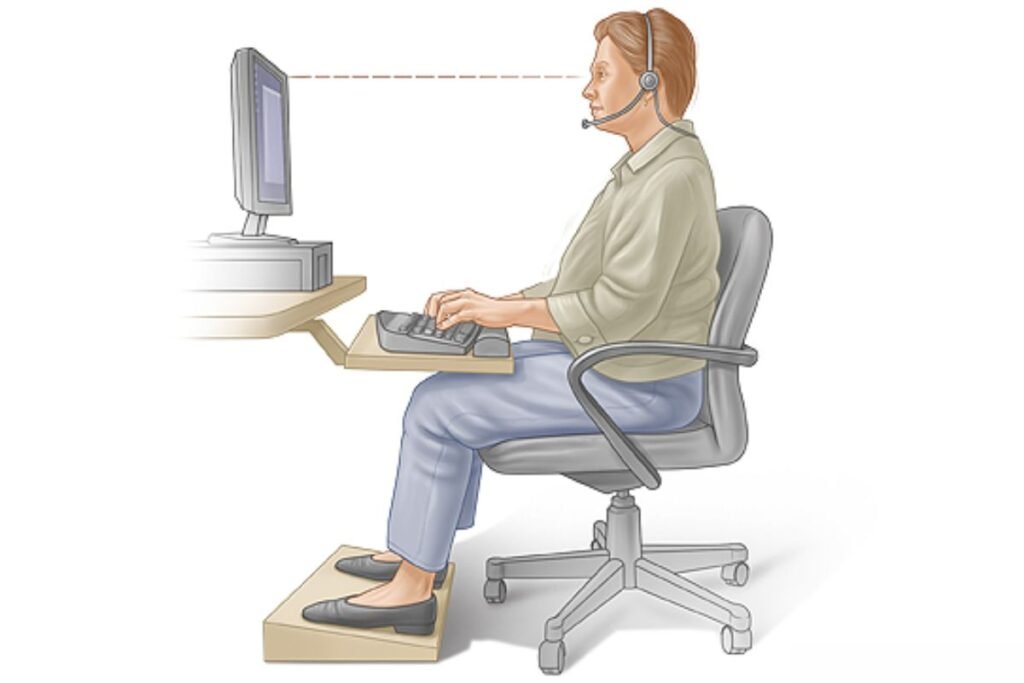
Improve Your Sitting Posture
Good posture improves typing efficiency.
Remember to:
- Sit upright.
- Keep shoulders relaxed.
- Place feet flat on the floor.
- Keep elbows around 90 degrees.
- Keep wrists straight.
Proper posture reduces strain during long typing sessions.
Choose a Comfortable Keyboard
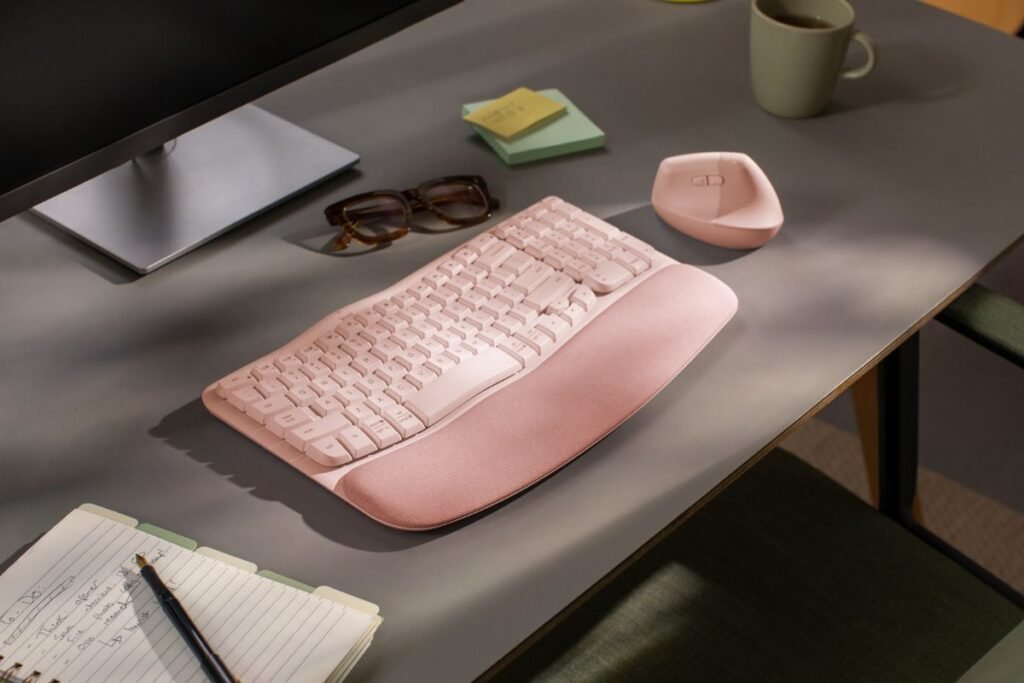
Your keyboard matters.
Look for:
- Comfortable key travel
- Responsive switches
- Ergonomic layout
- Quiet operation
Mechanical keyboards are popular among professionals, but many quality membrane keyboards also perform well.
Adjust Your Workspace
A comfortable workspace increases productivity.
Position:
- Monitor at eye level
- Keyboard near elbows
- Mouse close to keyboard
- Chair at proper height
Small ergonomic improvements make long typing sessions easier.
Avoid Racing Yourself Too Soon
Typing tests can motivate you.
However, constantly chasing higher WPM may increase mistakes.
Instead:
- Build consistency.
- Maintain 97–99% accuracy.
- Increase speed gradually.
Learn Keyboard Shortcuts
Keyboard shortcuts reduce typing time.
Examples include:
- Ctrl + C
- Ctrl + V
- Ctrl + X
- Ctrl + Z
- Ctrl + A
- Ctrl + S
Mastering shortcuts improves overall computer productivity.
Strengthen Muscle Memory
Muscle memory develops through repetition.
Practice the same movements consistently until typing becomes automatic.
Eventually, your fingers know where each key is without conscious thought.
Track Your Progress
Measure your typing speed weekly.
Track:
- WPM
- Accuracy
- Error Rate
- Practice Time
Seeing improvement keeps motivation high.
Common Typing Mistakes to Avoid
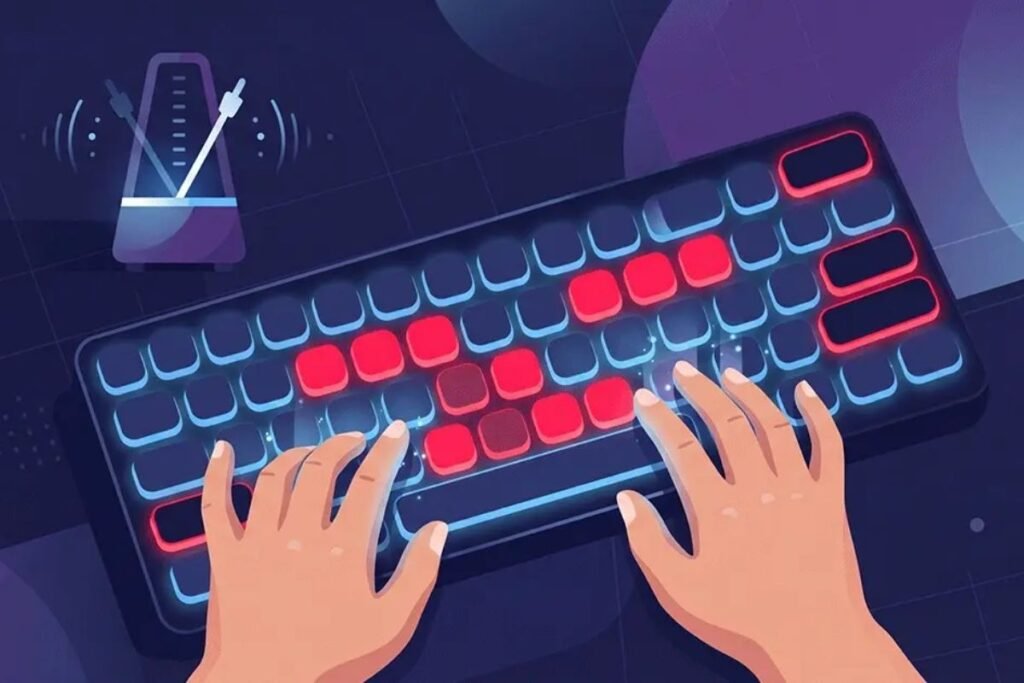
Many people unknowingly develop bad habits.
Avoid:
- Looking at the keyboard
- Using only two fingers
- Poor posture
- Typing too fast
- Ignoring accuracy
- Skipping daily practice
- Resting wrists on hard surfaces
Correcting these habits leads to faster improvement.
Daily 20-Minute Typing Practice Routine
Here’s a simple routine:
5 Minutes
Warm-up with home-row exercises.
5 Minutes
Practice common English words.
5 Minutes
Type full paragraphs.
5 Minutes
Take an online typing test and review mistakes.
Practicing this routine consistently can significantly improve your typing speed within a few months.
Best Tips to Increase Typing Speed Faster
- Learn touch typing.
- Practice every day.
- Focus on accuracy first.
- Use all ten fingers.
- Keep proper posture.
- Don’t look at the keyboard.
- Reduce unnecessary movements.
- Practice complete sentences.
- Take regular breaks.
- Track your progress.
Frequently Asked Questions
Q: How long does it take to improve typing speed?
Ans: With 20–30 minutes of daily practice, most people notice improvements within 4–8 weeks.
Q: What is a good typing speed?
Ans: A typing speed of 50–70 WPM with over 95% accuracy is considered very good for most jobs.
Q: Can adults improve typing speed?
Ans: Yes. Age is not a barrier. Consistent practice helps people of all ages improve.
Q: Should I focus on speed or accuracy?
Ans: Always prioritize accuracy first. Speed develops naturally over time.
Q: How can I reach 100 WPM?
Ans: Learn touch typing, practice daily, maintain proper finger placement, and gradually increase your pace while keeping accuracy above 97%.
Final Thoughts
Improving your typing speed is one of the most valuable skills you can develop in today’s digital world. Faster typing saves time, increases productivity, reduces stress, and opens new career opportunities.
Remember that speed alone isn’t enough. High accuracy, proper posture, touch typing, and consistent daily practice are the keys to lasting improvement.
Whether you’re a student, writer, programmer, office worker, or freelancer, spending just 20 minutes a day practicing can dramatically increase both your typing speed and confidence.




4 Comments