 -by
-by Gaming has become bigger than ever. Modern games often require more than 100GB of storage, and many gamers quickly run out of space on their PCs, laptops, and consoles. That’s where an external SSD for gaming becomes one of the smartest upgrades you can make.
Unlike traditional external hard drives, external SSDs (Solid State Drives) deliver much faster read and write speeds, resulting in shorter loading times, smoother game installations, faster file transfers, and better overall gaming experiences.
Whether you play on Windows, Mac, PlayStation, Xbox, or Steam Deck, this guide explains everything you need to know before buying the best external SSD for gaming.
What Is an External SSD for Gaming?
An external SSD for gaming is a portable solid-state drive that connects through USB or Thunderbolt. It stores games, downloadable content (DLC), game recordings, screenshots, and backups while offering much faster performance than traditional external hard drives.
Instead of using spinning disks like HDDs, SSDs use flash memory, making them:
- Much faster
- More durable
- Silent
- Lightweight
- Energy efficient
Many gamers use external SSD for gaming to expand storage without opening their computers or consoles.
Why Gamers Choose External SSDs
Modern games continue to grow larger every year. Installing several AAA titles can quickly fill internal storage.
Benefits include:
- Faster game loading
- Extra storage space
- Portable game library
- Faster downloads and installations
- Easy backups
- Better reliability
- Quiet operation
- Shock resistance
For gamers with limited internal storage, an external SSD offers excellent value.
External HDD vs External SSD for Gaming
| Feature | External SSD | External HDD |
| Speed | Very Fast | Slow |
| Load Times | Excellent | Longer |
| Durability | High | Moderate |
| Noise | Silent | Mechanical Noise |
| Weight | Lightweight | Heavier |
| Power Usage | Low | Higher |
| Price | Higher | Lower |
If gaming performance matters most, SSDs clearly outperform HDDs.
How an External SSD Improves Gaming
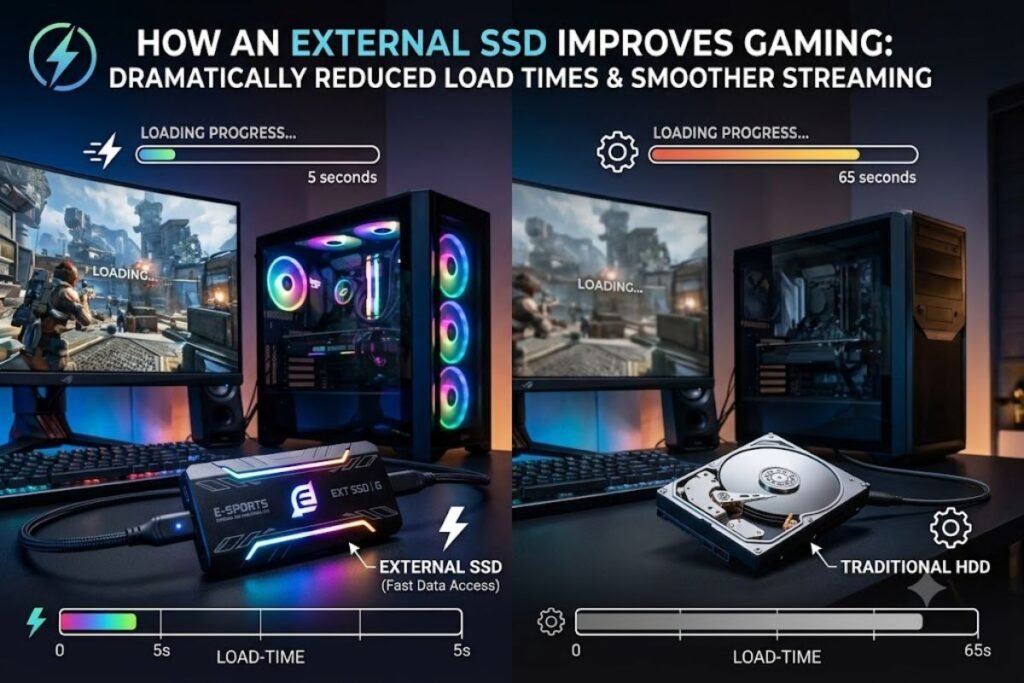
Many gamers wonder whether an external SSD actually improves gameplay. It doesn’t usually increase FPS (frames per second), but it significantly improves:
Faster Game Loading
Games launch much quicker.
Faster Level Loading
Large maps load noticeably faster.
Reduced Texture Streaming Delays
Open-world games load textures more smoothly.
Faster Updates
Large game patches install faster.
Better File Transfers
Moving games between drives takes much less time.
Best Connection Types
Choosing the correct connection matters.
USB 3.2 Gen 1
- Up to 5 Gbps
- Good for most gamers
USB 3.2 Gen 2
- Up to 10 Gbps
- Excellent performance
USB 3.2 Gen 2×2
- Up to 20 Gbps
- Very fast (supported by fewer devices)
Thunderbolt 3 & 4
- Up to 40 Gbps
- Best for professional creators and gamers
Always ensure your computer or console supports the SSD’s maximum speed.
Best Capacity for Gaming
Different gamers need different storage sizes.
500GB
Best for:
- Casual gamers
- Indie games
- Smaller libraries
1TB
Most popular choice.
Suitable for:
- 10–20 large games
- Excellent balance between cost and storage
2TB
Ideal for:
- Serious gamers
- Multiple AAA games
- Game recordings
4TB or More
Perfect for:
- Content creators
- Professional gamers
- Huge game collections
Important Features to Look For
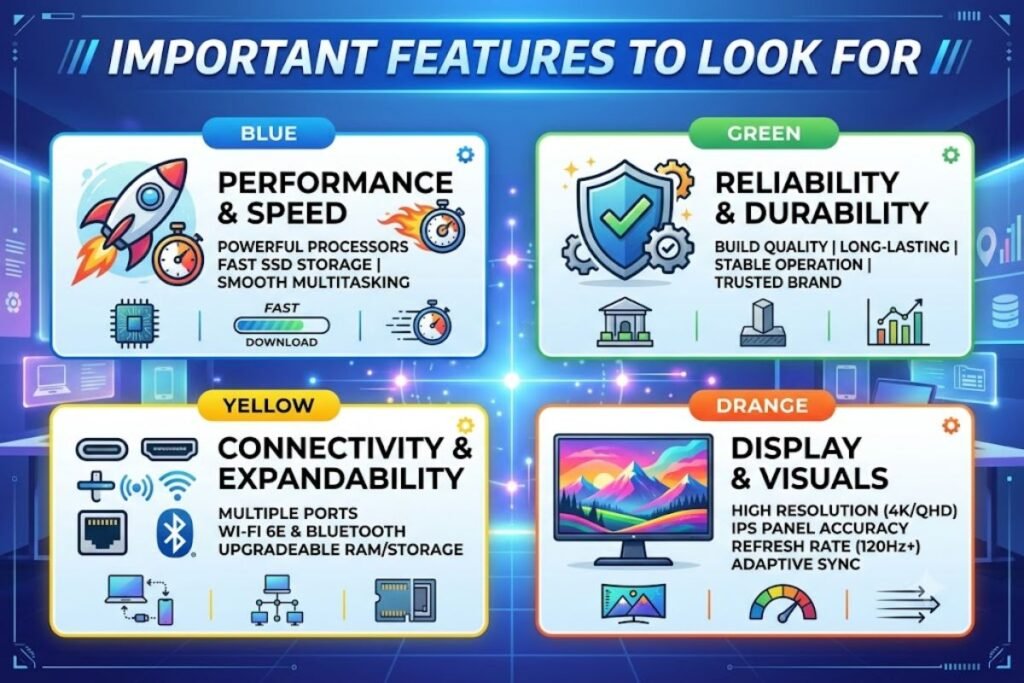
High Read and Write Speeds
Look for:
- 1,000 MB/s
- 2,000 MB/s
- Even higher for premium models
Compact Design
Portable drives are easier to carry.
Shock Resistance
Protection against accidental drops.
Heat Management
Good cooling maintains consistent speed.
Strong Warranty
Choose drives with at least a 3- or 5-year warranty.
Brand Reliability
Trusted brands usually offer better firmware updates and customer support.
Best Brands of External SSD for Gaming
Popular manufacturers include:
- Samsung
- SanDisk
- Crucial
- WD (Western Digital)
- Kingston
- Seagate
- Corsair
- Lexar
- ADATA
These brands consistently produce reliable gaming SSDs.
External SSD for Gaming on PC
PC gamers enjoy the most flexibility.
Benefits include:
- Install Steam games
- Store Epic Games titles
- Save Xbox PC games
- Backup game files
- Transfer games quickly
Most modern PCs recognize external SSDs instantly.
External SSD for Gaming on PlayStation
PlayStation gamers can use external SSDs for extra storage.
PS4
You can:
- Install games
- Play games directly
- Store saved data
PS5
External SSD for Gaming can:
- Store PS5 games
- Play PS4 games directly
- Archive games for quick transfer
External SSD for Gaming on Xbox
Xbox Series X and Series S support external USB SSDs.
You can:
- Store Xbox games
- Play backward-compatible games
- Transfer Series X/S games faster than using HDDs
External SSD for Steam Deck
Steam Deck users benefit greatly from external SSDs.
Advantages include:
- More game storage
- Faster installations
- Easier backups
- Portable gaming libraries
How to Set Up an External SSD for Gaming
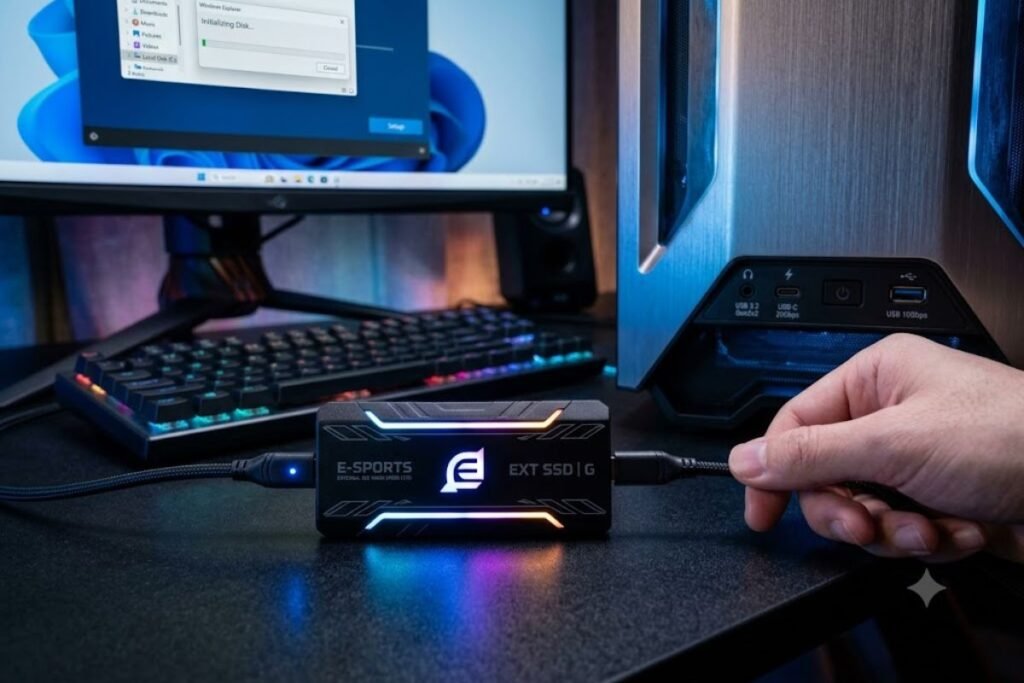
Setting up takes only a few minutes.
Step 1
Connect the SSD using the included USB cable.
Step 2
Format the drive if necessary.
Step 3
Create a Games folder.
Step 4
Select the SSD as your installation location.
Step 5
Move existing games if needed.
Most gaming launchers support multiple storage drives.
Tips to Maximize SSD Performance
Keep your SSD running at its best.
- Leave 10–20% free space.
- Safely eject before disconnecting.
- Update firmware regularly.
- Avoid unnecessary file duplication.
- Use high-quality USB cables.
- Connect directly to the motherboard whenever possible.
Common Mistakes to Avoid
Many buyers make simple mistakes.
Buying the Cheapest SSD
Low-cost drives may have slower speeds and lower durability.
Ignoring USB Compatibility
A fast SSD connected to a slow USB port won’t reach full speed.
Filling the Drive Completely
Nearly full SSDs often perform more slowly.
Using Poor Quality Cables
Cheap cables can reduce speed or cause connection issues.
Is an External SSD Better Than Upgrading Internal Storage?
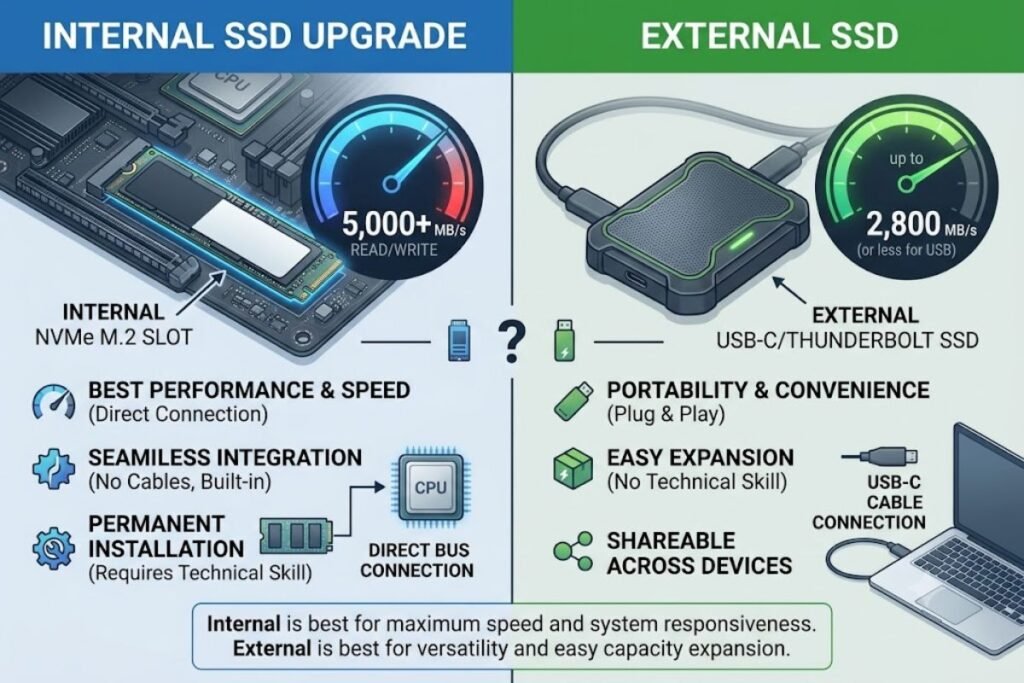
It depends on your needs.
Choose an external SSD if you want:
- Portability
- Easy setup
- More storage
- No need to open your device
Upgrade internal storage if you want:
- Maximum performance
- Permanent installation
- Higher sustained speeds
Many gamers use both.
How Long Does an External SSD Last?
Quality SSDs typically last:
- 5–10 years for average gamers
- Even longer with proper care
Their lifespan depends on total data written, not simply how long they are powered on.
Are External SSDs Safe for Long-Term Storage?
Yes. External SSDs are excellent for:
- Game backups
- Screenshots
- Recorded gameplay
- Documents
- Media files
For important files, always maintain multiple backups.
Frequently Asked Questions
Q: Is an external SSD good for gaming?
Ans: Yes. An external SSD offers faster loading times, quicker installations, and more storage compared to an external hard drive.
Q: Does an external SSD increase FPS?
Ans: No. It generally doesn’t improve frame rates, but it significantly reduces loading times.
Q: Can I run games directly from an external SSD?
Ans: Yes. Most PC games and many console games can run directly from an external SSD, depending on the platform.
Q: Is a 1TB external SSD enough for gaming?
Ans: Yes. A 1TB SSD is ideal for most gamers and can hold many modern games.
Q: Which connection is best?
Ans: USB 3.2 Gen 2 or Thunderbolt provides excellent gaming performance.
Q: Are external SSDs worth buying?
Ans: Absolutely. They offer faster performance, portability, durability, and convenient storage expansion.
Conclusion
Choosing the right external SSD for gaming is one of the easiest and most effective ways to improve your gaming experience. It won’t increase your FPS, but it will dramatically reduce loading times, speed up installations, and provide the extra storage space needed for today’s massive games.
For most gamers, a 1TB or 2TB USB 3.2 Gen 2 external SSD offers the best balance of speed, capacity, and value. If you create content, maintain a large game library, or need maximum performance, a Thunderbolt-compatible SSD may be worth the investment.
With the right external SSD, you can enjoy faster game launches, smoother updates, and the freedom to carry your entire gaming library wherever you play.




6 Comments