
 -by
-by AI is changing how websites and web applications are planned, designed, coded, tested, and maintained. Instead of replacing the fundamentals of Web Development, artificial intelligence is increasingly becoming a development assistant that can help people write code, understand unfamiliar projects, find bugs, generate tests, improve documentation, and move from an idea to a working prototype faster.
For beginners, this can make the learning process less intimidating. For experienced developers, AI can reduce repetitive work and provide another way to explore solutions. But there is an important distinction: generating code is not the same as engineering a reliable website.
AI can produce an attractive interface that contains accessibility problems, inefficient JavaScript, insecure authentication, incorrect API usage, or code that becomes difficult to maintain. Modern AI coding tools themselves acknowledge the need for human validation; for example, GitHub’s documentation says Copilot code review can make mistakes and recommends supplementing its feedback with human review.
This guide explains how AI fits into modern Web Development, what it can and cannot do, how beginners and professionals should use it, common risks, practical workflows, and what skills developers should continue building.
What Is AI for Web Development?
AI for Web Development is the use of artificial intelligence tools to assist with tasks involved in creating, testing, improving, deploying, and maintaining websites and web applications. Depending on the tool, AI can generate HTML, CSS, JavaScript, or framework code; explain existing code; suggest fixes; create tests; review pull requests; generate documentation; and help developers investigate errors.
AI can participate in almost every stage of a web development workflow:
- Planning website features
- Creating page structures
- Generating UI components
- Writing HTML and CSS
- Writing JavaScript or TypeScript
- Working with frameworks
- Creating API endpoints
- Explaining databases and queries
- Generating tests
- Debugging errors
- Reviewing code
- Improving accessibility
- Creating documentation
- Refactoring repetitive code
- Preparing deployment configurations
The important point is that AI is best viewed as a web development assistant, not an autonomous replacement for software engineering judgment.
A useful mental model is:
Human decides what should be built; AI helps explore how it might be built; humans verify whether the result is actually correct.
That distinction becomes increasingly important as AI tools move beyond simple autocomplete into agent-style workflows that can inspect repositories, modify files, run commands, and propose multi-file changes.
Why Is AI Becoming Important in Web Development?
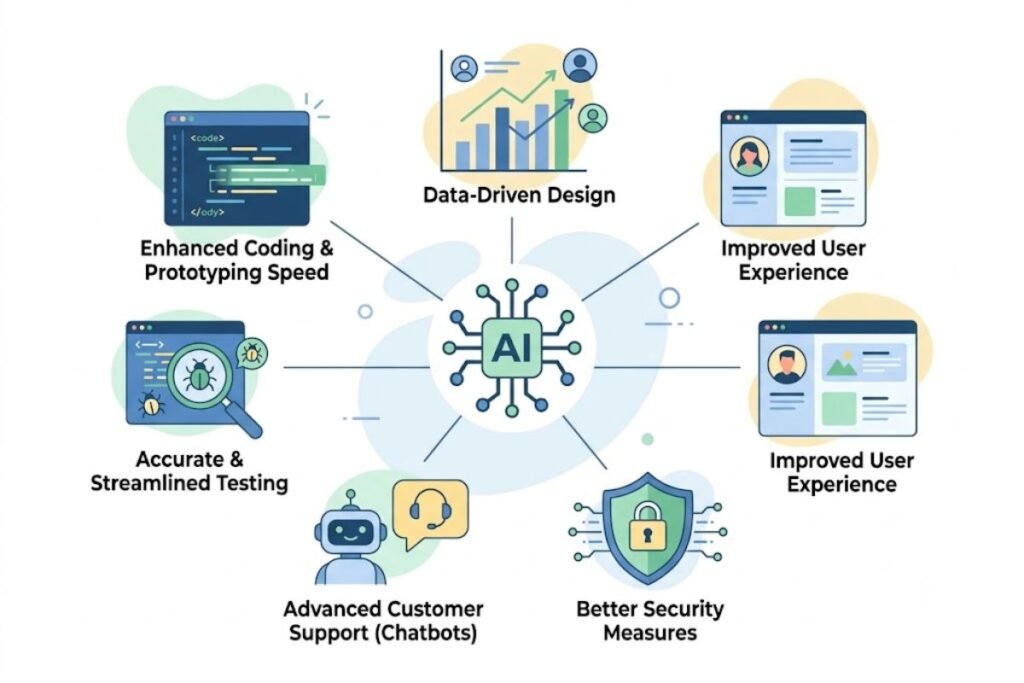
Traditional Web Development involves many repetitive activities. A developer may repeatedly create similar components, write boilerplate code, convert designs into markup, investigate error messages, create test cases, or document functions. AI can accelerate some of these activities.
For example, a developer working on an online store might ask an AI assistant to:
- Create a product-card component.
- Add responsive styling.
- Explain the component’s state management.
- Generate test cases.
- Identify possible accessibility problems.
- Review the resulting code for obvious issues.
The developer still needs to decide whether those changes fit the application’s architecture and requirements. Recent research into AI-assisted software development suggests that developers are increasingly using these systems across development workflows, while security concerns and the need for verification remain important barriers.
A 2026 study of professional developers also identified a gap between adoption of AI coding tools and AI-assisted testing, highlighting why generated code should not automatically be treated as finished software.
The practical advantage is therefore not simply “AI writes code faster.” The bigger opportunity is reducing the amount of time developers spend on low-value repetitive work so they can spend more time on architecture, product decisions, testing, security, user experience, and problem-solving.
How AI Fits Into the Web Development Process
AI can support the entire web development lifecycle, but its usefulness varies by stage.
1. Planning and Requirements
Before writing code, developers need to understand what they are building. AI can help turn an informal idea into a structured development plan.
For example, instead of beginning with:
“Build me a booking website.”
A better workflow is to ask AI to help define:
- Target users
- Core pages
- User journeys
- Authentication requirements
- Database entities
- Booking rules
- Payment requirements
- Admin functionality
- Accessibility requirements
- Error states
- Mobile requirements
- Security considerations
The human should remain responsible for validating the requirements because AI cannot know your business rules unless you provide them.
2. UI and Front-End Development
AI can generate front-end components from descriptions.
You might request:
- A responsive navigation bar
- A product listing page
- A contact form
- A dashboard
- A pricing table
- A responsive card layout
- A modal dialog
- A search interface
AI can also explain CSS, convert designs into code, suggest responsive layouts, and help troubleshoot browser-specific problems. However, visual quality should not be confused with usability.
A page that looks good in a screenshot can still have poor keyboard navigation, weak contrast, confusing form labels, excessive JavaScript, or poor performance. MDN emphasizes semantic HTML, appropriate elements, text alternatives, keyboard accessibility, and sensible JavaScript practices when building accessible websites.
3. Back-End Development
AI can also assist with server-side programming.
Depending on the technology stack, it can help create:
- REST APIs
- Authentication flows
- Database queries
- Server-side validation
- CRUD operations
- Error handling
- Middleware
- API documentation
- Background jobs
This is an area where caution is particularly important. A generated endpoint may work during a simple test while failing under unusual input or exposing sensitive information. Developers must verify authorization, validation, rate limiting, error handling, secrets management, and database behavior.
4. Testing
AI can generate test cases from existing code or requirements.
For example, if you have a registration form, AI can help identify scenarios such as:
- Valid registration
- Missing email
- Invalid email
- Weak password
- Duplicate account
- Unexpected characters
- Extremely long input
- Network failure
- Server error
- Expired verification link
This is valuable because developers sometimes test only the “happy path”—the situation where everything works correctly. AI can help broaden the list of scenarios, but the resulting tests still need review. A test suite that merely confirms what the implementation already does may not prove that the implementation is correct.
5. Debugging
Debugging is one of the most practical uses of AI for beginners.
Instead of asking:
“Fix this code.”
Give the AI:
- The relevant code
- The exact error
- What you expected
- What actually happened
- The environment or framework version
- What you already tried
For example:
“This React component should update the total when the quantity changes. The UI changes, but the total remains the same. Here is the component and the error from the browser console. Explain the likely cause before suggesting a fix.”
This approach encourages diagnosis instead of blindly accepting a replacement.
6. Code Review
AI can provide an additional review layer before human review. GitHub Copilot, for example, can review pull requests and suggest changes, including potential bugs, security issues, and style problems. GitHub also allows repository-specific instructions to guide reviews toward project standards.
That can be useful for:
- Detecting obvious mistakes
- Finding duplicated logic
- Identifying suspicious patterns
- Reviewing error handling
- Checking consistency
- Suggesting refactoring
- Finding some security problems
But AI review should not become the final approval mechanism for critical software. GitHub explicitly notes that Copilot is not guaranteed to identify every problem and recommends human validation.
The Main Types of AI Tools for Web Development
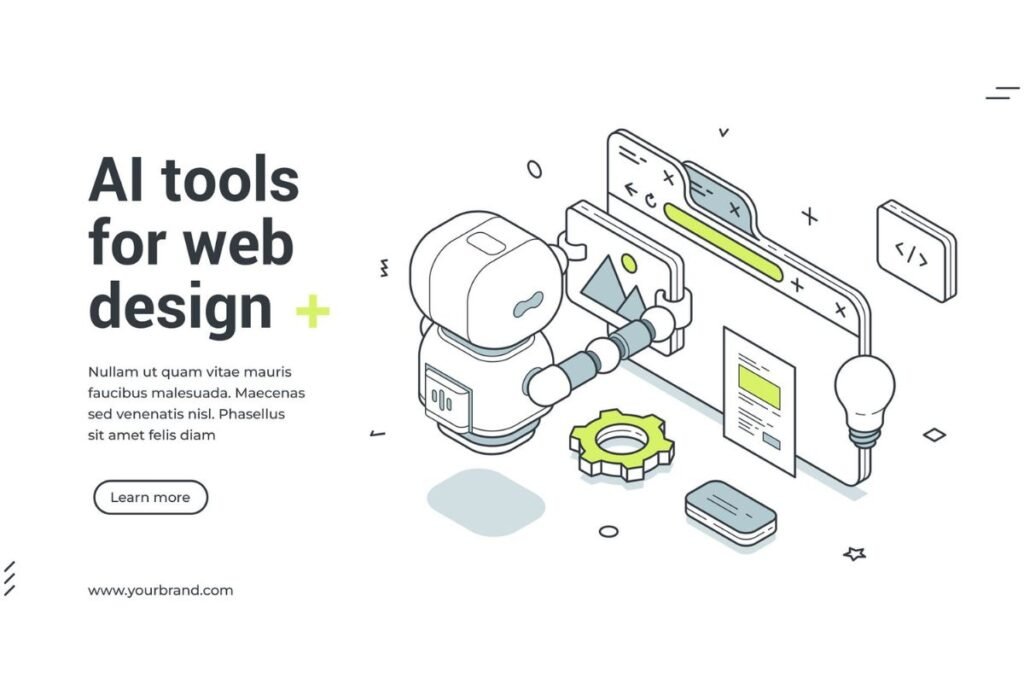
Not every AI development tool performs the same job.
AI Coding Assistants
These work alongside the developer in an editor or terminal.
Typical capabilities include:
- Code completion
- Code generation
- Code explanation
- Refactoring
- Debugging assistance
- Test generation
- Documentation
They are generally useful when you already have a codebase and want AI to work within your existing development environment.
AI Website Builders
These focus more heavily on visual or conversational website creation.
A user may describe a website and receive:
- Page layouts
- Content sections
- Styling
- Navigation
- Forms
- Basic business functionality
They can be useful for prototypes, landing pages, portfolios, and relatively straightforward business websites. The trade-off is control. Before choosing an AI website builder for a serious project, investigate whether you can export your code, access your data, customize the backend, control hosting, migrate away later, and maintain the project without depending entirely on the platform.
AI Coding Agents
Agent-style tools go beyond answering questions.
They may be able to:
- Inspect a repository.
- Understand relevant files.
- Create or modify multiple files.
- Run commands.
- Inspect errors.
- Make additional changes.
- Prepare a patch or pull request.
This can dramatically change the development workflow, but it also increases the importance of permissions, review, testing, and repository instructions. The more autonomy an AI system has, the more carefully you should control what it can access and what actions it is allowed to perform.
AI UI Generation Tools
These specialize in generating interfaces, components, layouts, or prototypes. They are particularly useful during the early design stage because they allow developers and designers to explore multiple directions quickly.
But generated interfaces should still be evaluated for:
- Mobile responsiveness
- Accessibility
- Loading performance
- Design consistency
- Semantic HTML
- Interaction behavior
- Browser compatibility
What Can AI Do Well in Web Development?
AI is particularly effective when the task has clear boundaries and the output can be inspected.
Strong use cases include:
Explaining unfamiliar code:
AI can translate complicated functions into plain English, making it useful when joining an unfamiliar project.
Generating boilerplate:
Repeated structures can often be created quickly.
Creating small components:
Buttons, cards, forms, tables, and simple interface components are reasonable AI-assisted tasks.
Converting between approaches:
AI can help translate a component from one styling approach or programming pattern to another.
Generating test ideas:
It can identify edge cases developers may initially overlook.
Documentation:
AI can turn implementation details into draft documentation that developers then review.
Debugging assistance:
AI can help interpret stack traces, console errors, and compiler messages.
Learning:
Beginners can ask for explanations at different levels of complexity instead of searching through many unrelated tutorials.
What AI Does Poorly
The limitations are just as important as the benefits.
AI Can Produce Plausible but Incorrect Code
One of the biggest problems is that generated code can look professional while being wrong.
It may:
- Use an outdated API
- Invent a package or function
- Misunderstand framework behavior
- Ignore an important project constraint
- Introduce a subtle bug
- Handle only the simplest case
This is why developers should compile, execute, test, inspect, and understand generated code rather than accepting it because it looks convincing.
AI May Miss Business Logic
Consider a hotel booking application. AI can create a reservation form, but the real requirements may include:
- Minimum stay rules
- Blackout dates
- Different seasonal prices
- Existing reservations
- Cancellation policies
- Tax calculations
- Multiple currencies
- Time-zone differences
These rules come from the business, not from the programming language. AI can implement clearly stated rules, but it should not be expected to invent the correct business logic.
AI Can Create Security Problems
Security requires deliberate engineering. MDN notes that website security involves the application, server configuration, passwords, client-side code, and multiple classes of threats—not a single security feature that can simply be switched on.
AI-generated code can accidentally:
- Trust user input
- Expose sensitive data
- Mishandle authentication
- Store secrets incorrectly
- Create insecure database queries
- Allow unauthorized actions
- Produce unsafe file handling
Never treat an AI-generated security implementation as automatically secure.
AI Web Development vs Traditional Web Development
AI-assisted web development and traditional web development are not necessarily competing approaches.
A better comparison is:
| Area | Traditional Approach | AI-Assisted Approach |
|---|---|---|
| Code writing | Mostly manual | Human + AI generation |
| Learning | Documentation, courses, experimentation | Documentation + AI explanations + experimentation |
| Debugging | Manual investigation | AI-assisted investigation |
| Boilerplate | Written manually | Often generated |
| Testing | Developer creates tests | AI can suggest and generate tests |
| Code review | Human review | AI review + human review |
| Architecture | Human-led | AI can provide alternatives |
| Final responsibility | Developer/team | Developer/team |
| Verification | Essential | Even more important |
AI does not eliminate traditional engineering principles. If anything, faster code generation makes those principles more important because teams can produce changes faster than they can manually inspect every line.
Benefits of Using AI for Web Development

Faster Prototyping
An idea can move from a written description to a rough prototype quickly. This is especially useful for testing whether a concept deserves further development.
Lower Barrier to Learning
Beginners can ask questions while coding instead of stopping every few minutes to search for terminology.
For example:
“Explain why this JavaScript function returns undefined, but explain it as if I understand variables and functions but not asynchronous programming.”
Good AI assistance can adapt explanations to the learner’s level.
Less Repetitive Work
Developers can delegate predictable tasks such as basic component generation, repetitive test scaffolding, documentation drafts, and simple refactoring.
Better Exploration
AI can suggest several approaches to the same problem.
For example, when implementing a search feature, it might outline:
- Client-side filtering
- Server-side search
- Database-backed search
- Cached search
- Full-text search
The developer can then compare trade-offs rather than discovering every option independently.
Faster Codebase Understanding
When joining an existing project, AI can help explain relationships among files and functions. This can reduce the initial learning curve, although important architectural conclusions should be confirmed by reading the actual source and documentation.
Limitations and Risks of AI in Web Development
1. Hallucinated APIs and Libraries
AI may confidently refer to something that does not exist or has changed. Always verify important APIs against official documentation.
2. Security Vulnerabilities
Generated code requires security review, especially for authentication, payments, user permissions, file uploads, database access, and personal data.
3. Dependency Problems
An AI-generated project may introduce unnecessary packages. More dependencies mean more things to maintain, update, understand, and secure.
Ask:
“Can this be implemented using the existing dependencies?”
before adding another library.
4. Technical Debt
Fast generation can create messy architecture.
A project can accumulate:
- Duplicate utilities
- Inconsistent naming
- Repeated business logic
- Unused dependencies
- Overly complicated components
- Poor folder structures
AI makes refactoring discipline more important, not less.
5. Privacy and Confidentiality
Do not paste confidential source code, credentials, private customer data, proprietary business information, or secrets into an AI system unless the relevant organization’s policies and the tool’s data-handling terms permit it. API keys, passwords, private certificates, and authentication tokens should never be treated as ordinary prompt content.
How Beginners Should Use AI to Learn Web Development

One of the worst beginner strategies is:
“Build the entire website for me.”
A better strategy is to use AI as a tutor and pair programmer.
Step 1: Learn the Fundamentals
Start with:
- HTML
- CSS
- JavaScript
- HTTP basics
- Browser developer tools
- Git
- Basic accessibility
- Basic security
AI can help explain these topics, but you should still practice writing code yourself.
Step 2: Build Small Projects
Start with projects such as:
- Personal portfolio
- To-do application
- Calculator
- Weather interface
- Blog layout
- Product catalog
- Simple dashboard
Do not immediately build a complex social network or marketplace.
Step 3: Ask AI for Explanations
Instead of:
“Write this for me.”
Try:
“Show me how this works and explain each important part.”
Then modify the code yourself.
Step 4: Break Problems Into Tasks
Instead of asking AI to build a complete application, divide it into:
- Project structure
- Database design
- Authentication
- Main interface
- API
- Validation
- Testing
- Deployment
This makes errors easier to locate and solutions easier to understand.
Step 5: Verify Everything
A beginner should develop the habit:
Generate → Read → Run → Test → Understand → Improve
That workflow is much safer than:
Generate → Copy → Publish
How Professionals Should Use AI
Experienced developers can use AI differently. Instead of asking AI to teach basic syntax, professionals can use it for higher-value support.
Architecture Exploration
Ask AI to compare multiple implementation strategies and explicitly state trade-offs.
For example:
“Compare server-side rendering, static generation, and client-side rendering for this content-heavy site. Consider SEO, caching, personalization, complexity, and hosting.”
The value comes from the comparison—not from blindly accepting the recommendation.
Refactoring
AI can identify repeated patterns and suggest cleaner structures. But refactoring should preserve behavior, so automated tests are particularly valuable.
Test Generation
Ask AI to identify edge cases before writing tests.
For example:
“Review this checkout flow and list failure scenarios involving invalid quantities, expired sessions, duplicate submissions, network failures, and authorization.”
This encourages broader thinking.
Code Review
AI can act as a second pair of eyes before a human review. GitHub’s current tooling supports AI-assisted pull-request reviews, suggested fixes, custom review instructions, and agentic capabilities. GitHub nevertheless warns that AI review is not guaranteed to catch every issue.
A Practical AI Web Development Workflow
A reliable workflow might look like this:
Step 1: Define the Requirement
Write down:
- What the feature does
- Who uses it
- What inputs it accepts
- What output it produces
- What can go wrong
- What security restrictions apply
Step 2: Ask AI for Options
Ask for two or three possible approaches. Do not ask only for “the best” approach.
Step 3: Choose the Architecture Yourself
Consider:
- Existing codebase
- Team skills
- Performance
- Security
- Maintainability
- Hosting
- Cost
- Future requirements
Step 4: Generate a Small Change
Avoid changing the entire project at once. Start with one component, endpoint, or function.
Step 5: Run the Code
Check:
- Console
- Browser
- Server logs
- Tests
- Network requests
- Database behavior
Step 6: Review the Diff
Ask:
- Did AI change anything unrelated?
- Did it introduce a dependency?
- Did it alter security behavior?
- Is the code consistent with the existing project?
Step 7: Test Edge Cases
Do not test only the expected input.
Step 8: Perform Human Review
For important applications, a developer should review the implementation before release.
Step 9: Document Important Decisions
Record why significant architectural choices were made. This prevents the project from becoming dependent on AI conversations that nobody else can see.
How to Write Better Prompts for AI Coding Tools
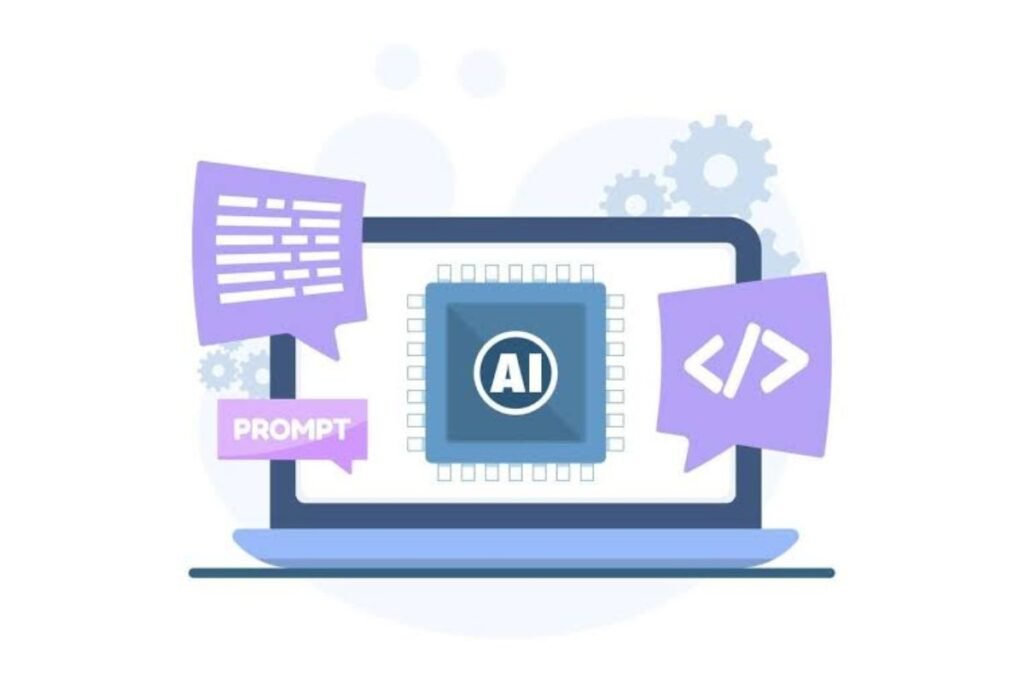
The quality of an AI coding response depends heavily on context.
A weak prompt:
“Make my website faster.”
A stronger prompt:
“This is a content-heavy website built with [framework]. The largest performance problem appears to be slow initial rendering on mobile. Analyze the attached component first. Identify likely causes, explain what you would measure, and suggest changes without introducing a new dependency.”
Useful prompt information includes:
- Technology stack
- Relevant files
- Expected behavior
- Current behavior
- Error messages
- Constraints
- Coding standards
- Browser requirements
- Performance goals
- Security requirements
Ask AI to Explain Before Changing
For important code, use a two-stage approach:
Stage 1: Diagnose and explain.
Stage 2: Propose a change.
This makes it easier to detect misunderstandings before they become code changes.
AI and Accessibility in Web Development
Accessibility should not be an afterthought.
An AI-generated interface can easily create problems such as:
- Missing form labels
- Poor keyboard navigation
- Incorrect heading structure
- Weak focus states
- Inadequate text alternatives
- Inaccessible custom controls
- Overuse of animation
- Poor color contrast
MDN recommends considering accessibility from the beginning of a project rather than attempting to bolt it on later. Accessible design can also improve usability for mobile users and people operating under difficult network conditions.
When using AI to generate UI, ask specifically for:
- Semantic HTML
- Keyboard accessibility
- Proper labels
- Meaningful alt text
- Visible focus states
- Accessible error messages
- Appropriate heading hierarchy
- Reduced-motion considerations
Then test the actual interface rather than trusting the AI’s statement that it is “accessible.”
For authoritative accessibility requirements, developers should consult the current WCAG documentation and applicable local requirements.
AI and Web Performance
AI can generate functional code that is unnecessarily expensive to run.
Common performance problems include:
- Excessive JavaScript
- Large images
- Unnecessary client-side rendering
- Too many dependencies
- Poor caching
- Repeated API calls
- Unoptimized components
- Heavy third-party scripts
Use measurement rather than assumptions.
Google’s web.dev guidance focuses on building web experiences that are fast, accessible, secure, and compatible across browsers, and provides current material on performance and AI-related web development.
A useful rule is:
Do not ask AI to “optimize” a website until you know what is actually slow.
Measure first. Optimize second. Measure again.
AI and SEO in Web Development
AI-generated code can affect SEO indirectly through technical implementation.
Important areas include:
- Semantic HTML
- Page structure
- Crawlable content
- Internal linking
- Metadata
- Canonical URLs
- Structured data where appropriate
- Mobile usability
- Performance
- Accessibility
- Rendering behavior
AI can help audit these elements, but it should not be treated as an authority that automatically understands search engine requirements.
For a technology website, useful supporting resources can also be connected naturally through internal links, such as Optimize a Gaming PC for Cloud Gaming when discussing performance-heavy browser experiences. Likewise, readers comparing hardware for development may benefit from a related guide such as Best Affordable Laptops.
AI Web Development Mistakes to Avoid
Mistake 1: Letting AI Build Everything at Once
Large prompts produce large changes that are difficult to review. Break projects into smaller tasks.
Mistake 2: Copying Code Without Understanding It
If you cannot explain an important section of production code, you have created a maintenance problem.
Mistake 3: Ignoring Official Documentation
AI can be outdated or incorrect. For frameworks, APIs, browsers, and libraries, verify important details against current primary documentation.
Mistake 4: Skipping Testing
Generated code still needs tests.
Mistake 5: Giving AI Excessive Permissions
Agentic systems can potentially interact with files, commands, services, and development environments. Use the minimum permissions necessary.
Mistake 6: Treating AI Review as Human Approval
AI review can be useful, but it should complement—not replace—responsible engineering review. GitHub explicitly recommends human validation of Copilot’s findings.
Mistake 7: Optimizing for Speed Instead of Maintainability
The fastest way to produce the first version is not necessarily the fastest way to maintain the application for three years.
How to Choose an AI Tool for Web Development
Instead of choosing a tool because it is popular, evaluate it against your actual workflow.
| Requirement | What to Look For |
|---|---|
| Beginner learning | Clear explanations and interactive assistance |
| Existing codebase | Repository-aware context |
| Professional development | IDE, terminal, Git, testing, and review integration |
| UI prototyping | Visual or conversational generation |
| Large projects | Context management and predictable behavior |
| Security-sensitive work | Permission controls and review workflows |
| Team projects | Shared instructions, policies, and auditability |
| Long-term ownership | Exportability and maintainable code |
| Testing | Test generation and execution support |
| Documentation | Repository-aware explanations and documentation |
Do not judge an AI tool only by how impressive its first demo looks. Ask what happens after the prototype. Can you understand the generated code? Can you test it? Can you modify it without the AI? Can another developer maintain it? Can you migrate away from the platform? Those questions are often more important than how quickly the first page appears.
Is AI Replacing Web Developers?
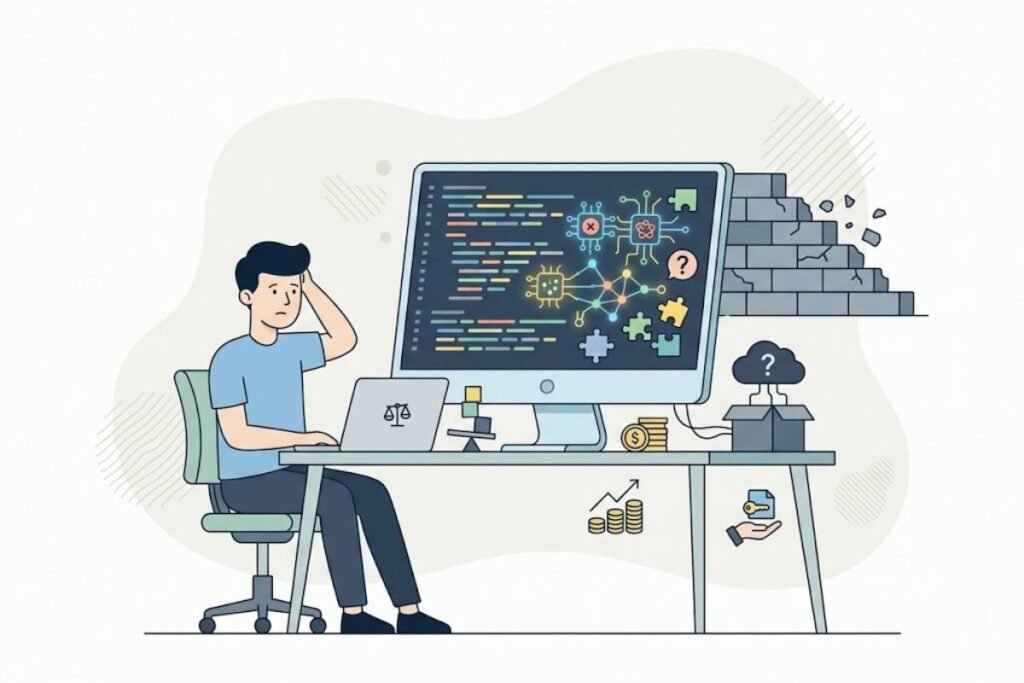
AI is changing developer work, but the more useful question is which developer tasks are becoming automated. Tasks involving predictable code generation are increasingly suitable for automation.
Tasks involving:
- Architecture
- Product requirements
- Security decisions
- User research
- Complex debugging
- Business logic
- Trade-offs
- System design
- Accountability
still require substantial human judgment.
Research and industry discussion around AI-assisted software engineering increasingly emphasize verification and validation as AI systems take on more implementation work. For developers, this suggests an important shift in skill priorities. Knowing syntax remains useful, but it is increasingly valuable to understand why a particular implementation is appropriate.
A strong developer should be able to inspect AI-generated code and answer:
- Is this correct?
- Is it secure?
- Is it maintainable?
- Is it accessible?
- Is it performant?
- Does it fit the architecture?
- Does it satisfy the actual requirement?
That is engineering judgment.
The Future of AI in Web Development
AI-assisted web development is moving toward increasingly autonomous workflows.
Instead of:
Developer asks → AI answers → Developer copies code
the workflow can become:
Developer defines task → AI investigates → AI proposes changes → AI implements → Tests run → AI analyzes results → Human reviews → Changes merge
This does not mean every project should become fully autonomous. In fact, the more consequential the application, the more important human oversight becomes.
Future AI development workflows are likely to place greater emphasis on:
- Repository context
- Automated testing
- Code review
- Agent permissions
- Security controls
- Documentation
- Observability
- Multi-step web development tasks
- Human approval
- Integration with web development platforms
The most useful developers will not necessarily be those who generate the most code. They will be those who can direct AI effectively, recognize incorrect output, verify results, and make sound engineering decisions.
A Simple AI Web Development Checklist
Before publishing an AI-assisted website or web application, check:
Code
- Does the code actually work?
- Did you understand the important generated sections?
- Are dependencies necessary?
- Is the architecture consistent?
Security
- Are secrets protected?
- Is user input validated?
- Are authorization rules enforced?
- Are sensitive errors hidden?
- Are authentication and session flows reviewed?
Accessibility
- Can the site be navigated with a keyboard?
- Are forms properly labeled?
- Is the heading structure logical?
- Are images given appropriate text alternatives?
- Are focus states visible?
Performance
- Are images optimized?
- Is unnecessary JavaScript removed?
- Are API requests reasonable?
- Has performance been measured?
SEO
- Are important pages crawlable?
- Is the content accessible to users and search engines?
- Are titles and descriptions appropriate?
- Are internal links useful?
- Is the URL structure sensible?
Maintenance
- Can another developer understand the code?
- Are tests available?
- Is documentation updated?
- Are major architectural decisions recorded?
FAQs – AI for Web Development
Q: Can AI build a complete website?
Ans: Yes, AI tools can generate substantial portions of a website, and some platforms can create complete basic sites from natural-language descriptions. However, a generated website still needs human review for requirements, accessibility, security, performance, content quality, and maintainability.
Q: Is AI useful for beginners learning Web Development?
Ans: Yes. AI can explain programming concepts, debug errors, provide examples, and help learners understand unfamiliar code. Beginners should avoid becoming dependent on copy-and-paste workflows. The strongest approach is to ask AI for explanations and guidance while continuing to write and test code independently.
Q: Can AI replace a web developer?
Ans: AI can automate or accelerate many web development tasks, particularly repetitive coding and some review activities. It does not remove the need for people who can define requirements, design systems, validate output, manage risk, understand users, and take responsibility for production software.
Q: What programming languages can AI help with?
Ans: AI coding tools can assist with many commonly used languages, including JavaScript, TypeScript, Python, PHP, Java, C#, Ruby, Go, and others. The exact quality varies by tool, model, framework, project context, and task.
Q: Can AI debug JavaScript?
Ans: Yes. AI can help analyze JavaScript errors, explain stack traces, identify likely causes, and suggest fixes. The best results usually come from providing the relevant code, exact error message, expected behavior, and actual behavior.
Q: Should I trust AI-generated code?
Ans: You should treat AI-generated code as a proposal that requires verification. Run it, inspect it, test edge cases, check dependencies, and review security-sensitive sections. Never assume code is correct simply because it compiles or looks professional.
Q: Is AI-generated code good for production websites?
Ans: It can be, provided it goes through the same engineering process as human-written code. Production readiness depends on testing, security, accessibility, performance, maintainability, monitoring, and compliance—not on whether the initial code was written by a human or AI.
Q: How can AI help with responsive web design?
Ans: AI can generate responsive CSS, suggest layout strategies, identify breakpoint issues, and convert design requirements into components. Developers should still test layouts on real screen sizes because generated responsive code can behave poorly in situations that were not described in the prompt.
Q: Can AI improve website SEO?
Ans: AI can help identify technical SEO issues, suggest semantic HTML improvements, generate metadata drafts, and explain implementation problems. It cannot guarantee search rankings. SEO still depends on useful content, technical quality, relevance, user experience, and many other factors.
Q: Should developers learn coding if AI can generate code?
Ans: Yes. Understanding programming makes it much easier to evaluate, debug, secure, and maintain AI-generated code. Developers who understand fundamentals can use AI as a multiplier rather than becoming dependent on it.
Q: What is the best way to use AI for professional Web Development?
Ans: Use AI for clearly defined tasks where its output can be verified. Give it sufficient project context, ask it to explain important decisions, keep changes manageable, run automated tests, review diffs, and maintain human approval for significant changes.
Final Thoughts
AI is becoming an important part of modern Web Development, but its greatest value is not simply producing more code. Its real advantage is helping developers move through repetitive, exploratory, and information-heavy tasks more efficiently.
Beginners can use AI as a tutor and coding partner. Professionals can use it for prototyping, debugging, refactoring, testing, documentation, and code review. Teams can use increasingly capable agent-style systems to automate parts of the web development workflow.
But speed should never become the only goal. A website still needs good architecture, accessible interfaces, secure code, useful content, reliable performance, and maintainable software. AI can help with each of these areas, but it cannot remove the responsibility to verify the result.
The most practical approach is therefore simple: use AI to accelerate Web Development, not to replace engineering judgment. Learn the fundamentals, give AI clear context, verify its output, test real-world scenarios, and keep humans responsible for important decisions. That combination can make AI a powerful addition to both beginner and professional web development workflows.




2 Comments